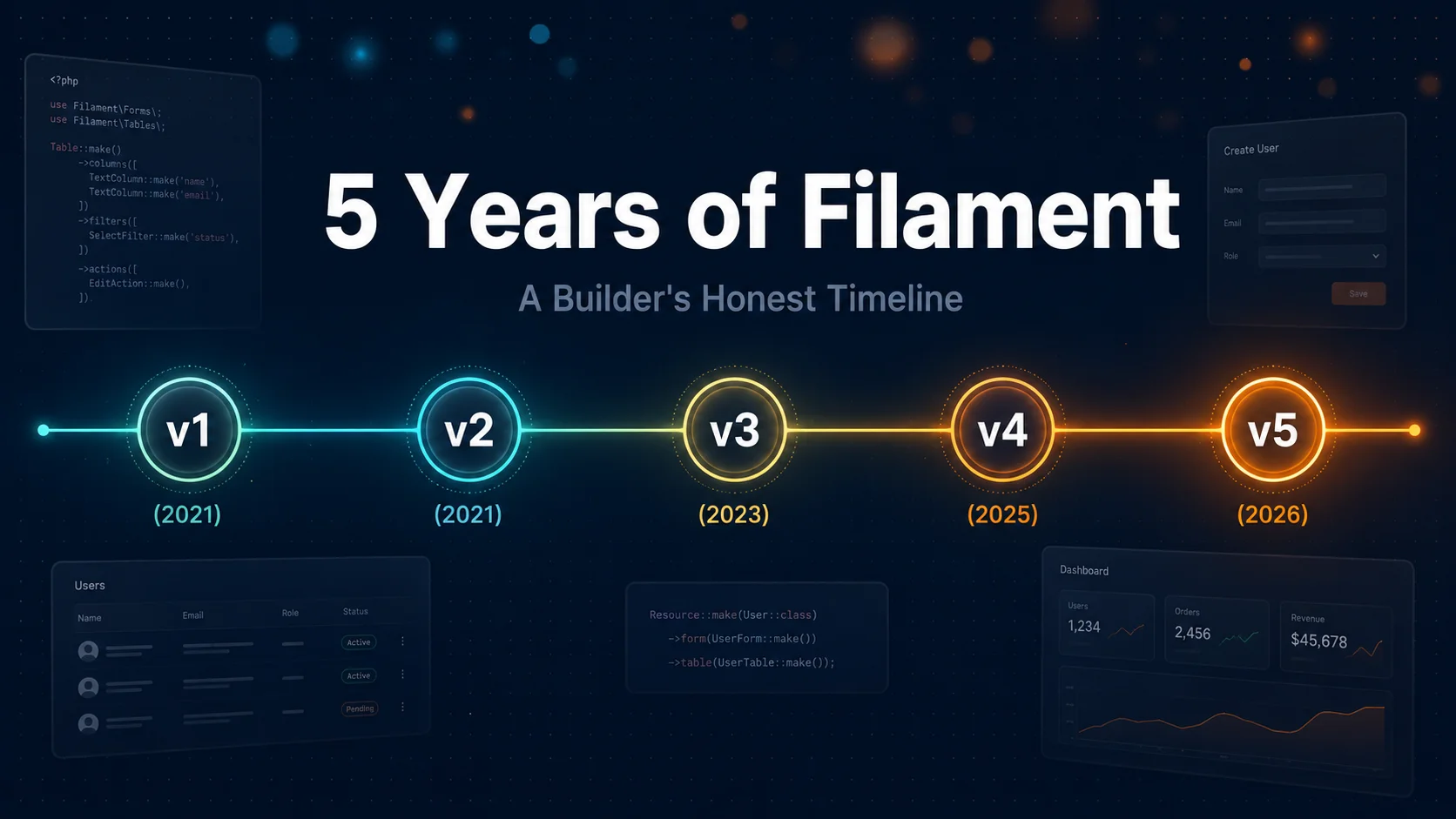
From v1 in 2021 to v5 in 2026, what actually changed in Filament, what broke, and why it became my default Laravel admin panel.
Most Laravel admin panels I tried back in 2021 felt like 2014. Bootstrap shells. jQuery widgets bolted onto Vue. Forms that took a week to wire up just to edit a single record.
Then I tried Filament v1. It was rough. It was opinionated. It worked.
Five years and four major versions later, I've shipped Filament-backed apps for clients across hospitality, real estate, and B2B SaaS — and I want to walk you through what actually changed at each step, what broke when I upgraded, and why this thing won the Laravel admin panel war.
This is not a changelog. Read the official insights post by Alex Six if you want the official story. This is a builder's honest take.
Why Filament v1 looked stupid — and why it actually wasn't
March 2021. Livewire 2.0 had just dropped. Tailwind was eating the CSS world. Alpine was the duct tape glueing reactive UIs together without React.
Then Dan Harrin shipped v1 of Filament — a full admin panel built on the TALL stack (Tailwind, Alpine, Livewire, Laravel). No JavaScript framework. No Inertia. No Vue. Just PHP rendering reactive UIs.
I remember reading the docs and thinking: this is going to fall apart fast.
It didn't. The pitch — why use JavaScript when PHP can solve the same problems? — was the right pitch for the moment. Half the Laravel community was bouncing between Nova licenses, custom Vue dashboards, and Voyager rebuilds. Filament said: skip the JS, use Livewire, ship faster.
What v1 got right:
- A real production-ready admin panel out of the box — not a "starter kit" you had to rebuild
- Resource-driven CRUD that took minutes, not days
- Forms and tables generated from a single config file — no Blade hacking
- A consistent visual language that didn't look like every Bootstrap admin in 2018
What it got wrong: it was monolithic. You wanted just the Forms package for a customer-facing checkout? Tough luck. You wanted Tables in your storefront? Same answer. The whole admin panel came as a single, take-it-or-leave-it bundle.
That's exactly what v2 fixed.
v2: When the real magic shipped (December 2021)
If v1 was the proof of concept, v2 was the version that made me commit.
The single biggest decision the Filament team made — and the reason this thing took off — was splitting the monolith into composable packages: Admin Panel, Forms, Tables, Notifications. Each one usable on its own. Each one usable together.
I shipped a project that month where the admin used the full panel, but the customer-facing booking flow used only the Forms package, dropped into a regular Livewire component on the public site. Same form-builder syntax. Same validation. Same field types. No admin panel chrome bleeding through.
That had never been possible before.
The other v2 moves:
- Reactive forms. Fields could finally talk to each other. Change a country dropdown → state field rebuilds. No custom Livewire wiring. This alone saved me about a day of work per project.
- Dark mode and a refreshed visual language — not vanity, this was when Filament started looking like a product, not a Laravel package.
- A more honest plugin ecosystem. Devs could write plugins against stable interfaces.
By mid-2022, Filament v2 was my default for any Laravel project that needed an admin layer. I covered why I rate the Laravel ecosystem so highly in Exploring the Laravel Ecosystem — Filament is one of the main reasons.
v3: The version most production apps still run (August 2023)
This is where Filament went from "great Laravel package" to "default for Laravel SaaS."
The v3 release renamed Admin Panel to just Panel, and that wasn't cosmetic. The team shipped multi-panel support with native multi-tenancy. You could now run a customer-facing dashboard, an internal admin panel, and a partner portal — three separate panels, each with their own auth, navigation, and resources, all in one Laravel app.
That cracked open everything. SaaS apps that used to need three separate Inertia/Vue dashboards now ran on a single Laravel codebase with three Filament panels. I built one for a property manager last year that handled tenants, landlords, and admins in one app — and the entire dashboard layer was Filament v3.
The other big v3 addition was Infolists: read-only record displays. Before v3, if you wanted a clean "view this record" page, you either built it with Blade (boring) or hacked a disabled form (ugly). Infolists nailed it. Forms for editing. Tables for browsing. Infolists for viewing. The trifecta.
If you're picking between custom dashboards and an off-the-shelf option, the Filament v3 multi-panel architecture is a serious argument for sticking with Laravel — something we cover in Build a CMS from Scratch or Use a Prebuilt One. Most teams are over-building when v3 already handles their case.
The pain point v3 didn't solve? Action imports. You'd be writing a resource and have to remember whether DeleteAction came from Filament\Actions, Filament\Tables\Actions, or Filament\Pages\Actions. I wasted hours on this. So did everyone.
v4: The "damn, this is fast now" release (August 2025)
The Filament team described v4 as their largest release ever. Nearly forty new features in v4.1 alone. Three-times performance improvement over v3 across the board.
That's not marketing. I migrated a client app from v3 to v4 last September and the resource list pages — which had been chugging on tables with 100k+ rows — went from 1.2 second loads to under 400ms. No code changes. Just the upgrade.
Two structural wins in v4 that mattered more than the perf:
→ Unified actions. That import nightmare from v3? Gone. One canonical action API across the whole framework.
→ Schemas replace separate Form and Infolist components. You can now mix read-only and editable fields in the same schema. The classic example is two-factor auth UI — half the screen is "scan this QR code" (read-only), the other half is "enter your code" (editable). Before v4 that took two components stitched together. After v4, one schema, done.
I broke down v4 in more depth in Filament PHP v4: The Best Laravel CMS Just Got Smarter — that's the post to read if you're picking up Filament for the first time today.
The upgrade from v3 to v4? Mostly painless. I had two custom plugins that needed updating, and one custom action that broke because it used the old per-package import. About four hours of work on a mid-sized app.
v5: The release nobody asked for (January 2026)
This one threw me at first.
Filament v5 shipped this January with zero new features. Read that again. Zero.
Why? Because Livewire 4 was coming. The Filament team didn't want a version where users had to choose between "stay on Livewire 3 with the new Filament features" or "upgrade Livewire 4 and lose Filament." So they did this clever thing: v5 is essentially v4 + Livewire 4 compatibility, with no new features layered on top.
That means features developed for v5 can be backported to v4 without breaking changes. And users on Livewire 3 can stay on v4 indefinitely. Users on Livewire 4 jump to v5 when they're ready.
It's a maintenance release dressed up as a major version. And honestly? It's the most mature thing this team has ever done. Most open-source projects force their users to swallow breaking changes alongside new shiny features. Filament said: pick your timeline.
The other v5 thing: a full branding refresh. New mascots. Unified visual identity across all the Filament projects. Cosmetic, but the polish is real.
What this five-year arc actually taught me
I've watched a lot of Laravel packages rise and die in this window. Backpack hung on. Nova kept its enterprise users. Voyager basically vanished. Inertia + Vue dashboards became the "modern" alternative.
Filament won by being clear-eyed about each version's job:
- v1 had to prove the TALL stack could ship a real admin panel
- v2 had to make the packages reusable outside the admin context
- v3 had to scale to multi-tenant SaaS
- v4 had to be fast and consistent enough for serious production
- v5 had to align with Livewire's future without breaking anyone
That's six product decisions, made well, over five years. Most projects mess up one of those and stall. Filament didn't.
If you're starting a Laravel project in 2026 and you need an admin layer, dashboard, customer portal, or internal tool — start with Filament v4 (or v5 if you're already on Livewire 4). The trial-and-error of figuring out CRUD, multi-tenancy, file uploads, and reactive forms has been done. Use it.
If you're a business owner trying to figure out whether to build custom or use a framework like this, we cover that decision in detail here. Short answer: most of the time, Filament + a thin custom layer beats both pure custom builds and SaaS off-the-shelf admin tools.
Next Steps
If you're picking up Filament for the first time, do these in order:
- Read the official Filament docs — they're genuinely good
- Build one resource end to end, then come back and read the Schemas chapter
- Skip the v3 docs entirely if you're starting fresh in 2026
If you're already on Filament and weighing whether to upgrade — start with the v4 changelog, identify any breaking changes in your custom plugins, and budget half a day for the migration on a mid-sized app.
And if you're a business owner staring at a "which framework do I bet on" decision: I do this for clients through my web development services and through DSRPT's web design and development team. Most of the time, Filament-on-Laravel is the answer for admin layers, internal tools, and SaaS dashboards. Sometimes it isn't — and the honest call is part of the job.
Five years in. Still betting on it.