
The HTTP QUERY method is real now (RFC 10008), and it fixes the GET vs POST mess
RFC 10008 gives HTTP a real QUERY method. Safe and idempotent like GET, body-carried like POST. Here's how it works, with curl, fetch, Laravel, and .NET examples.



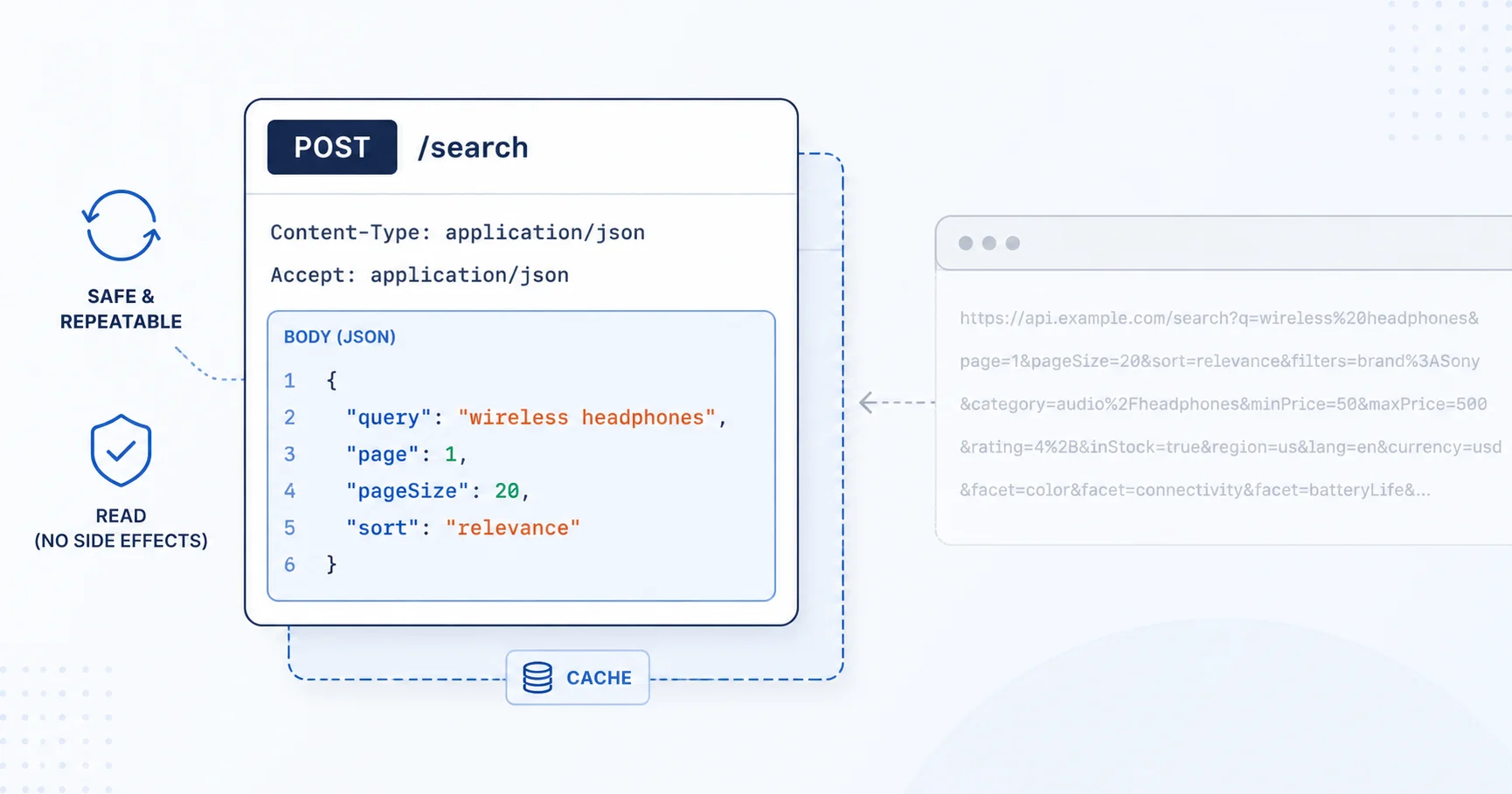
You have hit this wall. You need to send a real query to an API. Filters, a nested search object, a list of 400 IDs, whatever. Two bad options show up.
Put it in the URL as a GET. Clean and cacheable, until the URL blows past the length a proxy or gateway will accept. The HTTP spec only asks intermediaries to handle 8000 bytes, and you often do not control every hop. Your query also lands in access logs, browser history, and someone's bookmarks.
Or send a POST. Body as big as you want, no logging surprise. But now nothing downstream knows this is a read. Caches skip it. A dropped connection means your client cannot safely retry, because a POST might have changed something.
That gap is exactly what RFC 10008 fills. Published in June 2026 by Julian Reschke, James Snell, and Mike Bishop, it defines a new HTTP method: QUERY. The query goes in the body like a POST, but the method is safe and idempotent like a GET.
What "safe and idempotent" actually buys you
Two words from the HTTP spec, and both matter here.
Safe means the request does not ask the server to change its state. A read, not a write.
Idempotent means sending it five times has the same effect as sending it once. So a client, a proxy, or your load balancer can retry a QUERY after a timeout without worrying it just created three duplicate orders.
GET has both properties. POST has neither by default. QUERY has both, on purpose, while still letting you carry the query in the body. Here is the same query in all three styles.
GET /feed?q=foo&limit=10&sort=-published HTTP/1.1
Host: example.org
POST /feed HTTP/1.1
Host: example.org
Content-Type: application/x-www-form-urlencoded

q=foo&limit=10&sort=-published
QUERY /feed HTTP/1.1
Host: example.org
Content-Type: application/x-www-form-urlencoded

q=foo&limit=10&sort=-published
The POST and the QUERY look almost identical on the wire. The difference is the promise. A cache, a CDN, and a retry layer can all treat that QUERY as a cacheable, retriable read. They cannot assume that about the POST.
If you have read my breakdown of REST, GraphQL, and gRPC, this is the same theme: the method you pick tells every layer in between what it is allowed to do.
The rules that will actually trip you up
A few hard requirements from the spec, the ones that turn into 400s at 2am.
Content-Type is mandatory. The server MUST reject a QUERY with no Content-Type, or one that does not match the body. No content sniffing allowed. The body plus its media type define the query, so the server is not permitted to guess.
The status codes are specific:
- No media type, or a body that contradicts the declared type, gives you a
400 Bad Request. - A media type the resource does not support for QUERY gives
415 Unsupported Media Type. This includes a type the server knows but has no query semantics for. - A valid, understood query that still cannot run gives
422 Unprocessable Content. The spec's example is a syntactically correct SQL query against a table that does not exist. - An
Acceptheader asking for a response format the resource cannot produce gives406 Not Acceptable.
A 200 means the query ran and the results are in the response body.
Accept-Query: how a server says "I do QUERY, and here's what I take"
New method, new discovery header. Accept-Query is a response header where a resource advertises QUERY support and lists the query formats it accepts. It uses HTTP Structured Fields, so parse it as a structured list, not as a plain comma string.
Accept-Query: "application/jsonpath", application/sql;charset="UTF-8"
Three ways to discover support, in order of politeness:
OPTIONS /contacts HTTP/1.1
Host: example.org
HTTP/1.1 200 OK
Allow: GET, QUERY, OPTIONS, HEAD
A HEAD works too and gives you the formats directly:
HEAD /contacts HTTP/1.1
Host: example.org
HTTP/1.1 200 OK
Accept-Query: application/x-www-form-urlencoded, application/sql
Or just fire the QUERY and handle a 415, reading the Accept header the server sends back to learn what it wanted. One detail worth knowing: Accept-Query applies to every URL that shares the same path, so the query string is ignored when matching.
Two headers that turn a query into a reusable URL
This part is quietly clever. A successful QUERY response can hand you back GET-able URLs.
Content-Location points at a resource holding the result you just got. GET it later to fetch that same result set.
Location points at the "equivalent resource": a URL you can GET to re-run the same query without resending the body. This is the escape hatch for caching. QUERY caching is harder than GET caching because the cache key has to include the whole body, which means reading the whole body before you can even look it up. Once the server gives you a Location, you switch to plain GET and get normal, boring, URL-keyed caching.
QUERY /contacts HTTP/1.1
Host: example.org
Content-Type: application/x-www-form-urlencoded
Accept: application/json

select=surname,email&limit=10&match=%22email=*@example.*%22
HTTP/1.1 200 OK
Content-Type: application/json
Content-Location: /contacts/stored-results/17
Location: /contacts/stored-queries/42

[ ...results... ]
GET /contacts/stored-results/17 for the frozen result, or GET /contacts/stored-queries/42 to re-run the query fresh. Both can be temporary, so keep the original QUERY around as a fallback.
Conditional requests work the way you would hope. Send If-None-Match or If-Modified-Since on the follow-up GET and you get a 304 Not Modified when nothing changed.
One redirect gotcha: the old browser habit of turning a POST into a GET after a 301 or 302 does not apply to QUERY. A 301, 302, 307, or 308 means "resend the QUERY to this new URL". Only a 303 See Other tells you to GET the Location instead.
Sending QUERY: curl and raw HTTP
curl lets you set any method with -X, so this works today against a server that speaks QUERY.
curl -X QUERY https://example.org/contacts \
  -H "Content-Type: application/sql" \
  -H "Accept: application/json" \
  --data 'SELECT surname, email FROM contacts LIMIT 10'
Discover support first if you want to be careful:
curl -sI -X OPTIONS https://example.org/contacts | grep -i '^allow:'
Browser fetch and Node
fetch takes QUERY as a method string. The catch: QUERY is not on the CORS safelist, so a cross-origin call sends a preflight OPTIONS first. Same-origin is fine.
const res = await fetch("https://example.org/errata.json", {
  method: "QUERY",
  headers: {
    "Content-Type": "application/jsonpath",
    "Accept": "application/json",
  },
  body: '$..[?@.errata_status_code=="Rejected" && @.submit_date>"2024"]["doc-id"]',
});

if (res.status === 415) {
  console.warn("Server does not accept this query format:", res.headers.get("accept"));
}
const data = await res.json();
The same code runs in modern Node with the built-in fetch. If you are on an older client library that rejects unknown methods, you may need to bump it or drop to a lower-level HTTP call.
Handling QUERY in Laravel
Laravel routing does not have a Route::query() helper, but Route::match takes any method name, so you register it directly. My usual stack is Laravel, and this is how I would wire it up.
// routes/web.php
use Illuminate\Http\Request;

Route::match(['QUERY'], '/contacts', function (Request $request) {
    // Enforce the spec: no Content-Type, no service.
    $type = $request->header('Content-Type');
    if (! $type) {
        return response('Missing Content-Type', 400);
    }

    if (! str_starts_with($type, 'application/sql')) {
        return response('Unsupported query format', 415)
            ->header('Accept-Query', 'application/sql, application/x-www-form-urlencoded');
    }

    $sql = $request->getContent();          // the query lives in the body
    $results = run_readonly_query($sql);    // your safe, read-only executor

    return response()->json($results)
        ->header('Content-Location', '/contacts/stored-results/'.cache_key($sql));
});
Advertise support on the resource so clients can discover it:
Route::match(['OPTIONS', 'HEAD'], '/contacts', function () {
    return response('', 200)
        ->header('Allow', 'GET, QUERY, OPTIONS, HEAD')
        ->header('Accept-Query', 'application/sql, application/x-www-form-urlencoded');
});
Keep the executor genuinely read-only. QUERY promises the server will not change state, and if your handler writes to the database, you have broken the contract every cache and retry layer is now trusting. If you are designing the wider API around this, my API design guide covers the surrounding decisions.
Handling QUERY in .NET
HttpMethod takes an arbitrary method name, so sending one from HttpClient is a one-liner.
using var client = new HttpClient();

var request = new HttpRequestMessage(new HttpMethod("QUERY"),
    "https://example.org/contacts")
{
    Content = new StringContent(
        "SELECT surname, email FROM contacts LIMIT 10",
        Encoding.UTF8,
        "application/sql")
};
request.Headers.Accept.ParseAdd("application/json");

var response = await client.SendAsync(request);
var json = await response.Content.ReadAsStringAsync();
On the server, ASP.NET Core minimal APIs map QUERY with MapMethods:
app.MapMethods("/contacts", new[] { "QUERY" }, async (HttpRequest req) =>
{
    if (string.IsNullOrEmpty(req.ContentType))
        return Results.StatusCode(400);

    using var reader = new StreamReader(req.Body);
    var query = await reader.ReadToEndAsync();

    var results = RunReadOnlyQuery(query);
    return Results.Json(results);
});
If you work in ASP.NET MVC, the pattern is the same idea I used in my partial views walkthrough: let the framework route the verb, then keep the handler doing one clear job.
When to actually reach for it
Do not rewrite every endpoint. QUERY earns its place when the query is too big for a URL, when the query text is sensitive and you would rather keep it out of logs, or when you have been abusing POST for reads and want caching and safe retries back. For a short ?q=foo, GET is still the right call, and the RFC says so directly.
Adoption is early. Browser and server support for RFC 10008 is still landing, and the CORS preflight is a real cost on cross-origin calls. Treat it as new: check Accept-Query or OPTIONS, keep a POST fallback, and ship it where you control both ends first.
The interesting part is not the method itself. It is that a read with a body finally has an honest name, so every cache, proxy, and retry between your client and your server can do the right thing without guessing.
What to do now
If you own an API where clients POST for reads, add a QUERY route behind a feature flag, advertise it with Accept-Query, and test it same-origin first. Keep the POST path as a fallback. If you want a second pair of eyes on the API design around it, get in touch and I am happy to look.
Last updated 5 Jul 2026
