
A LinkedIn lead engine for a client, part 1: the goal and the intake
Part 1 of building a client's LinkedIn lead automation: what the project set out to do, and the information and secure access I gathered before writing any of it.



The brief
A client wanted more from their LinkedIn presence than likes. They post useful things, but the attention went nowhere: no way to capture it, no list to build on, and no simple way to hand readers the resource each post talked about. Everything was manual, so it did not scale and left no record of who was interested.
The job was to turn that attention into an owned audience, automatically.
What the project set out to do
Four clear targets came out of the first conversation:
- Give people a real reason to engage with the client's posts, with a low-friction next step.
- Collect newsletter emails, with consent handled properly.
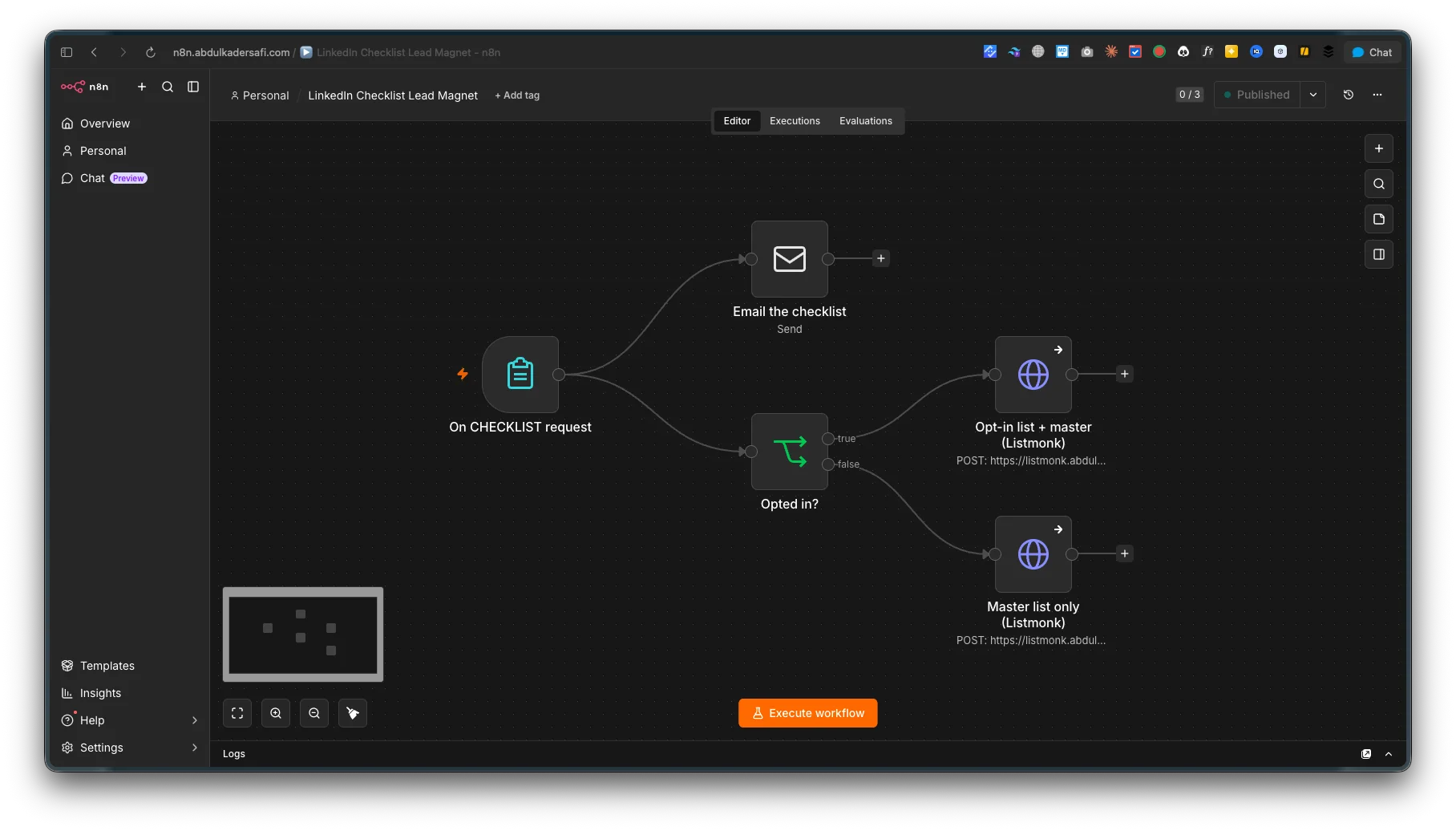
- Deliver the resource promoted in each post automatically, by email, within a minute.
- Keep the audience data owned by the client and self-hosted, not locked inside a third-party tool.
The measure of success was simple: a reader sees a post, takes one step, and ends up with the resource in their inbox and on the client's list, without anyone doing it by hand.
What I gathered from the client
Before building anything, I ran a short discovery to collect what the automation would need:
The offer. The actual resource being given away (a checklist, a guide, a template) and the posts it would sit behind. The whole system is built around delivering this, so it comes first.
The sending identity. The from-name and the email domain the client sends from, so the delivery email looks like them and lands in inboxes.
The access. The automation touches three of the client's systems, so I needed scoped access to each: their outgoing email for sending, their self-hosted newsletter tool for the list, and the server it would all run on.
Handling credentials the right way
Client credentials are a responsibility, so I set some rules before touching anything.
Least privilege. For the newsletter tool I used a dedicated API user with only the permissions the automation needs, managing subscribers and the two lists it writes to, and nothing else. It cannot see or do anything beyond its job.
Secrets stay in the vault. Any credential lives in the automation platform's own encrypted credential store, never written into the workflow logic and never shared in plain text.
Revocable by the client. Everything I was given can be rotated or revoked by the client at any time without breaking their other systems. Access is theirs to control, start to finish.
Out of intake
With the goal agreed and scoped access in hand, the shape of the build was clear: a hosted signup form as the entry point, automatic email delivery of the resource, and a clean sync into the client's newsletter tool with consent handled correctly. Part 2 covers building it and putting it live.
Last updated 17 Aug 2026 · filed under Tools, n8n
