Extension · Tools
Share This
Minimal Chrome extension (Manifest V3) to share the current page to 10 social networks or copy it as a blog-ready Markdown snippet built from the page's OG image, title, and description.
- Javascript
- HTML
- CSS
- Role
- Solo developer and designer
- Timeline
- 1 day
- Year
- 2026
- Status
- Completed
01 / The overview
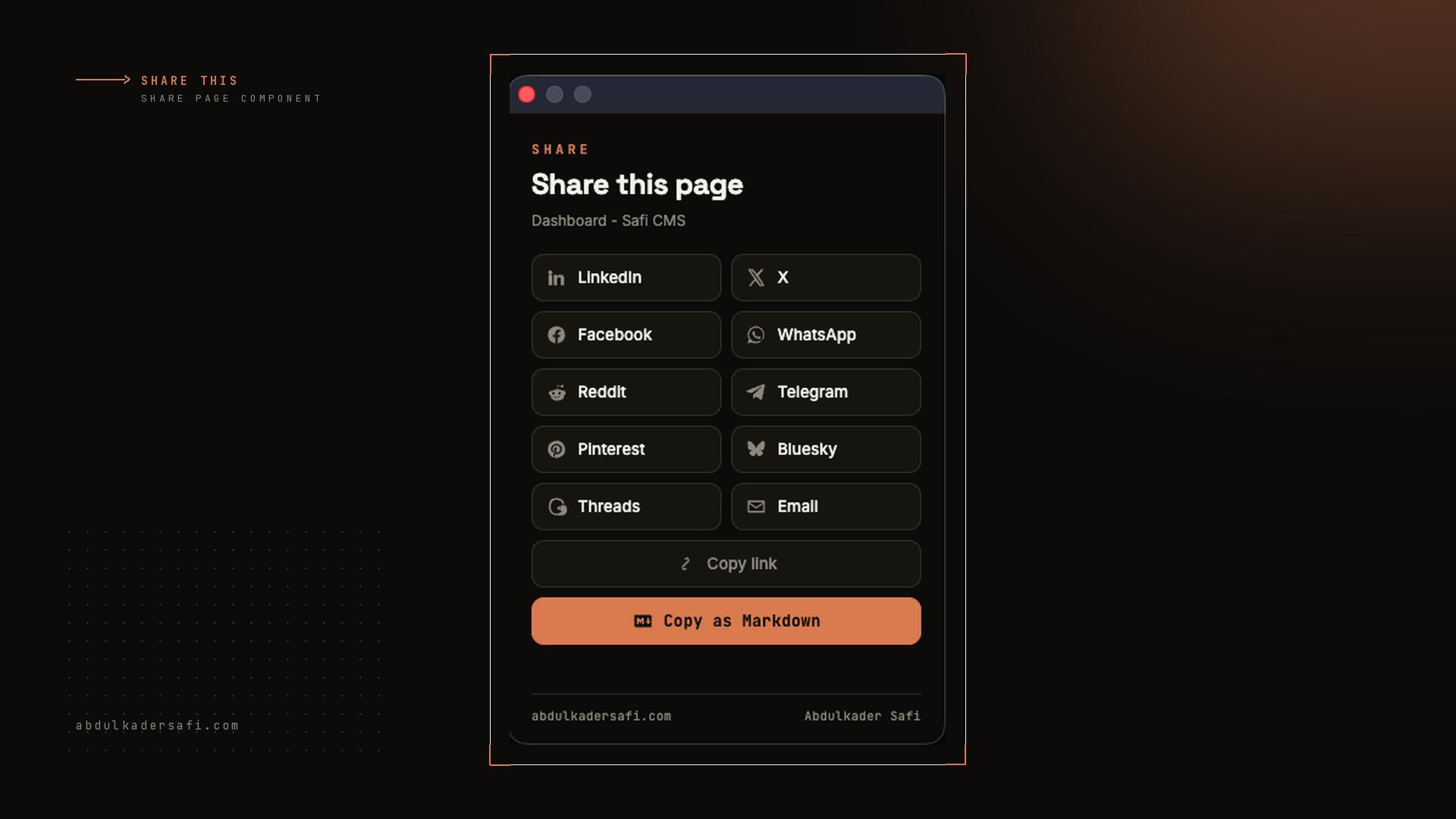
Share This is a lightweight browser extension that puts a share menu one click away. Open the popup on any page and send it to LinkedIn, X, Facebook, WhatsApp, Reddit, Telegram, Pinterest, Bluesky, Threads, or email. You can also copy the link, or copy the whole page as a Markdown block that is ready to paste into a personal blog.
02 / The challenge
Most share extensions ask for broad permissions to read every page you visit, and none produce clean Markdown with the page's OG image for reposting on a blog. I wanted both, without the privacy cost of background access to browsing history.
03 / The solution
The popup reads the active tab's URL and title, then reads the OG and meta tags with a single chrome.scripting.executeScript that runs only when the popup opens. That relies on the activeTab permission, so there is no background page and no host access. Each network is a plain share-intent URL. The Markdown button assembles a linked H2 title, the og:image, and the meta description, skipping the image line when a page has none. The extension ships from GitHub and installs via Load unpacked; it is not on the Chrome Web Store because Google's developer registration does not list Kuwait, so the registration fee can't be paid there.
FAQ
About this project
What permissions does the extension need?
Only activeTab and scripting, both granted on the click. There is no background page and no access to your browsing history.
What does Copy as Markdown produce?
An H2 title linked to the page, the og:image below it, then the meta description, ready to paste into a blog. The image line is skipped if the page has no og:image.
Which networks can I share to?
LinkedIn, X, Facebook, WhatsApp, Reddit, Telegram, Pinterest, Bluesky, Threads, and email, plus Copy link.