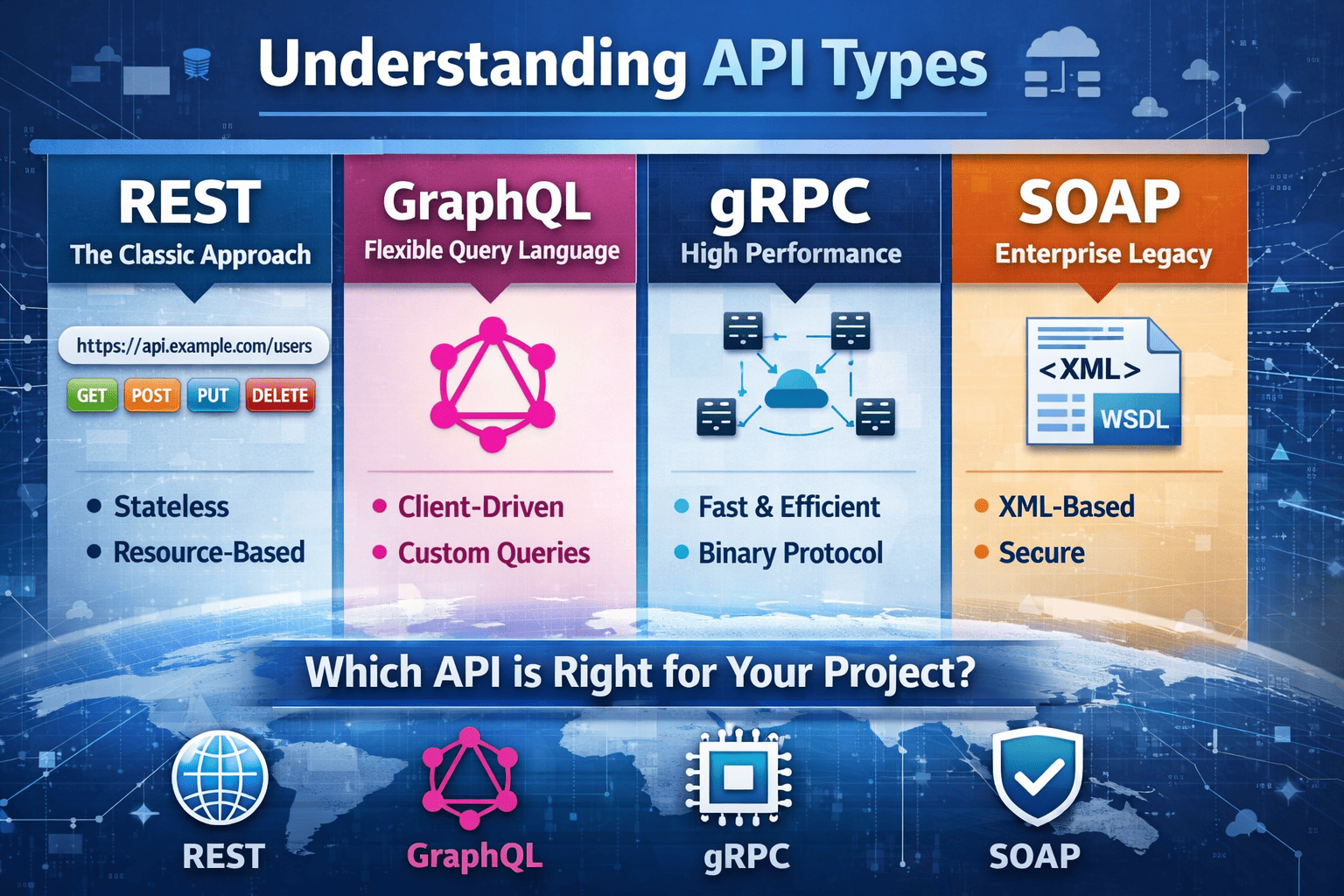
Building Scalable APIs: REST Best Practices You Shouldn’t Ignore
In today’s fast-paced digital world, scalable APIs are the backbone of modern applications. Whether you’re building a small project or a large-scale service, adhering to REST best practices ensures your API remains efficient, maintainable, and capable of handling growing traffic. In this article, we’ll explore essential REST best practices for building scalable APIs using **Node.js and Express**, complete with practical examples.

4 min read



In today’s fast-paced digital world, scalable APIs are the backbone of modern applications. Whether you’re building a small project or a large-scale service, adhering to REST best practices ensures your API remains efficient, maintainable, and capable of handling growing traffic. In this article, we’ll explore essential REST best practices for building scalable APIs using Node.js and Express, complete with practical examples.
1. Use Proper HTTP Methods
REST (Representational State Transfer) relies on standard HTTP methods to interact with resources. Misusing these can lead to confusion and inefficiency.
Key HTTP Methods:
- GET: Retrieve a resource (e.g.,
/api/users). - POST: Create a new resource (e.g.,
/api/users). - PUT/PATCH: Update an existing resource. Use PUT for full updates and PATCH for partial changes.
- DELETE: Remove a resource (e.g.,
/api/users/:id).
Example (Node.js + Express):
const express = require('express');
const app = express();

// GET: Retrieve all users
app.get('/api/users', (req, res) => {
  res.json([{ id: 1, name: 'Alice' }]);
});

// POST: Create a new user
app.post('/api/users', (req, res) => {
  const newUser = req.body;
  res.status(201).json(newUser);
});

// PUT: Update a user
app.put('/api/users/:id', (req, res) => {
  const { id } = req.params;
  res.json({ message: `User ${id} updated` });
});

// DELETE: Remove a user
app.delete('/api/users/:id', (req, res) => {
  const { id } = req.params;
  res.json({ message: `User ${id} deleted` });
});

app.listen(3000, () => console.log('API running on http://localhost:3000'));
2. Adhere to Resource Naming Conventions
Consistent and intuitive naming improves readability and reduces errors. Use nouns, avoid verbs, and pluralize resources (e.g., /api/users vs /api/user).
Example:
- ❌
/api/deleteUser/123 - ✅
/api/users/123
3. Version Your API
API versioning ensures backward compatibility as you evolve your endpoints. Use URL-based versioning (e.g., /api/v1/users) or headers like Accept: application/vnd.myapp.v1+json.
Example:
// Versioned endpoint
app.get('/api/v1/users', (req, res) => {
  res.json([{ id: 1, name: 'Alice' }]);
});
4. Handle Errors Gracefully
Proper error responses (HTTP status codes + clear messages) help clients understand and debug issues. Always return 4xx for client errors (e.g., 404, 400) and 5xx for server errors.
Example:
app.use((err, req, res, next) => {
  console.error(err.stack);
  res.status(500).json({ error: 'Internal Server Error' });
});
5. Embrace Statelessness
REST APIs should be stateless—servers shouldn’t store session data. Use JWT (JSON Web Tokens) or OAuth2 for authentication instead of server-side sessions.
Example:
// JWT Authentication Middleware
function authenticate(req, res, next) {
  const token = req.headers.authorization;
  if (!token) return res.status(401).json({ error: 'Unauthorized' });
  // Validate token and proceed
  next();
}
6. Implement Caching
Caching reduces server load and improves response times. Use HTTP headers like Cache-Control or middleware like express-cache.
Example:
const helmet = require('helmet');
app.use(helmet());
app.get('/api/data', (req, res) => {
  res.set('Cache-Control', 'public, max-age=3600');
  res.json({ data: 'Cached response' });
});
7. Add Rate Limiting
Prevent abuse and DDoS attacks by limiting request frequency per IP address. Use the express-rate-limit middleware.
Example:
const rateLimit = require('express-rate-limit');
const limiter = rateLimit({ windowMs: 15 * 60 * 1000, max: 100 });

app.use(limiter);
8. Paginate Large Data Sets
Avoid overwhelming clients with large responses by implementing pagination (e.g., LIMIT and OFFSET in SQL queries).
Example:
app.get('/api/users', (req, res) => {
  const page = parseInt(req.query.page) || 1;
  const limit = 10;
  const offset = (page - 1) * limit;
  // Fetch data from database with `LIMIT` and `OFFSET`
  res.json({ data: users.slice(offset, offset + limit) });
});
9. Prioritize Security
- Use HTTPS to encrypt data in transit.
- Validate and sanitize user inputs (e.g., using
express-validator). - Set secure headers with Helmet.
Example:
app.use(helmet());
app.use(express.json());
app.use((req, res, next) => {
  if (req.secure) {
    console.log('secure HTTP connection');
  } else {
    console.log('not secure');
  }
  next();
});
Conclusion
Scalable APIs aren’t just about performance—they’re about reliability, maintainability, and adaptability. By following REST best practices like proper HTTP methods, versioning, error handling, and security measures, you’ll build a robust foundation for your API.
Whether you're working on a small project or planning to scale, these principles will ensure your API can grow with demand. Start applying them today—your future self (and users) will thank you!
Next Steps:
- Explore advanced topics like GraphQL or OpenAPI for API documentation.
- Monitor your API with tools like New Relic or Datadog for performance insights.
Build smarter, scale better! 🚀
🚀 Let’s build something amazing! If you have a project in mind or need help with your next design system, feel free to reach out.
📧 Email: safi.abdulkader@gmail.com | 💻 LinkedIn: @abdulkader-safi | 📱 Instagram: @abdulkader.safi | 🏢 DSRPT
Drop me a line, I’m always happy to collaborate! 🚀
Last updated 17 Jul 2026