Dia is my main browser on Mac. Now I just want Windows
I use Dia as my daily browser on my MacBook. Here's what the new Reports feature actually does, and why I'm stuck waiting for the Windows version.



I've been using Dia as my main browser on my MacBook for months now. Not as a side experiment. As the actual thing I open every morning, with all my tabs, my work, my logins. Chrome sits in the dock untouched.
Then last week I sat down at my Windows PC, the one with the NVIDIA card I use for heavier work, and reached for Dia. It isn't there. Can't be. Dia is Mac only. And that gap is the whole reason I'm writing this.
What Dia actually is
Dia is a browser from the Browser Company, the team that made Arc. Their tagline is "the browser that reads between the tabs," which sounds like marketing until you use it for a week.
It's built on Chromium, so it's Chrome underneath. Your extensions work. Your Chrome bookmarks and pinned tabs import in one step. Sites behave normally. Nothing feels foreign. The difference is the AI layer sitting on top of your actual browsing, not in a separate app you have to go visit.
I wrote a full walkthrough of Dia when I first switched, if you want the deeper tour: Dia, the AI browser that's changing how we use the web. This post is narrower. It's about where Dia is now, in mid-2026, and the one thing keeping me from going all in.
The new thing: Reports
The feature that made me want to write again is Reports, which landed in early July 2026.
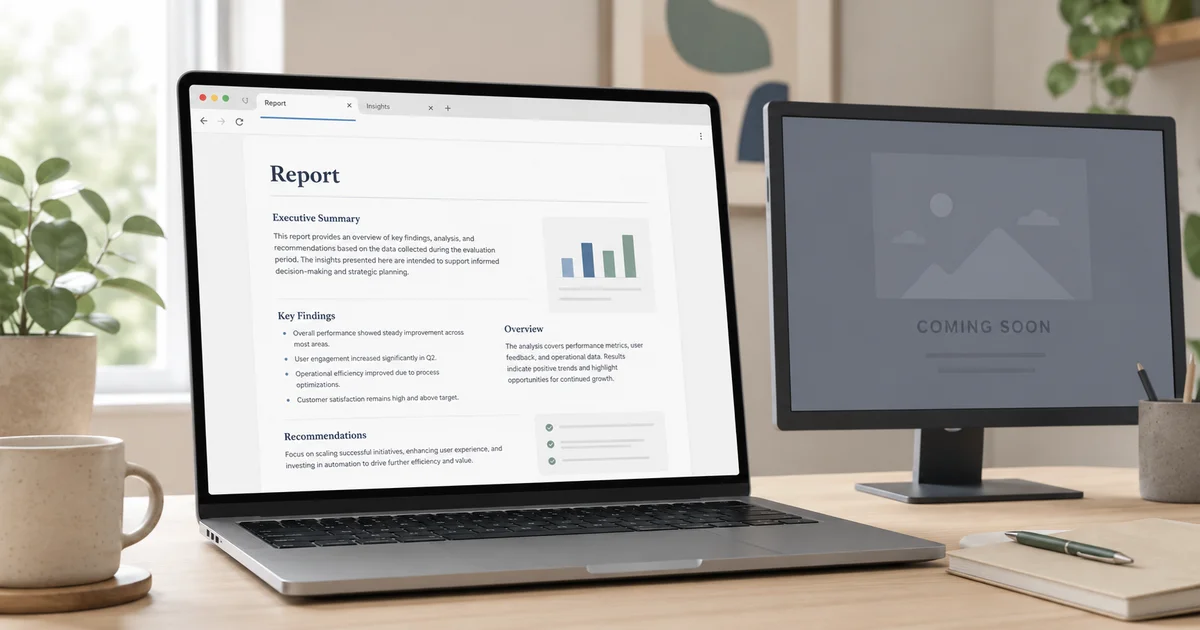
Here's the whole idea. Open a new tab. Ask for a report on anything. Dia writes it. If you connect your tools (Slack, Notion, and others), it pulls real context instead of guessing.
The first time I tried it, I typed "make me a report about my priorities this week" and it came back with a written brief built from my actual messages and docs, action items pulled out and laid into a list I could tick through. Not a chatbot reply I'd lose in scrollback. A report, sitting in a tab, that I could keep open and work against.
To turn it on: update Dia, then go to Settings, Apps, and enable New Chat. Open a new tab and ask.
The uses Dia shows off match how I've actually reached for it:
- Prep before a call. I point it at a person or a company and walk in knowing who I'm talking to, instead of skimming five tabs in the two minutes before.
- To-do lists that build themselves. It scrapes action items out of my tools and hands me an interactive list. No copying things into a separate app.
- Untangling a decision. When a thread has forty replies and six opinions, it gathers the context and helps me see where things actually landed.
None of these are magic. They save maybe fifteen minutes each, a few times a day. That adds up fast, and more importantly it removes the small dread of "where did I leave that."
It's more than one feature
Reports didn't show up alone. Dia ships something almost every week, and a few of them changed how I work.
The Morning Brief is the one I didn't expect to like. It remembers what slipped through the cracks overnight, surfaces what needs me, and gives me a calmer start than opening forty tabs and forty unread badges. Live Docs and Live Groups pull your active Notion pages, Google Docs, and GitHub pull requests into one spot when there's activity on them, then clear out once you've handled it. If you live in code review, hovering a PR to see CI status and whether it's three lines or three hundred before you open it is a small thing that saves a real amount of dithering.
There's also the boring, useful stuff. Tab cleanup that quietly files away tabs you haven't touched. Sync so my settings and unpinned tabs follow me between Macs. Meeting tab groups that gather every link for a call in one place. This is the kind of polish that makes a browser feel like it's on your side.
The catch: no Windows
So here's my actual problem. My workflow is split. The MacBook is where Dia lives and where most of my day happens. But my NVIDIA PC does the heavy lifting for certain builds, and on that machine I'm back to Chrome, back to hunting through tabs, back to no Morning Brief. The muscle memory breaks the second I sit down at the other desk.
The Browser Company knows. They have a page up at diabrowser.com/windows that says, plainly, "the internet's favorite browser is coming to Windows," with a waitlist. That's it. No date. I signed up and I'm waiting like everyone else.
I get why Mac came first. Arc did the same, the team is Mac-native, and shipping one platform well beats shipping two badly. But an AI browser that only covers half my machines can't be my only browser. It can be my main one, and it is. It can't be the only one until Windows lands.
If you're deciding whether to try Dia today, the split is simple. On a Mac, install it and give it a week, especially if your work sprawls across Slack, Notion, and a pile of tabs. On Windows, get on the list and sit tight.
What I'll be watching
Two things. First, whether the Windows build actually reaches parity or ships as a stripped-down cousin. A browser that reads your tools is only as good as the tools it connects to, so the integrations have to come across, not just the shell. Second, whether Reports stays fast and honest as it scales, or starts padding briefs with filler. Right now it's tight. I want it to stay that way.
I build websites and apps for a living, both on my own and through dsrpt, so I pay attention to tools that change how people actually work rather than just demo well. Dia is one of the few that earned a permanent spot. The tab-hunting, context-losing part of the day is genuinely smaller now. I just want that on both my machines.
When the Windows version drops, I'll write the honest comparison. Until then, Dia stays my main browser on the Mac, and Chrome keeps its sad little corner of the PC.
If you want a broader look at how I wire AI into my daily work, I wrote about running Claude Cowork and Obsidian as my second brain. And if you're a business weighing a new site or app build, that's exactly the kind of work I do through dsrpt.
Last updated 10 Jul 2026 · filed under Tools, ai, desktop