Frontend System Design Essentials: 7 Common Mistakes and How to Avoid Them
Frontend system design isn't just about writing code that works on your local machine. It's about building resilient, scalable, and user-friendly applications that perform well in the real world. Most frontend systems don't fail because of complex technical challenges, they fail due to simple, avoidable mistakes that compound over time.

16 min read


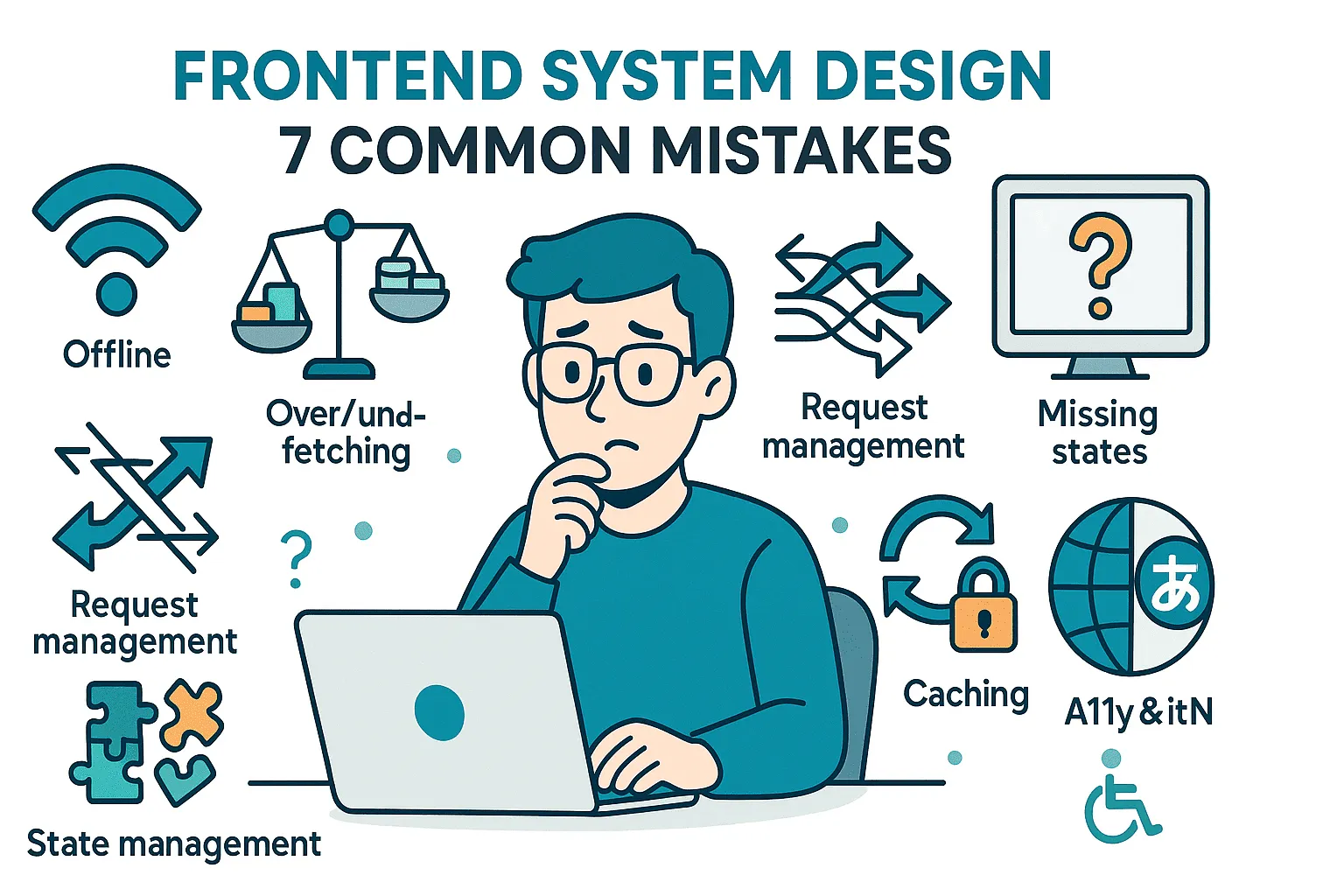
Frontend system design isn't just about writing code that works on your local machine. It's about building resilient, scalable, and user-friendly applications that perform well in the real world. Most frontend systems don't fail because of complex technical challenges, they fail due to simple, avoidable mistakes that compound over time.
In this comprehensive guide, we'll explore seven critical mistakes that plague frontend applications and provide actionable solutions that both developers and designers can implement immediately.
Why Frontend Systems Fail
The reality of production environments is far different from development machines. Real users face:
- Slow or intermittent network connections
- Older devices with limited processing power
- Various browsers with different capabilities
- Accessibility needs that require thoughtful design
- Multiple languages and regional preferences
Building only for ideal conditions creates applications that crumble under real-world pressure. Let's dive into the seven most common pitfalls and their solutions.
Mistake 1: Designing Only for the Happy Path
The Problem
When building features, it's tempting to focus solely on the perfect scenario: fast networks, always-available backends, modern browsers, and powerful devices. This "happy path" thinking creates applications that work beautifully in development but fail catastrophically in production.
Real-world impact:
- Users on slow connections see broken interfaces
- Offline users encounter blank screens
- Concurrent edits cause data conflicts
- Deleted resources trigger crashes
The Solution
Treat failures as the default, not the exception.
For Developers
// Bad: Assuming success
function loadUserProfile(userId) {
  const user = await fetchUser(userId);
  return <ProfileComponent user={user} />;
}

// Good: Planning for failure
function loadUserProfile(userId) {
  if (!navigator.onLine) {
    return <OfflineMessage />;
  }

  try {
    const user = await fetchUser(userId);

    if (!user) {
      return <UserNotFound />;
    }

    return <ProfileComponent user={user} />;
  } catch (error) {
    return <ErrorState error={error} retry={() => loadUserProfile(userId)} />;
  }
}
For Designers
- Design offline states as first-class experiences
- Create graceful degradation patterns for slow connections
- Define conflict resolution flows for concurrent edits
- Include "resource not found" states in mockups
Questions to Ask
- What happens when the user is offline?
- How do we handle concurrent edits?
- What if the requested resource has been deleted?
- How does the UI behave on a 2G connection?
Mistake 2: Over-Fetching or Under-Fetching Data
The Problem
Over-fetching: Loading entire datasets when only a fraction is needed. A profile page that fetches all posts, comments, and activity history just to display a name and avatar.
Under-fetching: Making too many small requests as users interact with the interface, creating a waterfall of network calls.
Real-world impact:
- Sluggish UI performance
- Wasted bandwidth (critical for mobile users)
- Increased server load
- Higher infrastructure costs
The Solution
Fetch exactly what you need, when you need it.
For Developers
// Bad: Over-fetching
const response = await fetch("/api/users/123");
const user = await response.json();
// Returns: { id, name, avatar, email, phone, address, preferences, posts, comments, ... }
// Using only: name, avatar

// Good: Field-level queries
const response = await fetch("/api/users/123?fields=id,name,avatar");
const user = await response.json();
// Returns: { id, name, avatar }

// Good: Pagination for lists
function PostList() {
  const { data, fetchNextPage, hasNextPage } = useInfiniteQuery({
    queryKey: ["posts"],
    queryFn: ({ pageParam = 0 }) => fetchPosts(pageParam, 20),
    getNextPageParam: (lastPage) => lastPage.nextCursor,
  });

  return (
    <div>
      {data.pages.map((page) =>
        page.posts.map((post) => <PostCard key={post.id} post={post} />)
      )}
      {hasNextPage && <button onClick={fetchNextPage}>Load More</button>}
    </div>
  );
}
For Designers
- Work with developers to understand data boundaries
- Design progressive disclosure patterns (tabs, accordions, "Show more" buttons)
- Use skeleton screens during incremental loading
- Consider pagination vs. infinite scroll trade-offs
Best Practices
- Use GraphQL or field selection for precise data fetching
- Implement pagination for long lists
- Lazy-load sections that aren't immediately visible
- Fetch related data only when users request it
Mistake 3: No Request Management
The Problem
Even with correct data fetching, poor request management causes chaos. Common scenarios:
- Search input firing requests on every keystroke
- Out-of-order responses overwriting newer results
- Duplicate requests for the same data
- No way to cancel stale requests
Real-world impact:
- Confusing user experience (stale results appearing)
- Wasted server resources
- Race conditions causing bugs
- Poor perceived performance
The Solution
Coordinate and control your network requests.
For Developers
// 1. Debouncing input
import { debounce } from "lodash";

function SearchBox() {
  const [query, setQuery] = useState("");

  const debouncedSearch = useMemo(
    () =>
      debounce((searchTerm) => {
        performSearch(searchTerm);
      }, 300),
    []
  );

  const handleChange = (e) => {
    const value = e.target.value;
    setQuery(value);
    debouncedSearch(value);
  };

  return <input value={query} onChange={handleChange} />;
}

// 2. Canceling stale requests
function SearchResults({ query }) {
  const [results, setResults] = useState([]);

  useEffect(() => {
    const controller = new AbortController();

    fetch(`/api/search?q=${query}`, { signal: controller.signal })
      .then((res) => res.json())
      .then((data) => setResults(data))
      .catch((err) => {
        if (err.name !== "AbortError") {
          console.error("Search failed:", err);
        }
      });

    return () => controller.abort();
  }, [query]);

  return <ResultList results={results} />;
}

// 3. Request deduplication with React Query
function useUser(userId) {
  return useQuery({
    queryKey: ["user", userId],
    queryFn: () => fetchUser(userId),
    staleTime: 5 * 60 * 1000, // Cache for 5 minutes
  });
}
For Designers
- Design search UX assuming debounced input
- Create loading states that account for request cancellation
- Consider optimistic updates for better perceived performance
- Design retry mechanisms for failed requests
Implementation Checklist
- Debounce user input (typically 300-500ms)
- Use AbortController to cancel in-flight requests
- Implement request deduplication
- Add retry logic with exponential backoff
- Show loading indicators during network operations
Mistake 4: Poor State Management
The Problem
State management issues manifest in several ways:
- Everything dumped into one giant global object
- State scattered across Redux, localStorage, URL params, and component state
- Inconsistent UI (sidebar shows one username, header shows another)
- Deeply nested state structures that are hard to update
Real-world impact:
- Bugs that are difficult to reproduce and fix
- Inconsistent user experience
- Developer frustration and slow feature delivery
- Performance issues from unnecessary re-renders
The Solution
Use the right tool for each type of state.
State Categories
- Local UI State: Component-specific (useState, useReducer)
- Shared UI State: Cross-component UI concerns (Context, Zustand)
- Server State: Cached backend data (React Query, SWR)
- URL State: Shareable application state (React Router, Next.js)
- Persistent State: User preferences (localStorage, IndexedDB)
For Developers
// Bad: Everything in Redux
const globalState = {
  searchQuery: 'test',           // Should be local
  searchResults: [...],           // Should be server cache
  isDarkMode: true,              // Should be localStorage
  currentPage: 2,                // Should be URL
  isModalOpen: false,            // Should be local
};

// Good: Right state, right place

// 1. Local UI state
function SearchBox() {
  const [query, setQuery] = useState(''); // Lives in component
  return <input value={query} onChange={e => setQuery(e.target.value)} />;
}

// 2. Server state with caching
function SearchResults({ query }) {
  const { data, isLoading, error } = useQuery({
    queryKey: ['search', query],
    queryFn: () => searchAPI(query),
  });

  if (isLoading) return <LoadingState />;
  if (error) return <ErrorState error={error} />;
  return <ResultList results={data} />;
}

// 3. URL state for shareability
function ProductList() {
  const [searchParams, setSearchParams] = useSearchParams();
  const page = searchParams.get('page') || '1';

  return (
    <Pagination
      current={parseInt(page)}
      onChange={p => setSearchParams({ page: p })}
    />
  );
}

// 4. Normalized state for complex data
const normalizedState = {
  users: {
    byId: {
      '1': { id: '1', name: 'Alice' },
      '2': { id: '2', name: 'Bob' },
    },
    allIds: ['1', '2'],
  },
  posts: {
    byId: {
      'a': { id: 'a', title: 'Hello', authorId: '1' },
    },
    allIds: ['a'],
  },
};
For Designers
- Understand which UI elements share state
- Design URL structures for shareable states
- Identify which preferences should persist
- Consider state implications in design handoffs
Best Practices
- Start simple with component state
- Normalize nested data structures
- Keep local state close to where it's used
- Use global state only for truly shared data
- Document your state management decisions
Mistake 5: Missing Error, Loading, and Empty States
The Problem
Focusing only on the success state leaves users confused when things go wrong. Common oversights:
- Blank screens during loading
- No feedback when errors occur
- Empty lists showing nothing (not even a message)
- Spinners without context
Real-world impact:
- Users don't know if the app is working or broken
- Frustration and abandonment
- Support tickets for non-issues
- Poor perceived quality
The Solution
Design all states as first-class experiences.
For Developers
function UserProfile({ userId }) {
  const {
    data: user,
    isLoading,
    error,
  } = useQuery({
    queryKey: ["user", userId],
    queryFn: () => fetchUser(userId),
  });

  // Loading state
  if (isLoading) {
    return (
      <div className="profile-skeleton">
        <Skeleton width={80} height={80} circle />
        <Skeleton width={200} height={24} />
        <Skeleton width={150} height={16} />
      </div>
    );
  }

  // Error state
  if (error) {
    return (
      <ErrorState
        title="Unable to load profile"
        message={error.message}
        action={
          <button
            onClick={() => queryClient.invalidateQueries(["user", userId])}
          >
            Try Again
          </button>
        }
      />
    );
  }

  // Empty state (user exists but has no data)
  if (!user.posts?.length) {
    return (
      <EmptyState
        illustration={<NoPosts />}
        title="No posts yet"
        message="Start sharing your thoughts with the world"
        action={<button>Create Your First Post</button>}
      />
    );
  }

  // Success state
  return <ProfileContent user={user} />;
}
For Designers
- Design loading states (skeletons, spinners, progress indicators)
- Create error states with clear messaging and actions
- Design empty states with helpful guidance
- Consider granularity (per-item vs. whole-section loading)
State Design Checklist
- Loading: Skeleton screens or contextual spinners
- Error: Clear message + retry/alternative action
- Empty: Helpful illustration + call-to-action
- Success: Optimized happy path
- Partial: Some data loaded, some still loading
Mistake 6: No Caching Strategy
The Problem
Fetching the same data repeatedly wastes resources and degrades performance:
- User settings fetched every time a modal opens
- Product details re-fetched on every page navigation
- API calls made for data that rarely changes
- No offline capability
Real-world impact:
- Slower perceived performance
- Increased server load and costs
- Poor offline experience
- Wasted user bandwidth (especially on mobile)
The Solution
Implement strategic caching at multiple levels.
Caching Strategies
- In-Memory Cache: Fast access for current session
- Service Worker Cache: Offline-first PWAs
- LocalStorage/IndexedDB: Persistent preferences
- HTTP Cache: Browser-level caching
- CDN Cache: Static assets and API responses
For Developers
// 1. In-memory caching with React Query
function useUserSettings() {
  return useQuery({
    queryKey: ["userSettings"],
    queryFn: fetchUserSettings,
    staleTime: 10 * 60 * 1000, // Fresh for 10 minutes
    cacheTime: 30 * 60 * 1000, // Keep in cache for 30 minutes
    refetchOnWindowFocus: false, // Don't refetch on tab focus
  });
}

// 2. Service Worker caching
// sw.js
self.addEventListener("fetch", (event) => {
  event.respondWith(
    caches.match(event.request).then((response) => {
      // Return cached version or fetch new
      return (
        response ||
        fetch(event.request).then((response) => {
          return caches.open("v1").then((cache) => {
            cache.put(event.request, response.clone());
            return response;
          });
        })
      );
    })
  );
});

// 3. LocalStorage for preferences
function useDarkMode() {
  const [isDark, setIsDark] = useState(() => {
    const saved = localStorage.getItem("darkMode");
    return saved ? JSON.parse(saved) : false;
  });

  useEffect(() => {
    localStorage.setItem("darkMode", JSON.stringify(isDark));
  }, [isDark]);

  return [isDark, setIsDark];
}

// 4. Cache invalidation strategy
function useProductMutation() {
  const queryClient = useQueryClient();

  return useMutation({
    mutationFn: updateProduct,
    onSuccess: (data) => {
      // Invalidate and refetch
      queryClient.invalidateQueries(["products"]);
      queryClient.setQueryData(["product", data.id], data);
    },
  });
}
For Designers
- Design refresh patterns (pull-to-refresh, manual refresh button)
- Indicate when data is cached vs. live
- Create offline-first experiences
- Consider stale-while-revalidate patterns
Caching Guidelines
| Data Type | Cache Duration | Strategy |
|---|---|---|
| User preferences | Permanent | localStorage |
| User profile | 5-10 minutes | React Query |
| Product catalog | 1-2 minutes | React Query + Service Worker |
| Static assets | Long-term | CDN + HTTP cache |
| Real-time data | None | WebSocket/SSE |
Mistake 7: Forgetting Accessibility and Internationalization
The Problem
Designing only for yourself excludes millions of users:
- Hard-coded English text
- Buttons without screen reader labels
- Poor color contrast
- Keyboard navigation broken
- No RTL language support
Real-world impact:
- Excluding users with disabilities (potentially illegal)
- Losing non-English speaking markets
- Expensive retrofitting later
- Brand reputation damage
The Solution
Build inclusively from day one.
For Developers
// 1. Semantic HTML + ARIA
// Bad
<div onClick={handleSubmit}>Submit</div>

// Good
<button
  type="submit"
  onClick={handleSubmit}
  aria-label="Submit search query"
>
  Submit
</button>

// 2. Internationalization
// Bad
<h1>Welcome to our app!</h1>

// Good (using react-i18next)
import { useTranslation } from 'react-i18next';

function Welcome() {
  const { t } = useTranslation();
  return <h1>{t('welcome.title')}</h1>;
}

// 3. Keyboard navigation
function Modal({ isOpen, onClose, children }) {
  const modalRef = useRef();

  useEffect(() => {
    if (isOpen) {
      const focusableElements = modalRef.current.querySelectorAll(
        'button, [href], input, select, textarea, [tabindex]:not([tabindex="-1"])'
      );

      if (focusableElements.length) {
        focusableElements[0].focus();
      }

      const handleEscape = (e) => {
        if (e.key === 'Escape') onClose();
      };

      document.addEventListener('keydown', handleEscape);
      return () => document.removeEventListener('keydown', handleEscape);
    }
  }, [isOpen, onClose]);

  return (
    <div ref={modalRef} role="dialog" aria-modal="true">
      {children}
    </div>
  );
}

// 4. Color contrast
// Bad: #777 on #fff (fails WCAG AA)
// Good: #595959 on #fff (passes WCAG AA)

const theme = {
  colors: {
    text: '#1a1a1a',        // 14:1 contrast
    textLight: '#595959',   // 4.6:1 contrast (WCAG AA)
    background: '#ffffff',
  },
};
For Designers
- Use contrast checkers (minimum 4.5:1 for text)
- Design keyboard focus states
- Create touch targets e44x44px
- Design RTL layouts for supported languages
- Include alt text in design specs
- Test with screen readers (NVDA, JAWS, VoiceOver)
Accessibility Checklist
- All interactive elements keyboard accessible
- Proper heading hierarchy (h1 � h2 � h3)
- Form labels associated with inputs
- Color not the only indicator of state
- Alt text for all meaningful images
- Focus visible and logical
- ARIA labels for icon-only buttons
- Skip links for keyboard users
- Language attribute set on HTML element
- Responsive text sizing (no fixed px for body text)
i18n Checklist
- All text in translation files
- Date/time formatting localized
- Number/currency formatting localized
- RTL layout support
- Language switcher accessible
- Pluralization rules handled
- Text expansion accommodated (German can be 30% longer)
Putting It All Together: A Complete Example
Here's a real-world component that addresses all seven mistakes:
import { useQuery, useMutation, useQueryClient } from "@tanstack/react-query";
import { useTranslation } from "react-i18next";
import { useSearchParams } from "react-router-dom";
import { debounce } from "lodash";

function ProductSearch() {
  const { t } = useTranslation();
  const [searchParams, setSearchParams] = useSearchParams();
  const [query, setQuery] = useState(searchParams.get("q") || "");
  const queryClient = useQueryClient();

  // Mistake 3: Request management with debouncing
  const debouncedSearch = useMemo(
    () =>
      debounce((value) => {
        setSearchParams({ q: value, page: "1" });
      }, 300),
    []
  );

  const page = parseInt(searchParams.get("page") || "1");
  const searchQuery = searchParams.get("q") || "";

  // Mistake 2: Fetch only needed data with pagination
  // Mistake 6: Caching strategy
  const { data, isLoading, error, refetch } = useQuery({
    queryKey: ["products", searchQuery, page],
    queryFn: ({ signal }) =>
      fetch(`/api/products?q=${searchQuery}&page=${page}&limit=20`, {
        signal,
      }).then((res) => res.json()),
    enabled: !!searchQuery,
    staleTime: 2 * 60 * 1000, // Cache for 2 minutes
    keepPreviousData: true,
  });

  // Mistake 1: Handle offline state
  if (!navigator.onLine) {
    return (
      <div role="alert" aria-live="polite">
        <h2>{t("errors.offline.title")}</h2>
        <p>{t("errors.offline.message")}</p>
      </div>
    );
  }

  return (
    <div className="product-search">
      {/* Mistake 7: Accessibility */}
      <label htmlFor="search-input" className="sr-only">
        {t("search.label")}
      </label>
      <input
        id="search-input"
        type="search"
        value={query}
        onChange={(e) => {
          setQuery(e.target.value);
          debouncedSearch(e.target.value);
        }}
        placeholder={t("search.placeholder")}
        aria-describedby="search-results-count"
      />

      {/* Mistake 5: Loading state */}
      {isLoading && (
        <div className="skeleton-grid" aria-busy="true" aria-live="polite">
          {[...Array(6)].map((_, i) => (
            <div key={i} className="skeleton-card">
              <Skeleton height={200} />
              <Skeleton height={24} />
              <Skeleton height={16} width="60%" />
            </div>
          ))}
        </div>
      )}

      {/* Mistake 5: Error state */}
      {error && (
        <div className="error-state" role="alert">
          <h2>{t("errors.searchFailed.title")}</h2>
          <p>{error.message}</p>
          <button onClick={() => refetch()}>{t("actions.retry")}</button>
        </div>
      )}

      {/* Mistake 5: Empty state */}
      {data && data.products.length === 0 && (
        <div className="empty-state">
          <EmptySearchIcon aria-hidden="true" />
          <h2>{t("search.noResults.title")}</h2>
          <p>{t("search.noResults.message", { query: searchQuery })}</p>
        </div>
      )}

      {/* Success state with proper state management */}
      {data && data.products.length > 0 && (
        <>
          <p id="search-results-count" className="sr-only">
            {t("search.resultsCount", { count: data.total })}
          </p>
          <div className="product-grid">
            {data.products.map((product) => (
              <ProductCard key={product.id} product={product} />
            ))}
          </div>

          <Pagination
            current={page}
            total={data.total}
            pageSize={20}
            onChange={(newPage) =>
              setSearchParams({ q: searchQuery, page: newPage })
            }
            aria-label={t("pagination.label")}
          />
        </>
      )}
    </div>
  );
}
Quick Reference Guide
Pre-Development Checklist
For Developers:
- Plan for offline/error scenarios
- Define data fetching strategy (what, when, how much)
- Set up request management (debouncing, cancellation)
- Choose state management approach
- Implement caching strategy
- Add loading/error/empty states
- Ensure accessibility (semantic HTML, ARIA)
- Set up internationalization
For Designers:
- Design all states (loading, error, empty, success)
- Consider offline experience
- Define data loading patterns
- Check color contrast (4.5:1 minimum)
- Design keyboard focus states
- Plan for text expansion (i18n)
- Include accessibility annotations
- Define caching indicators
Code Review Checklist
- Does it handle network failures?
- Are we fetching the right amount of data?
- Do we manage concurrent requests?
- Is state properly organized?
- Are all states (loading/error/empty) handled?
- Is data cached appropriately?
- Is it keyboard accessible?
- Are strings translatable?
Testing Checklist
- Test on slow 3G network
- Test offline functionality
- Test with screen reader
- Test keyboard-only navigation
- Test with different locales
- Test with RTL languages
- Test color contrast
- Test on mobile devices
- Test concurrent operations
- Test cache invalidation
Performance Budgets
Set measurable goals to avoid these mistakes:
| Metric | Target | Related Mistake |
|---|---|---|
| First Contentful Paint | < 1.8s | #2, #6 |
| Time to Interactive | < 3.8s | #2, #4, #6 |
| Total Bundle Size | < 200KB | #2 |
| Lighthouse Accessibility Score | > 95 | #7 |
| Cache Hit Rate | > 80% | #6 |
| Error Rate | < 1% | #1, #3 |
Tools and Resources
State Management
- React Query / TanStack Query - Server state management
- Zustand - Lightweight global state
- Redux Toolkit - Complex global state with time-travel
- Jotai / Recoil - Atomic state management
Request Management
- Axios - HTTP client with interceptors
- AbortController - Cancel fetch requests
- Lodash debounce/throttle - Rate limiting
Accessibility
- axe DevTools - Automated accessibility testing
- WAVE - Web accessibility evaluation tool
- Pa11y - Automated accessibility testing
- Lighthouse - Comprehensive auditing
Internationalization
- react-i18next - React integration for i18next
- FormatJS - Internationalization libraries
- date-fns - Locale-aware date formatting
Caching
- Service Workers - Offline-first caching
- Workbox - Service worker libraries
- IndexedDB - Large data storage
- LocalForage - Simple localStorage-like API for IndexedDB
Real-World Case Studies
Case Study 1: E-commerce Search (Mistakes #2, #3, #6)
Problem: Product search was making 50+ requests per second during typing, fetching 100 products each time with full details.
Solution:
- Implemented 300ms debouncing
- Reduced payload to only necessary fields (id, name, price, image)
- Added React Query caching with 5-minute stale time
- Implemented request cancellation
Results:
- 95% reduction in API calls
- 80% faster search response
- 60% reduction in bandwidth usage
Case Study 2: Dashboard Application (Mistakes #4, #5, #6)
Problem: Dashboard refetched all data every 30 seconds, causing loading spinners and lost scroll positions.
Solution:
- Implemented background refetching with stale-while-revalidate
- Added skeleton screens instead of full-page spinners
- Cached stable data (user info) for 10 minutes
- Normalized state to prevent inconsistencies
Results:
- Eliminated loading flicker
- 70% reduction in perceived loading time
- Improved user satisfaction scores by 40%
Case Study 3: Mobile App (Mistakes #1, #7)
Problem: App completely broken on slow networks and offline, no accessibility considerations.
Solution:
- Implemented offline-first architecture with Service Workers
- Added proper ARIA labels and keyboard navigation
- Created comprehensive error and empty states
- Tested with screen readers and slow network throttling
Results:
- 30% increase in mobile engagement
- Accessibility compliance achieved
- Featured in app store for excellent offline experience
Conclusion
Frontend system design isn't about perfection, it's about thoughtful preparation for real-world conditions. By avoiding these seven common mistakes, you'll build applications that are:
- Resilient: Gracefully handling failures and edge cases
- Efficient: Fetching and caching data strategically
- Consistent: Managing state predictably across the application
- User-friendly: Providing feedback at every stage
- Inclusive: Accessible to all users, regardless of ability or language
- Professional: Polished experiences that build trust
Start by auditing your current projects against this checklist. Pick one mistake to address first, implement the solutions, and measure the improvement. Frontend excellence is built incrementally, one thoughtful decision at a time.
Next Steps
- Audit your codebase - Use the checklists above
- Set performance budgets - Define measurable goals
- Implement monitoring - Track errors, performance, and user experience
- Educate your team - Share this guide in your next design/dev sync
- Iterate continuously - Frontend best practices evolve; stay updated
Additional Resources
- Web Vitals - Core performance metrics
- WCAG Guidelines - Accessibility standards
- React Query Documentation - Advanced data fetching
- i18next Documentation - Internationalization
- MDN Web Docs - Web platform reference
🤝 Need a Custom RSVP System or Dashboard?
I help businesses build tools that actually work , even on tight deadlines.
Whether you're planning an event, need internal tools, or want a custom dashboard for your team , I can help.
Reach out
📧 Email: safi.abdulkader@gmail.com | 💻 LinkedIn: @abdulkader-safi | 📱 Instagram: @abdulkader.safi | 🏢 DSRPT
Drop me a line, I’m always happy to collaborate! 🚀
Last updated 29 May 2026