Why I put a login in front of a GitHub repo
GitHub can't give a reader one folder of a repo, so sharing client docs from a single Obsidian vault needed an app in front of it. This is the problem GitBasedDocs solves and the shape it took.

4 min read


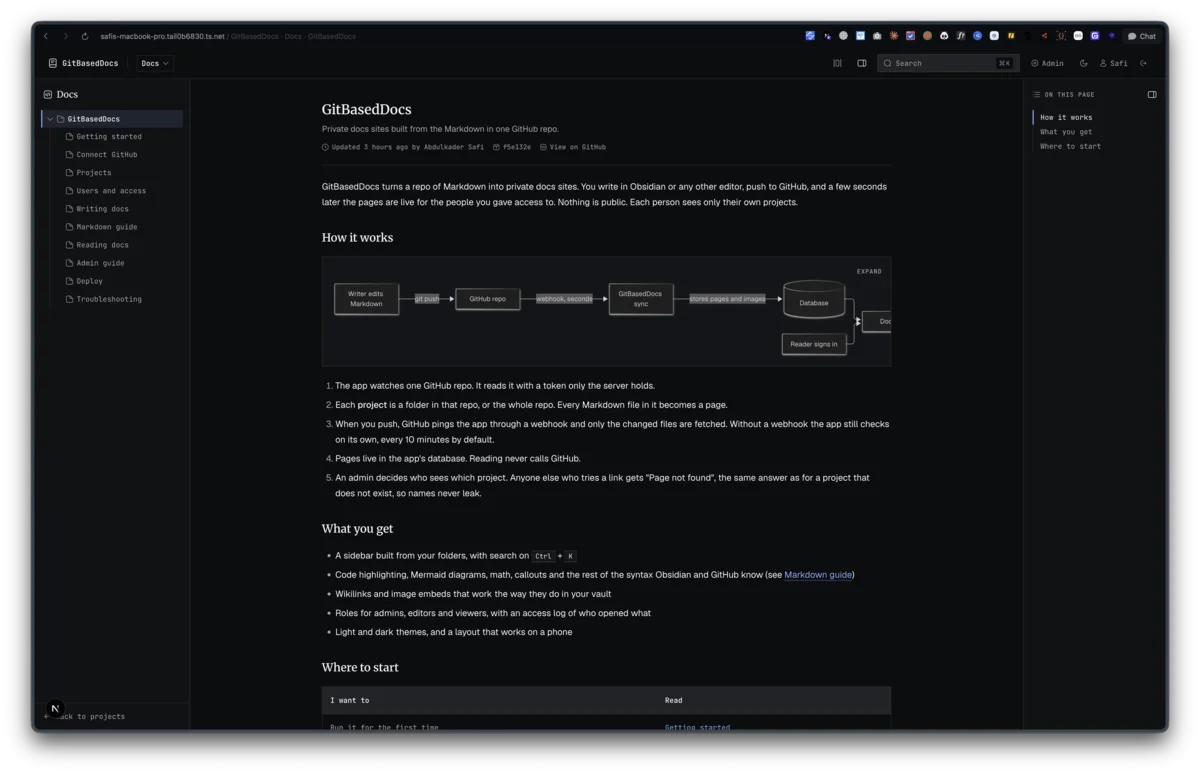
My docs live in an Obsidian vault that is also a private GitHub repo. I write a page and push it, and the history is in git. The plan is one folder per client or product. Getting a client to read their folder, and only their folder, is the problem GitBasedDocs exists to solve.
GitHub stops at the repo
GitHub permissions are set per repository. Give someone read access and they get every folder in it, plus the full commit history. There is no setting for "this person can read acme/ and nothing else".
A public docs site is out, since these are client docs. That leaves two workarounds, and neither fits:
- One repo per client. Every new client means a new repo with its own token scope, and my vault stops being one vault.
- GitHub login for readers. Each client would need a GitHub account with access to the private repo. My readers are clients without GitHub access, and granting it brings back the first problem.
What existing tools cover
Before writing code I looked at how git-based CMS tools work. They fall into two shapes.
Build-time tools such as Nextra or Fumadocs pull Markdown into the Next.js build. They are simple and fast, but a new commit needs a rebuild before readers see it.
Request-time tools like Outstatic and Tina can read from the GitHub API when a page opens. That shape fits private docs better, because an access check can run on every request and a fresh commit shows up without a deploy.
Both shapes assume one site and one audience. None of them ship a login per reader, several client projects on one install, or a rule like "user A sees project A, user B sees project B". That gap is the whole app.
The shape I settled on
The repo stays the source of truth. The app sits in front of it and decides who reads what.
- One content repo, read with a fine-grained personal access token scoped to that repo, with Contents and Metadata set to read-only. The token lives on the server and never reaches a browser.
- A project is a folder in the repo, or the whole repo. Every Markdown file inside becomes a page.
- Readers sign in with email and password. They never touch GitHub, so clients don't need GitHub accounts.
- Access is a row in a
project_memberstable. No row means no access, and admins are the one exception. - A denied read returns 404, never 403. A 403 would confirm that a project with that name exists.
I also wanted the content repo to stay clean. No .github/workflows file, no build step, nothing of mine living in the vault. The app pulls on its own. A GitHub webhook on push is the fast path, and a timed recheck every few minutes covers a missing or broken webhook. The recheck costs one API call: compare the remote head sha with the stored one, and only fetch the tree when they differ.
Reading from an index, not from GitHub
The request-time shape has a cost. If every page view calls GitHub, the app is only as fast as the GitHub API, and a busy day eats the 5,000 calls an hour a personal token gets.
So the app syncs into its own database instead. Each page is a row with its path, title, blob sha and a plain text excerpt for search. Rendered HTML is cached by blob sha, so a page is rendered once per version. Images are downloaded during sync, stored by content hash, and served from /api/assets/... behind the same access check as the page. Readers never get a raw.githubusercontent.com link, which would need a token and would leak the repo path.
The result: reading a page never calls GitHub. The access check still runs per request, and a push still shows up within seconds.
What v1 leaves out
Each feature spec ends with an "out of scope for v1" list, and that list kept the build small:
- No self signup, magic links or 2FA. An admin creates accounts and shares the login out of band.
- No editing from the app back to GitHub. The vault is where writing happens.
- No page-level permissions inside a project, and no public share links.
- One repo per install.
The stack is Next.js 16 with next-auth v4 for sign-in and Drizzle on SQLite for users, projects, the page index and the logs. The first commit landed on September 9, and it held a plan before it held any app code.
Last updated 10 Sep 2026 · filed under Tools, web application, nextjs, obsidian