Tools · AI · Desktop
Rename Images with AI
A Python desktop app that uses local AI vision models (LLaVA/Ollama) to analyze images and automatically rename them with descriptive, human-readable filenames. Turns IMG_0001.jpg into sunset_beach.jpg.
- Python
- Tkinter
- Ollama
- Role
- Developer
- Timeline
- 1 Month
- Year
- 2025
- Status
- Completed
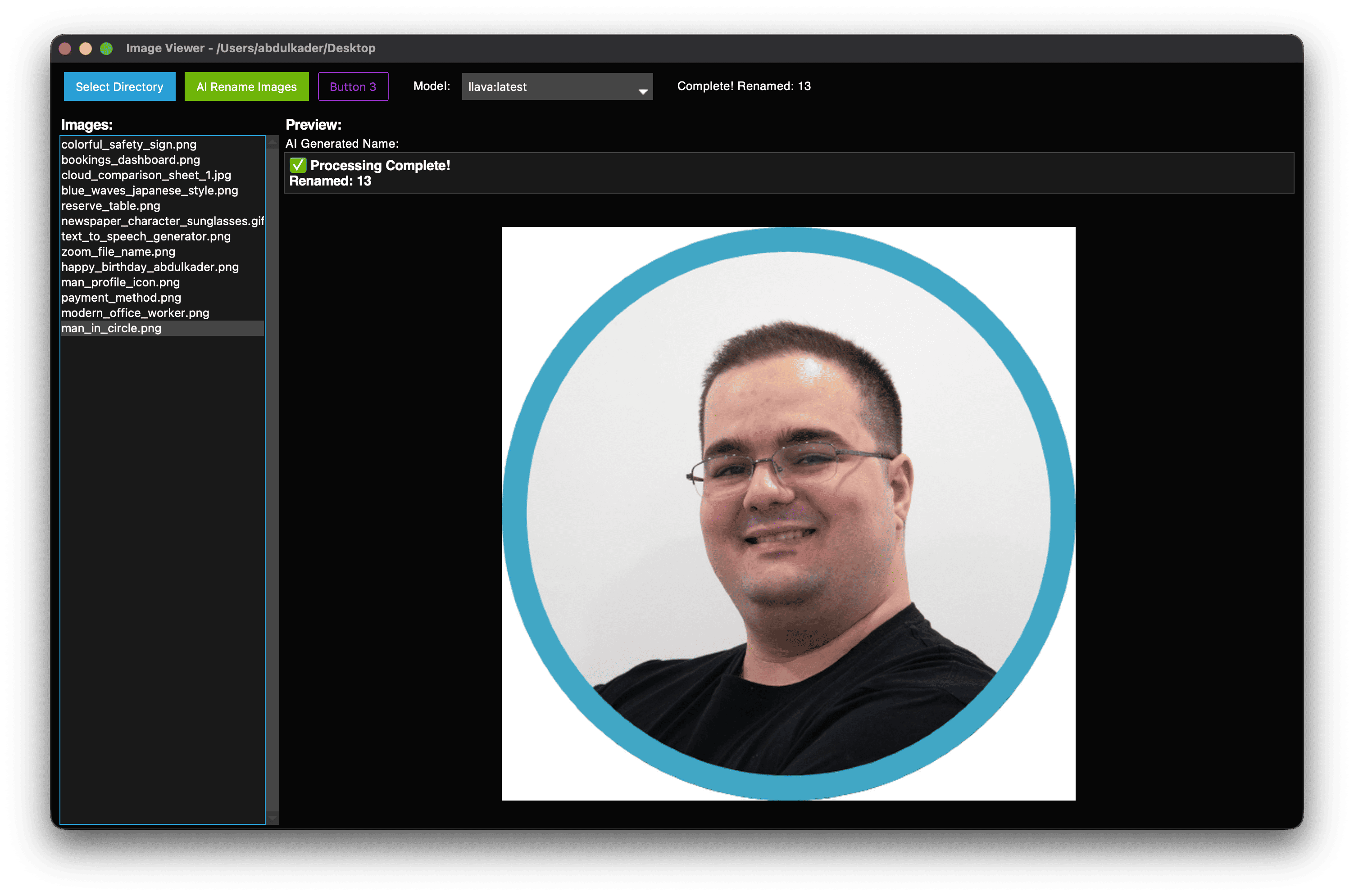
01 / The overview
ImageRenamingAI is a desktop application built with Python, tkinter, and ttkbootstrap that solves a universal problem: folders full of cryptically named images. The app connects to Ollama's local vision models to "see" what's in each image and generate meaningful filenames automatically.
The architecture follows a clean modular structure with separated concerns for UI, AI service, and file handling. It supports batch renaming of entire directories or selective single-image processing, with real-time preview, progress tracking, and smart collision handling for duplicate names. All processing happens locally, so images never leave your machine.
Tech stack: Python 3.8+, tkinter, ttkbootstrap (Cyborg theme), Ollama, Pillow, and threading for responsive UI.
02 / The challenge
Every photographer, designer, and casual phone user ends up with folders of images named IMG_0001.jpg, DSC_1234.jpg, or Screenshot_20231015.png. Finding a specific photo becomes a guessing game.
The initial approach hit a wall immediately. Not all AI models can process images. The first attempt used Mistral, a text-only language model, which returned filenames like "im_sorry_but_i_cant_process_images.jpg" instead of actual descriptions. Beyond model selection, the project needed to solve for GUI responsiveness during heavy AI processing, filesystem-safe name generation from unpredictable AI output, filename collisions when multiple images get similar descriptions, and graceful handling of empty or useless model responses.
03 / The solution
The breakthrough was switching to LLaVA, a multimodal vision model that can actually analyze image content. The app auto-detects installed vision models by filtering against a whitelist, and warns users if they select a text-only model by scanning responses for error indicators like "sorry" or "cannot."
Threading keeps the UI fully responsive while the AI processes images in the background, with thread-safe updates via tkinter's root.after() method. A sanitization pipeline handles AI output by forcing lowercase, replacing spaces with underscores, stripping invalid characters, and truncating to 30 characters. Duplicate filenames get automatic numeric suffixes. The result: IMG_0001.jpg becomes sunset_beach.jpg, and an entire photo library can be organized in minutes without touching a cloud API.
FAQ
About this project
What does Rename Images with AI do?
It is a Python desktop app that uses local AI vision models to analyze images and automatically rename them with descriptive, human-readable filenames. For example, it turns a generic name like IMG_0001.jpg into something meaningful such as sunset_beach.jpg.
How does it understand what is in each image?
It connects to Ollama's local vision models, specifically LLaVA, which can actually analyze image content rather than just text. The app auto-detects installed vision models against a whitelist and warns you if you pick a text-only model that cannot process images.
Does it send my images to the cloud?
No, all processing happens locally on your machine, so images never leave your computer and no cloud API is required. This keeps the workflow private while still organizing an entire photo library in minutes.
What technologies were used to build it?
It was built with Python 3.8+, tkinter, and ttkbootstrap using the Cyborg theme for the interface, with Pillow for image handling and Ollama for the AI vision models. Threading keeps the UI responsive while the AI processes images in the background.
What were the main challenges in building it?
An early version used a text-only model that returned nonsense filenames, which led to switching to the multimodal LLaVA model. Other challenges included keeping the GUI responsive during heavy processing, generating filesystem-safe names from unpredictable AI output, and handling duplicate filenames, which the app solves with a sanitization pipeline and automatic numeric suffixes.
What was the role and status of this project?
Abdulkader Safi worked as the Developer on this project, which was completed in 2025 over a timeline of about one month. It is a finished tool with both a public GitHub repository and a demo video available.