A working dev's guide to Claude Skills, 8 markdown files that quietly replaced brittle NPM scripts in my workflow, and the ones you should ignore.
I listened to a Syntax episode last week where Scott Tolinski and Wes Bos went back and forth on their favorite Claude Skills, and it dragged me into rewriting half my own skills folder by the weekend.
Here's the thing nobody is saying out loud: skills are just markdown files. A bit of frontmatter, a description of when to use them, a few rules and references, done. They're not a product. They're not a moat. And if someone is selling you one, they're grifting.
But they are the cleanest replacement for the brittle little NPM scripts most of us have been duct-taping together for years. So let's talk about the ones that actually pay rent.
If you're new to all this, I've covered the broader workflow in The Ultimate Claude Code Workflow Guide and the right way to drive an agent in How to Use Claude Code Right. Skills sit one layer below those.
Why skills replaced my scripts
Most of my NPM scripts were doing the same thing — wrap a deterministic core (fetch, transform, write) in a fragile shell of "and now the user has to give me the exact URL in the exact format." The moment I had a TikTok link instead of a YouTube one, the script would explode.
A skill flips the contract. Instead of "give me input X in shape Y," it tells the agent:
- here's the rough goal
- here are the rules
- here are the references when something is unclear
- here's the escape hatch when input doesn't match
The script doesn't break. The agent fills in the blanks. That's the whole pitch.
Now, the 8 I actually use.
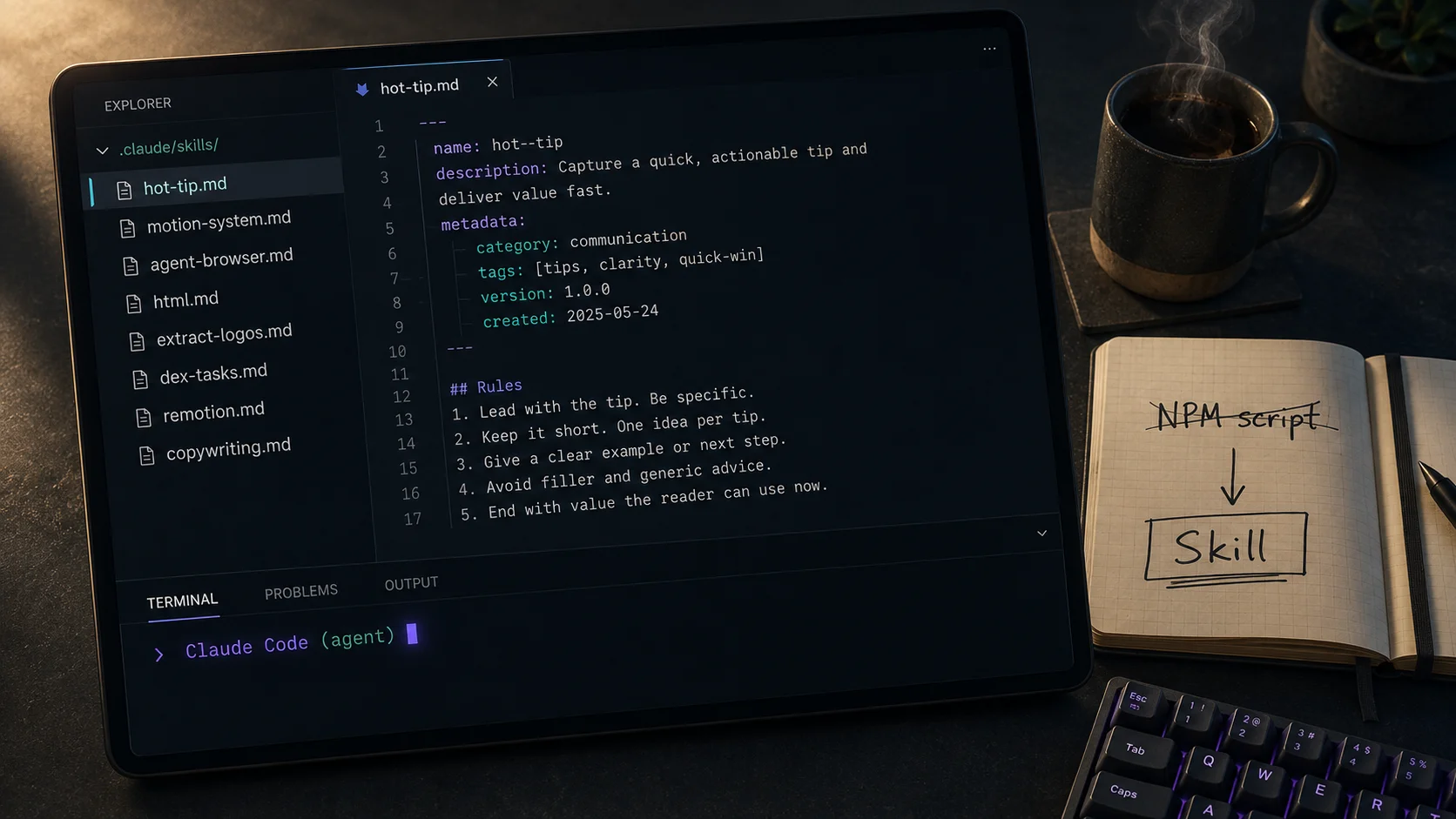
1. The "hot tip" pipeline skill
Wes built one of these and it convinced me to write my own. Every time I post a short clip to LinkedIn, X, or YouTube, I want a single markdown page on my site that aggregates the post, its links across platforms, and a couple of paragraphs of context.
Old version: a rigid NPM script that needed every URL in a JSON file in the right shape.
Skill version: I drop the topic in chat. The skill knows where to look, knows which scripts to run, knows the frontmatter shape of my blog files, and knows that if a YouTube URL is missing it should grep the last five uploads and match by title.
The script's job shrank to "fetch this exact thing from this exact endpoint." The skill handles every messy edge case around it. That split — deterministic core wrapped in flexible instruction — is the only mental model you need.
2. CSS motion system skill
This one I wrote because Opus loves to slap a transition: all 0.2s ease on every interactive element and call it a day. Real motion has rules.
My skill includes:
- Use
linear()for spring-like easing instead of bezier curves - Animate
transformandopacityfirst, then composited layers, then everything else - Respect
prefers-reduced-motion— every time, no exceptions - View transitions are for meaningfully shared elements only, not every route change
- A motion review checklist before any PR with animation work
A generic "make it look good" skill won't catch any of this. Yours has to.
3. The agent browser skill
This is the one I install in every project. It teaches the agent how to fire up a headless Chromium and how to attach to an existing Chrome instance via the debugging protocol. The same skill works for scraping a public page, debugging a deployed site, or — more usefully — talking to any Electron app running on your machine.
Wes mentioned messaging Scott from his agent through Slack. I've used the same pattern to pull notification state out of Linear without writing an integration. It's a lockpick.
4. HTML skill — for the love of god, no more div soup
Agents write atrocious HTML by default. Lists of articles where every article is wrapped in <ul><li>. Buttons that should be links. <div onclick> everywhere. Clickable non-interactive elements with no role.
My HTML skill is mostly a list of don'ts:
→ Use a list only when the content is a list
→ A <button> is for actions, an <a> is for navigation
→ No rel="noopener noreferrer" on target="_blank" — that's been unnecessary since 2021
→ Stop nesting <section> inside <section> inside <section> like they're free
→ Headings are a hierarchy, not a font-size picker
Is it overcooked? Probably. Do I get clean HTML out of the agent now? Yes.
5. Extract logos skill
Tiny skill, massive ROI. It encodes a search order — SVGL first, then a handful of curated logo packs I trust, then a fallback that grabs the SVG straight from the brand's marketing site. The agent runs it whenever I say "grab me the X logo as an SVG."
The grief it solves: the default behavior was returning a triangle Unicode character when I asked for the YouTube logo. Now it just works.
6. Dex task tracking skill
I use dex for todo tracking across agent sessions and this is where skills shine — small CLI, JSON file backing, no opaque database, no git hooks doing weird things. The skill teaches the agent the dex command surface: how to list, add, mark done, link tasks as children, find the next task.
The reason this matters: in-harness todo lists die when the chat dies. A file-backed task list survives sessions, commits with your code, and your teammate's agent can pick up where yours left off.
I tried Beads first. The git-hook database sync was clever but too magical for my taste. Dex is boring in the best way.
7. Remotion + HyperFrames skill
Programmatic video generation with React (Remotion) used to feel like the worst kind of typing. The skill flips it — drop a prompt like "30-second explainer with these three bullet points and this background track" and the agent assembles the composition correctly because the skill teaches it the timing primitives, the audio handling, the export pipeline.
Caveat that matters: this is a technical skill, not a taste skill. It tells the agent how to build the thing technically. It does not tell the agent how to make a beautiful video. That's still on you. Same with skills.sh's "good looking website" skill — it'll give you the same Tailwind-card-grid that every other vibe-coded site has. The aesthetic skills are a trap. The technical skills are gold.
For more on this distinction, Prompt vs Context Engineering covers the broader principle — what you instruct vs how much context you load.
8. Copywriting skill — with a giant asterisk
I pulled this from Corey Haines' marketing skills repo. I'm a builder, not a marketer. My CTAs read like a developer who has never sold anything wrote them, because that's what they are.
The skill gives me:
- Specificity over vagueness ("cut your weekly reporting from 4 hours to 15 minutes" beats "save time")
- Stronger CTAs than "click here"
- Headline tension that doesn't sound like a LinkedIn shitpost
The asterisk: I do not use it to write paragraphs of email outreach, blog intros, or anything where the tone has to feel like me. AI-generated email is detectable in two sentences. People can smell it. Don't do it.
Use it for the parts you actively suck at, on micro-copy where it doesn't sound like a person to begin with — CTAs, button text, meta descriptions. That's the lane.
The skills you should not install
Two patterns will burn you:
1. Generic "good design" skills with 10k downloads. You will get the same bootstrap-y output as everyone else who installed them. AI aesthetics are now the new bootstrap — visible from a kilometer away. If your taste skill isn't yours, it isn't taste.
2. "Magic marketing" skills that promise to write copy that converts. They worked for about a week. As soon as everyone installed them, the pattern got pattern-matched and now reads as spam.
Both flavors share the same root issue: the moment a skill is generic enough to be useful to everyone, it's stripped of the thing that made you different. Skills are leverage when they're tuned to your workflow. They're noise when they're shared culture.
How to actually write your own
The honest answer: most people do not write skills by hand. They do this — go back and forth in a chat until the output is exactly how they want it. Then say, "distill this conversation into a skill file." Claude writes the markdown. You save it. Done.
A few formatting notes that matter:
- Frontmatter: a
nameslug, a one-linedescriptionthat helps the agent decide if the skill applies, and a metadata block if you want - Open with when to use this skill — the agent reads that first
- Reference files instead of inlining giant docs — keeps the skill small, keeps the context window healthy
- Link related skills with
[[other-skill-name]]if your harness supports it
Sentry's skill-writer skill is the cleanest writer I've found. So is their code-simplifier — who knows code better than the people watching everyone's production errors all day. That's an underrated heuristic for which skills to steal: pick skills written by people whose day job forces them to see what actually breaks.
What this connects to
Skills are one slice of a bigger picture. If you want the rest:
- MCP Servers: The Protocol Connecting AI to Your Business Tools — the runtime layer that skills lean on
- I Built an MCP Server for My Portfolio — a working example I shipped
- AI Agents vs Chatbots — why agentic workflows changed how we package instructions in the first place
- How to Prompt Claude and ChatGPT — prompting is a sub-skill of skill-writing once you see the pattern
What to do now
Don't go install ten skills tonight. You'll forget what each one does by Wednesday and the agent will start picking the wrong one on tasks where none of them apply.
Pick three:
- One technical skill that handles something you currently script — logo extraction, file conversion, deploy steps, whatever
- One taste skill that you write yourself, tuned to your code or your design sensibilities — HTML, motion, naming, error handling
- One pipeline skill that wraps a workflow you do weekly — content publishing, release notes, social posts, demo prep
Run them for a week. The ones that earn their keep stay. The ones you forget about, delete. Then write three more.
If you want the broader rhythm — how skills, MCP servers, and slash commands fit together inside Claude Code — start with The Ultimate Claude Code Workflow Guide. Skills are the smallest unit. Once you see how cheap they are to write, you stop reaching for a script first.