Smoke testing: the 30-second check that saves your deploys
A smoke test is a tiny set of checks that confirm your app still boots and the core flows work. Here's how to write one, where it sits in CI, and the tools I use.



A deploy went green last month and the homepage was a blank white screen. Build passed. Unit tests passed. The thing that would have caught it in five seconds was a check nobody had written: open the homepage, confirm it returns 200 and renders the header. That check is a smoke test, and it's the cheapest insurance in your pipeline.
The name comes from hardware. You power up a new board, and if it smokes, you stop. In software a smoke test asks the same blunt question: did the build come up at all, and do the few flows that matter still work? If the answer is no, you don't bother running the slow suites. You stop and fix.
This post is the practical version: what a smoke test is, how it's different from your other tests, what belongs in one, and how to wire a real smoke suite into CI so it runs on every build.
What a smoke test actually is
A smoke test is a small, fast set of checks that confirm the build is stable enough to test further. It's a go or no-go gate, not a quality report.
The defining traits:
- It's shallow and wide. It touches many core features but checks each one only at the surface. Does login work, not does login reject the 14 edge cases.
- It's fast. A good smoke suite finishes in seconds, often under 30. If it takes ten minutes, it's not a smoke test anymore.
- It runs first. Right after the build, before integration, regression, or end-to-end suites.
- It fails loud and early. The whole point is to kill a broken build before you waste a CI hour on it.
Think of it as the question you'd ask if someone handed you a fresh build and gave you one minute: "Is this even worth my time?"
Smoke vs regression vs sanity
People mix these three up constantly, so here's the plain version.
A smoke test checks that the critical paths work at all, run on every build. Broad and shallow.
A regression suite checks that things that used to work still work after a change. It's deep, it's slow, and it grows forever. You run it before a release or on merge to main, not on every commit to a feature branch.
A sanity check is a narrow, focused look at one area you just touched. You changed the checkout, you poke the checkout. It's not broad like smoke, and it's not exhaustive like regression.
The relationship that matters: smoke runs first and gates everything else. If smoke fails, regression never runs, because there's no point regression-testing a build that won't boot.
What belongs in a smoke suite (and what doesn't)
The mistake I see most is smoke suites that grow into mini-regression suites. Someone fixes a bug, adds a check "just to be safe", and six months later the smoke suite takes 12 minutes and flakes twice a day. Now nobody trusts it, and an untrusted gate is worse than no gate.
A practical rule: pick the 10 to 20 flows your app cannot be considered alive without. For most products that's:
- The app boots and the home or dashboard renders.
- A user can log in.
- The main create action works (post a thing, add to cart, start a project).
- A critical read works (the dashboard loads real data, search returns results).
- Payments or the single most revenue-critical path responds.
What stays out: edge cases, validation rules, error-message wording, anything tied to one narrow feature, anything that needs a complex setup. Those belong in regression. If you're checking that the email field rejects a missing @ sign, you've left smoke-testing territory.
One more rule I hold to: a smoke test should not depend on external services you don't control. If your smoke suite fails because a third-party API had a blip, you'll learn to ignore failures, and then the gate is dead. Mock or stub the flaky externals, or check your own health endpoint instead.
A health endpoint is the simplest smoke test there is
Before any browser automation, the cheapest smoke test is a health endpoint your app exposes and CI hits with one curl.
# Fail the deploy if the app isn't returning 200
curl --fail --silent --show-error https://staging.example.com/healthz \
  || { echo "Health check failed"; exit 1; }
The endpoint itself should do real work, not just return "ok". A useful /healthz checks the things that actually break in production:
// Laravel example: a health route that proves the app can do its job
Route::get('/healthz', function () {
    DB::connection()->getPdo();        // database reachable
    Cache::store()->get('healthcheck'); // cache/redis reachable

    return response()->json(['status' => 'ok'], 200);
});
If the database is down, this returns a 500 and your curl fails the deploy. That one check catches a huge share of "deployed but dead" incidents, the kind where the app starts but can't reach its database because an env var was wrong. I've shipped that bug. The health check is how I stopped shipping it.
Writing a browser smoke test with Playwright
A health endpoint tells you the server is up. It doesn't tell you the page renders. For that you want a couple of real browser checks. I use Playwright for this because its parallelism and CI story are the best going right now, but Cypress works fine too if you're already on it.
The key with smoke tests is to tag them so you can run just the smoke subset, separately from the full suite.
// tests/smoke.spec.ts
import { test, expect } from '@playwright/test';

test.describe('@smoke', () => {
  test('homepage renders', async ({ page }) => {
    const res = await page.goto('/');
    expect(res?.status()).toBe(200);
    await expect(page.getByRole('banner')).toBeVisible();
  });

  test('user can log in', async ({ page }) => {
    await page.goto('/login');
    await page.getByLabel('Email').fill(process.env.SMOKE_USER!);
    await page.getByLabel('Password').fill(process.env.SMOKE_PASS!);
    await page.getByRole('button', { name: 'Sign in' }).click();
    await expect(page).toHaveURL(/dashboard/);
  });

  test('dashboard loads real data', async ({ page }) => {
    await page.goto('/dashboard');
    await expect(page.getByTestId('project-list')).toBeVisible();
  });
});
Three tests. Boots, logs in, shows data. That's a real smoke suite for a typical app, and it'll run in a few seconds. Run only the tagged tests like this:
npx playwright test --grep @smoke
Notice what these tests don't do. They don't check the login error path, don't test password reset, don't validate the project list sorting. That's deliberate. The moment you add those, you've turned a 5-second gate into a 5-minute suite. Keep them in your regression file instead.
Where smoke tests sit in CI/CD
The order is the whole point. Smoke runs early, gates everything after it.
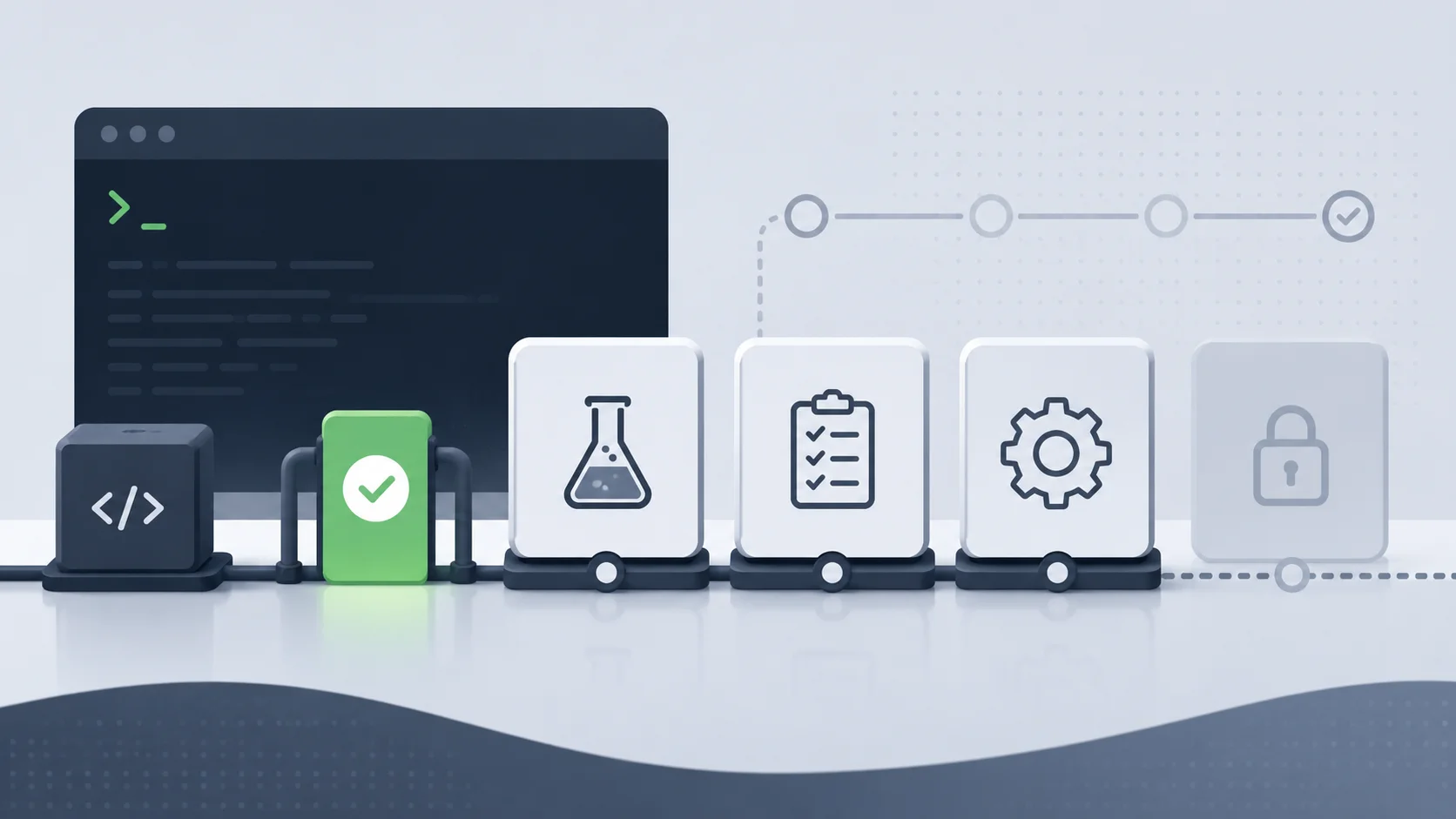
A sane pipeline looks like this:
- Build the app.
- Run unit tests. Fast, no real services.
- Deploy to a staging or preview environment.
- Run the smoke suite against that environment. This is the gate.
- Only if smoke passes, run the full regression and end-to-end suites.
- Promote to production.
- Run a tiny post-deploy smoke against production itself.
That last step matters. A smoke test against production after the deploy catches the config and environment problems that staging never sees, the wrong secret, the missing CDN rule, the DNS that didn't propagate.
Here's a trimmed GitHub Actions job that runs the smoke gate against a deployed preview:
smoke:
  runs-on: ubuntu-latest
  needs: deploy-preview
  steps:
    - uses: actions/checkout@v4
    - uses: actions/setup-node@v4
      with: { node-version: 20 }
    - run: npm ci
    - run: npx playwright install --with-deps chromium

    - name: Health check
      run: |
        curl --fail --retry 5 --retry-delay 3 \
          ${{ needs.deploy-preview.outputs.url }}/healthz

    - name: Smoke tests
      run: npx playwright test --grep @smoke
      env:
        BASE_URL: ${{ needs.deploy-preview.outputs.url }}
        SMOKE_USER: ${{ secrets.SMOKE_USER }}
        SMOKE_PASS: ${{ secrets.SMOKE_PASS }}
The needs: deploy-preview line is what makes it a gate. Nothing downstream of this job runs until the smoke job goes green.
Keep it trustworthy
A smoke suite only works if people trust it. The day it cries wolf, they start merging on red, and you've lost the gate. Three habits keep mine honest.
Keep it fast. If it creeps past 60 seconds, something doesn't belong in it. Move that check to regression.
Kill flakiness hard. A smoke test that fails 1 in 20 runs for no reason is a liability. Use proper waits (Playwright's auto-waiting handles most of this), stub the externals you don't own, and if a test stays flaky, pull it out rather than let it erode trust.
Treat a smoke failure as a stop-the-line event. The contract is simple: smoke red means the build does not move forward. No "it's probably fine", no re-running until it's green. If that discipline slips, the gate is decoration.
Smoke tests are not where you prove your app is good. They're where you prove it's alive. Get repro-first on the actual failures with the repro-first debugging method, and let your regression suite and API design carry the depth. The smoke suite has one job, and a small suite that does it in 30 seconds beats a big one nobody trusts.
What to do now
Pick the five flows your app can't live without. Write one health endpoint that touches your database and cache, and one Playwright test per flow, tagged @smoke. Wire them as a gate before your slow suites in CI, and add a post-deploy smoke against production. That's an afternoon of work, and it's the cheapest deploy insurance you'll ever buy. The hidden cost of skipping it is the kind I've written about before in tech debt you can't see: it stays invisible right up until the white screen ships.
Last updated 8 Jun 2026 · filed under Tools, playwright