Runtime UI Libraries Are Tech Debt You Can't See
Every runtime UI package you install is a future refactor with a delivery date you don't control. Here's the hidden bill — and how laralcn-UI's copy-and-own model kills it for Laravel.



tl;dr — Every runtime UI library you
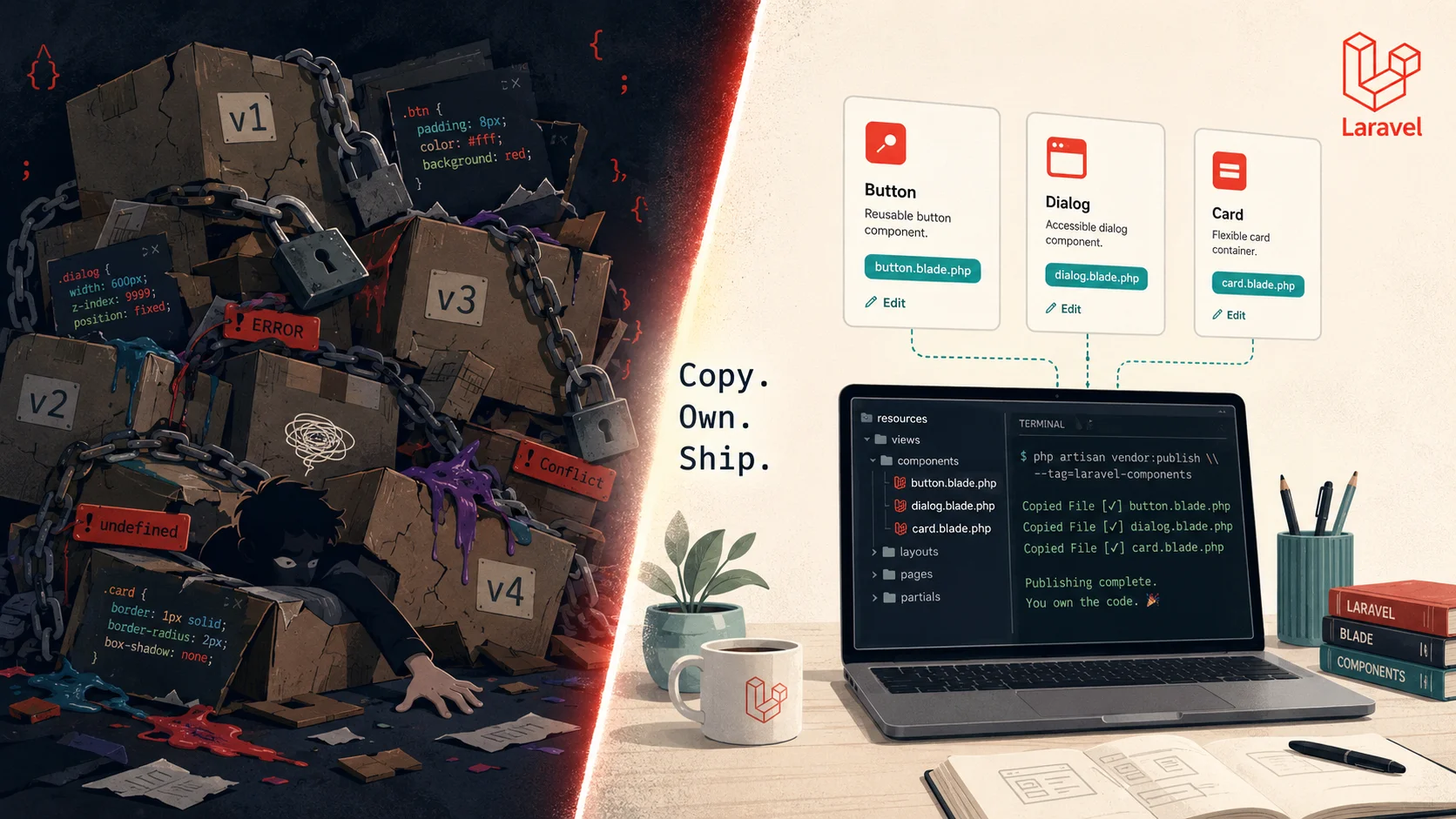
composer requireornpm installis a loan against your future self. The interest payments show up as breaking changes, vendor-imposed redesigns, and CSS override hacks. laralcn-UI applies shadcn's copy-and-own model to Laravel and Blade — so the components live in your repo, not somebody else'svendor/folder.
The first time I felt this debt, it cost me a weekend.
A client's Filament v2 dashboard needed a new field type. The package didn't ship it. So I overrode a Blade view, patched a service provider, monkey-patched a config — the usual ugly workaround. It worked. Then v3 dropped six months later, the internal class I'd patched moved, and the whole house of cards collapsed. Two days of "upgrade work" that should have been ten minutes. I'd taken out a loan when I ran composer require and didn't even know it.
That's the thing about runtime UI libraries. The bill doesn't come due when you install them. It comes due when you need to change them, or when they change without asking you.
The debt you booked when you ran composer require
Tech debt isn't just messy code. It's any choice that buys you speed now and costs you flexibility later. When you install a runtime UI library — Filament, MUI, Mantine, Vuetify, Chakra, even shadcn-as-an-npm-package — you book four loans at once:
- A roadmap loan. Whatever the maintainer decides to do next, you're along for the ride. Drop a component you depend on? Their call.
- A breaking-change loan. Major versions arrive on their schedule, not yours. v2 → v3 means you stop building features and start migrating.
- A customization loan. Every override you write is glued to internal package APIs. The next upgrade can rip it apart.
- A bundle loan. You ship every component the library exposes, not just the ones you use. CSS overrides pile up. Specificity wars start. Lighthouse scores drop.
None of these show up on the balance sheet. They show up six months later, when the simple-looking ticket "add a new column to the user table" turns into a three-day yak-shave because the table component was deprecated and the replacement has a different prop API.
I covered the bigger picture of this in What is Technical Debt: A Complete Guide for Businesses & Developers — but UI debt is a special breed because it hides behind a nice DX.
Why "just upgrade the package" is a trap
Here's the lie the ecosystem tells you. "Don't worry — the maintainers handle the hard stuff. Just bump the version and you're good."
Anybody who's actually shipped knows this is fiction.
I've done five Filament major-version upgrades for clients across the v1 → v5 arc. Some were smooth. Most weren't. The ones that hurt always had the same fingerprint: we'd customized something the maintainer assumed was internal. A trait we extended. A view we published and tweaked. A field we subclassed. Each one was a perfectly reasonable thing to do at the time — and each one became a landmine on upgrade day.
The DSRPT team wrote about this exact problem in Build a CMS from Scratch or Use a Prebuilt One — the prebuilt option is faster until it isn't, and "isn't" usually arrives when you need to deviate from the happy path.
There's a deeper issue too. Package authors have to make breaking changes. Their codebase has to evolve. That's healthy for the project. It's just expensive for you. The two timelines never line up.
What shadcn proved (and why everyone copied it)
Shadcn/ui broke this pattern by refusing to be a package. You don't npm install shadcn. You run a CLI that copies a .tsx file into your repo. From that moment on, the component is yours. Rename it. Refactor it. Delete half of it. The shadcn maintainers can do whatever they want — your component doesn't move.
This is why shadcn went from "weird side project" to default for new React work in about eighteen months. Devs felt the difference immediately. I broke this down in Why Developers Choose shadcn/ui Over Radix UI — the short version is ownership compounds. Every customization you make stays yours. No upgrade roulette.
The real insight isn't about React or about a specific library. It's about a model:
- Runtime libraries = you rent the components.
- Copy-and-own libraries = you buy them.
Both are valid for different problems. But for production apps you'll maintain for years? Renting is the expensive option. Most teams just don't see the receipts.
How laralcn-UI ports this to Laravel and Blade
Until recently, the Laravel side of the ecosystem didn't have a real shadcn equivalent. You had runtime packages (Filament, Jetstream, Breeze with full publish), or you had nothing. laralcn-UI fills that gap.
It works like this:
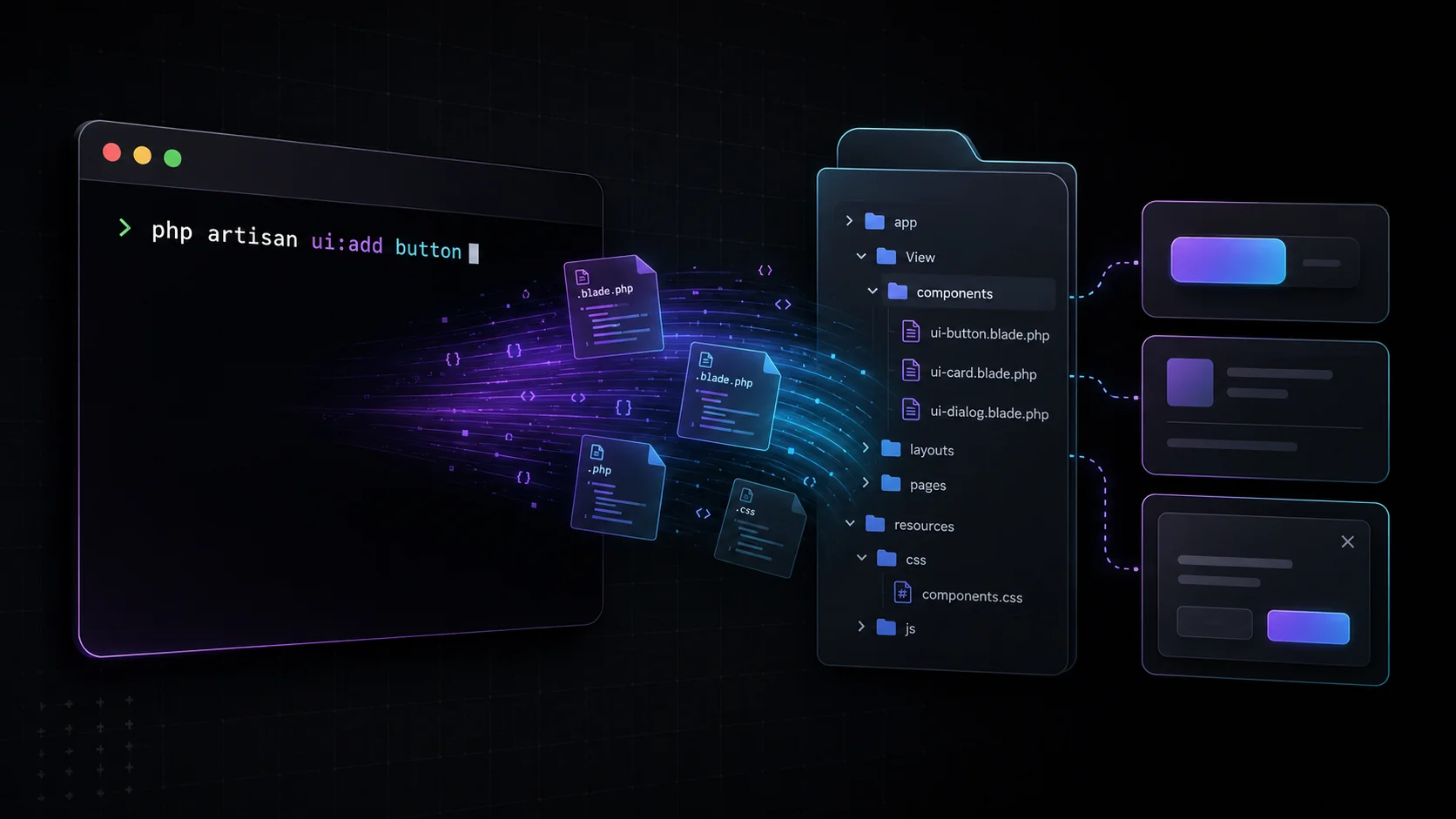
composer require --dev laralcn/ui
php artisan ui:init
php artisan ui:add button
That last command copies a plain Blade component into resources/views/components/. Tailwind v4 styles. Alpine.js only where interactivity actually needs it. CSS-first @theme tokens — no tailwind.config.js bloat to maintain.
The component is now a file in your project. Not a class in vendor/. Edit the markup. Change the variants. Rip out the parts you don't need. The next time laralcn/ui releases a new version, your button doesn't move because your button isn't theirs anymore. It's yours.
A few things I appreciated when I tested it on a client dashboard last month:
- The dependency resolver pulls related components in automatically. Add
dialog, you get the bits it needs without hunting around. - It's a dev dependency. Once components are copied,
laralcn/uidoesn't need to ship to production at all. Smaller deploy. Less attack surface. - 25 components covering the actual job — forms, navigation, overlays, layout. Not a 200-component grab-bag where 90% sit unused but still bloat your bundle.
Is it as featureful as Filament out of the box? No, and that's the point. Filament is a CMS framework. laralcn-UI is a component vocabulary you own. Different jobs.
For frontend folks who think in design tokens and atomic components, the mental model is the same one I broke down in Design Systems Explained: Atoms, Molecules, Organisms, Templates, and Pages. laralcn-UI gives you the atoms and lets you build the molecules.
When runtime UI libraries actually make sense
I'm not saying burn every package. That'd be dumb. Runtime libraries are right when:
- → You're shipping an internal admin tool that nobody outside the team will see, and you'd rather not own the design.
- → The library is so close to your needs that you'd customize less than 10% of it. Renting beats buying for short trips.
- → You're prototyping. Speed to first user matters more than long-term flexibility.
- → The maintainer ships breaking changes rarely and well-documented (Filament v4 → v5 was a good example — painful but signposted).
But once an app crosses the line from "prototype" to "this is the thing we're maintaining for the next five years," runtime UI debt starts compounding. That's the moment to think about owning instead of renting.
The bill, made visible
Here's a quick gut check. Look at your current Laravel app and answer:
- Could you upgrade your UI library by one major version this afternoon without a planning meeting? Honest answer.
- How many CSS overrides do you have that depend on specific internal class names from a package?
- If the maintainer abandoned the library tomorrow, what's your migration cost?
If any of those answers made you uncomfortable, you're carrying UI tech debt. It's not visible in your codebase — but it's on your future calendar.
I wrote about a related pattern in If a Component System Can't Build Its Own Docs, It Can't Build Your App — the test for a component system is whether you can wield it, not whether the demo looks nice. Copy-and-own passes that test by default because the components are literally in your hands.
What to do this week
Pick one screen in your Laravel app that's been a pain to customize. Install laralcn-UI as a dev dependency. Run php artisan ui:add for the components you need. Port that one screen. See how it feels to own the markup instead of fighting it.
That's the whole experiment. Forty minutes, one screen. If it clicks, you'll know — because the next customization request won't make you flinch.
If you want the bigger context on why prebuilt vs custom is a balance-sheet decision (not just an engineering one), the DSRPT team broke it down in 5 Signs Your Business Needs a Custom Web Application. The same logic applies one layer down at the component level.
The componentry you can't touch is debt. The componentry you own is an asset. Most teams have the ledger backwards.
Last updated 28 May 2026 · filed under Laravel, blade, tailwindcss, shadcn, alpinejs, frontend, ui, laralcn-ui