404, never 403: access control that doesn't leak project names
How GitBasedDocs keeps each client inside their own projects: one access gate, the same 404 for every refusal, images behind the same check, and JWT sessions that still notice a deactivated user.

5 min read


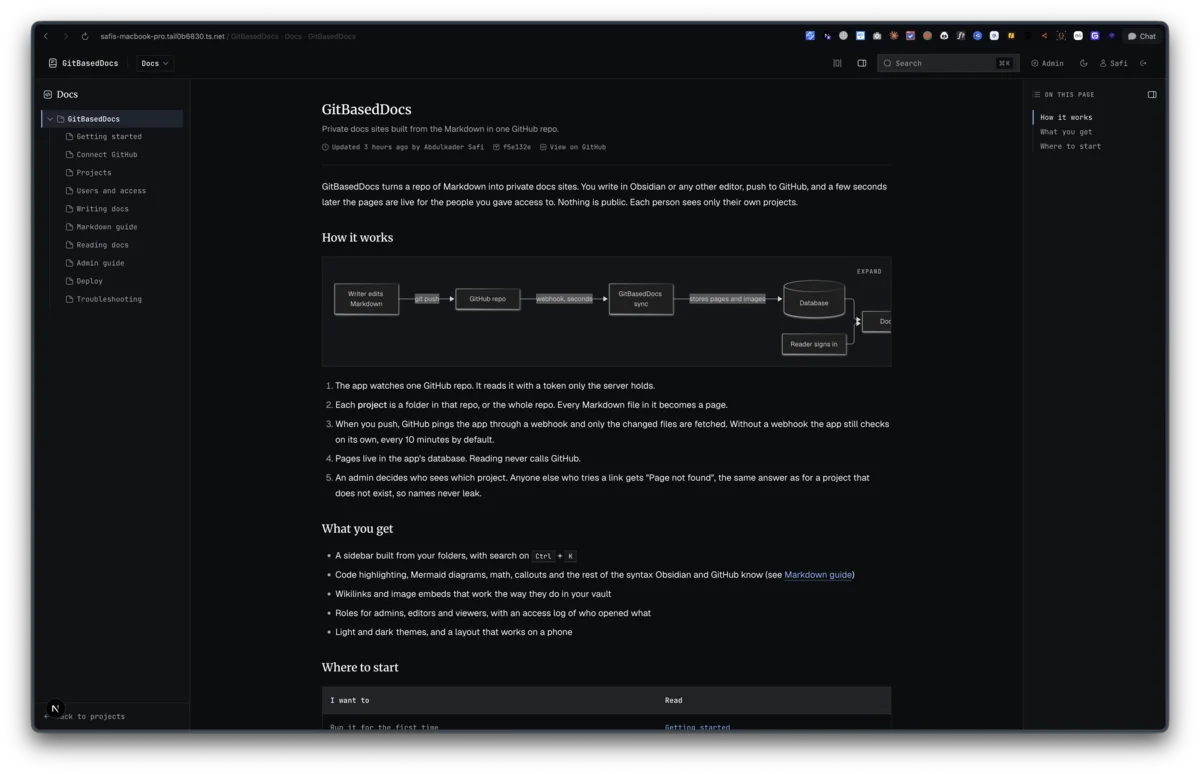
GitBasedDocs has one promise that matters more than the rest: a client sees their own projects and nothing else. Not the pages, not the images, not the search results, and not even the fact that another project exists.
One gate, one answer
Every project read goes through one function in lib/access/access.ts. It loads the project by slug, refuses it if it is archived, lets admins through, and for everyone else looks for a row in project_members:
if (!project) return { project: null, allowed: false }
if (!project.isActive) return { project, allowed: false }
if (user.role === "admin") return { project, allowed: true }
A member lookup follows. No row means no access. Admins skip the membership check and nothing else, so an archived project is closed to them too.
The rule that makes this leak-proof is in what callers do with a refusal. "No such project", "archived" and "not a member" all come back the same way, and every caller turns that into a 404. A 403 would say "this exists, you just can't have it", which is enough to confirm a client's name by guessing URLs. So the doc page calls notFound(), the search route returns a bare Not found, and the asset route does the same. Even the browser tab title for a refused page is "Page not found", because generateMetadata checks access before it builds a title.
There are two exports. requireProjectAccess returns the project or null. checkProjectAccess makes the same decision but also hands back the project row when one exists, so the access log can record which project a denied request was aiming at. Only the admin-only log sees that. The reader still gets the plain 404.
Images are the easy place to leak
A page can be locked down and still leak through its images, because an image URL is a separate request that anyone can paste into a new tab. Images and PDFs are served from /api/assets/<project>/<path> and that route runs the same check on every request, cached or not:
"Cache-Control": "private, no-cache",
The browser keeps a copy and revalidates it each time, and the revalidation is where the access check runs. Remove someone from a project and their images stop loading on the next page view. The route also sends a sandboxed Content-Security-Policy, because opening a hostile SVG straight from our origin would otherwise run any script inside it.
On the render side, an image that points outside the project or is not in the cache becomes an alt box. The page never asks for a file it should not have.
JWT sessions that still notice a deactivated user
Login is email and password through next-auth v4. My first version used database sessions, and it did not work: v4 only allows the Credentials provider with the JWT strategy. That fix landed on day one (3da13cc).
A JWT is the wrong shape for revoking access. The cookie is valid until it expires, whatever happens to the user. So the session callback ignores most of the token and reloads the user row on every call. It starts from a locked-out default and only fills in the user if the row exists, is active, and has not revoked sessions since this token was issued:
const revoked =
  row?.sessionsRevokedAt != null && loginAt < row.sessionsRevokedAt.getTime()
if (row && row.isActive && !revoked) {
Deactivate a user and they are out on their next click. "Revoke sessions" stamps the row, and any token issued before that stamp stops working. Role changes follow the same path, so demoting an admin takes effect at once.
proxy.ts (Next 16's new name for middleware) sits in front of all this, but it only checks that a session cookie exists. It exists to bounce anonymous visitors to /login fast. The real decision always happens in the page or route, never in the proxy.
The smaller locks
- Login is rate limited to 5 tries per 15 minutes, per IP and per email. It is an in-memory map, which resets on restart and would need a shared store with more than one instance.
- A wrong password, a missing account and a deactivated account all return the same generic error.
- The first admin comes from
ADMIN_EMAILandADMIN_PASSWORD, only while the users table is empty, and has to pick a new password on first login.
The log
Every page open and every denied attempt writes a row with the user, the project and the path. It is written from Next's after(), so the insert never slows the response, and a failed insert is logged to the console rather than breaking the page. Denied image loads are logged too. Allowed ones are not, because they would bury the page opens.
The admin overview counts denied opens from the last 7 days, and the access log page filters by user, project and result.
Pinned by a check
The access spec in docs/features/05-access-control.md listed the cases to prove before the build could pass. They became lib/access/access.check.ts, which runs against a real SQLite file: viewer A cannot open B's project and the reverse, an archived project stays closed to its members and to admins, a missing slug looks exactly like a forbidden one, and removing a membership takes effect on the very next check.
Last updated 10 Sep 2026 · filed under Typescript, web application, dashboard, nextjs