
Building Share This, a one-click share and copy-as-Markdown extension
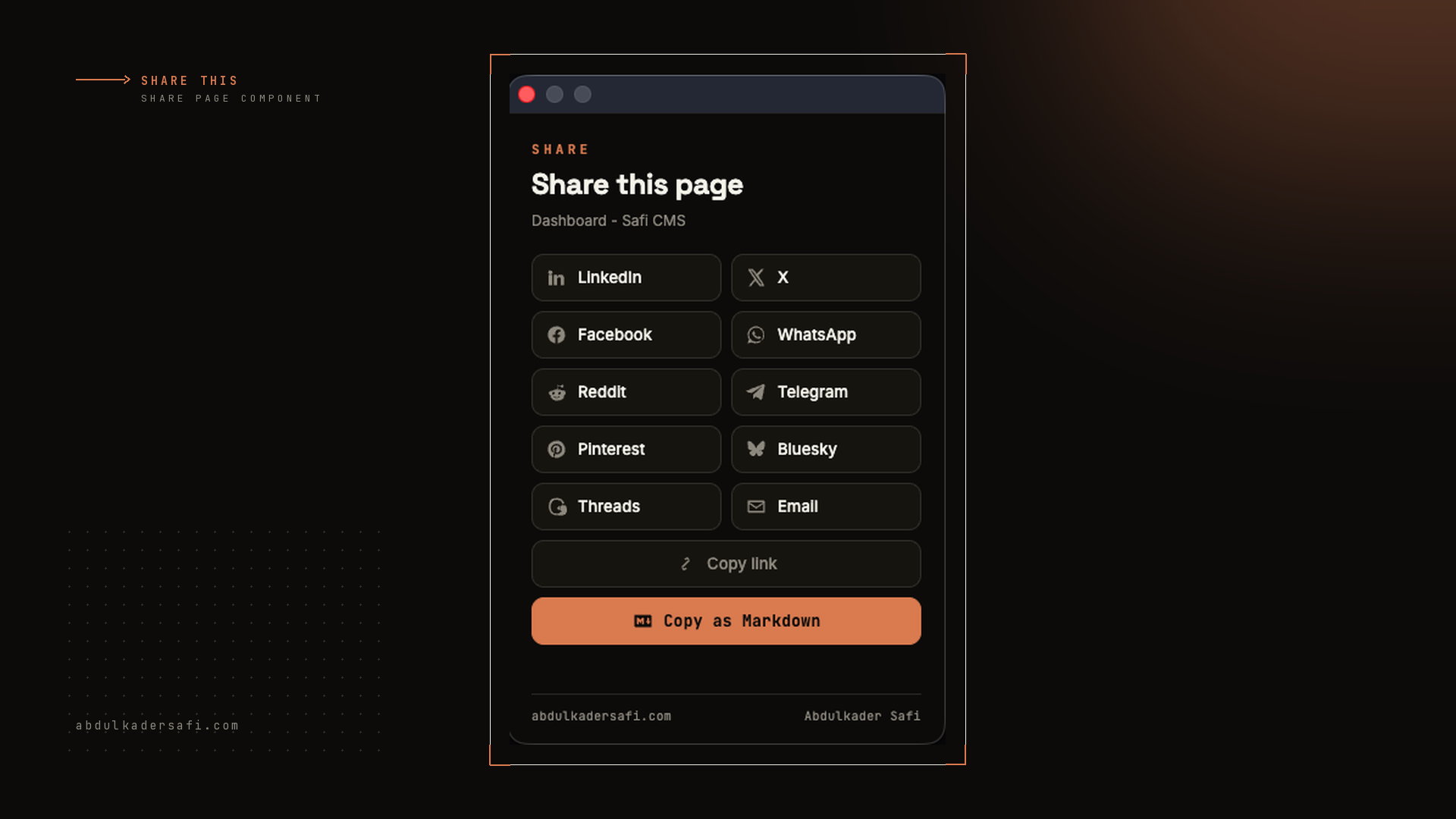
A minimal Chrome extension that shares the current page to 10 networks or copies it as a blog-ready Markdown snippet, built on just activeTab and scripting so it never touches your browsing history.

3 min read


Why I built it
I share a lot of links, and I keep two habits that no extension covered well at once. The first is a quick send to LinkedIn or X. The second is grabbing a clean Markdown block, with the page's OG image, to repost on my own blog. So I built Share This: a tiny Chrome extension that does both from one popup.
What it does
Open the popup on any page and you get:
- One-click share to LinkedIn, X, Facebook, WhatsApp, Reddit, Telegram, Pinterest, Bluesky, Threads, and email.
- Copy link for the current URL.
- Copy as Markdown, which builds a blog-ready snippet:
## [Page Title](https://url)

Meta description text.
The image line is skipped when a page has no og:image.
The one decision that shaped it: permissions
Most share tools ask to read every page you visit. I didn't want that. The popup reads the active tab's URL and title, then reads the OG and meta tags with a single chrome.scripting.executeScript that runs only when you open the popup:
const [res] = await chrome.scripting.executeScript({
  target: { tabId: tab.id },
  func: () => ({
    ogImage: document.querySelector('meta[property="og:image"]')?.content || "",
    description: document.querySelector('meta[name="description"]')?.content || "",
  }),
});
Because activeTab grants access only on the click, the manifest needs just two permissions and no host access:
"permissions": ["activeTab", "scripting"]
No background page. No content script running everywhere. Nothing watching your browsing.
Sharing is just intent URLs
Each network has a share endpoint that takes the URL and text as query params, so there is no SDK and no API key. The popup builds the link and opens it in a new tab:
case "linkedin": return `https://www.linkedin.com/sharing/share-offsite/?url=${url}`;
case "x":        return `https://twitter.com/intent/tweet?url=${url}&text=${title}`;
case "reddit":   return `https://www.reddit.com/submit?url=${url}&title=${title}`;
Stack and result
Three files, vanilla JavaScript, no build step and no dependencies: manifest.json, index.html for the popup, and script.js for the logic. Inline SVG icons keep it CSP-safe, and the popup is theme-aware. Shipped in a handful of commits and licensed MIT.
Get it
The code is on GitHub: https://github.com/Abdulkader-Safi/Share-This-Browser-Extension.
It is not on the Chrome Web Store. Google's developer registration does not list Kuwait as a country, so I can't pay the one-time fee to register as a developer there. Until that changes, you install it from source:
- Clone or download the repo.
- Open
chrome://extensionsand turn on Developer mode. - Click Load unpacked and select the folder.
If it is useful to you, star the repo or support the work on Ko-fi.
Last updated 17 Aug 2026 · filed under Javascript, extension
