Should a small Node script be .js or .mjs?
The rule for picking .js or .mjs when you write a quick Node script, what actually decides the module system, and why require(esm) landing in every supported Node changed the answer in 2026.



You write a 30-line script to rename a folder of files. You save it as cleanup.js, run it, and Node throws SyntaxError: Cannot use import statement outside a module. You rename it to cleanup.mjs, it runs, you move on with your day. For most people that's the whole relationship with this question.
The rule is short, so here it is first.
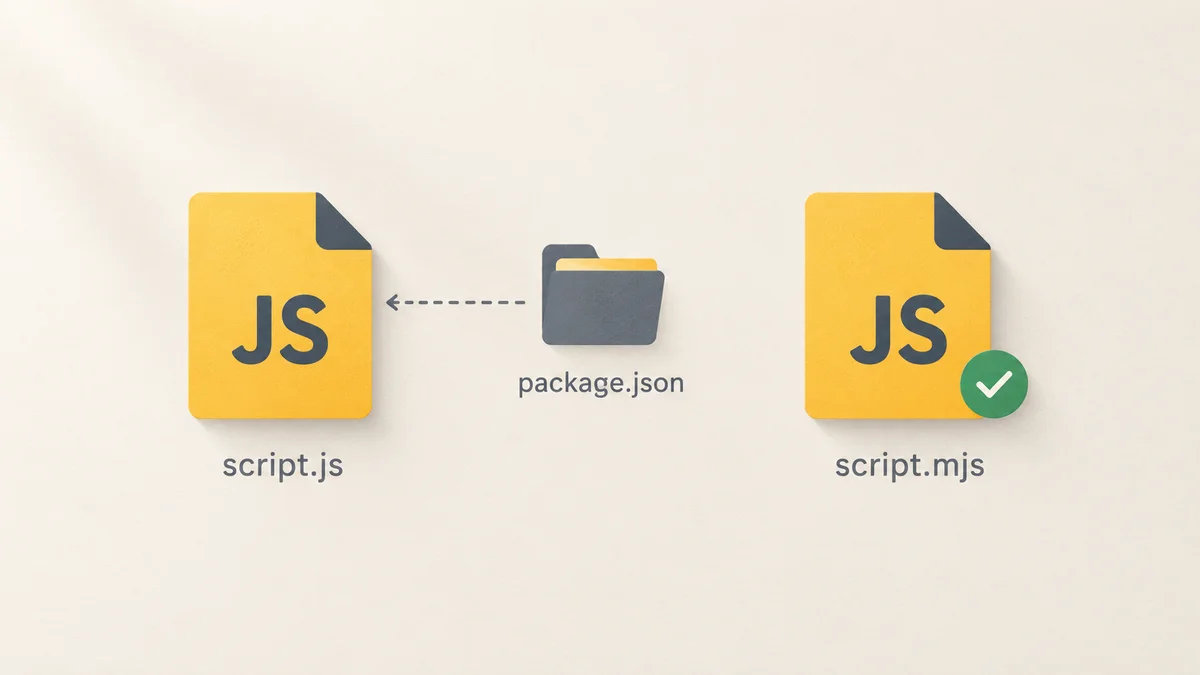
If the script sits on its own with no package.json in its folder or any folder above it, use .js. Node reads the file and works it out. If the script lives inside a project whose package.json says "type": "module", use .js again. In every other case, which mostly means a project with no type field or an explicit "type": "commonjs", use .mjs.
Now the part worth knowing, because the reasoning is what saves you the next time this bites.
The extension is not what decides. Usually.
Node applies three rules, in this order.
.mjs is always an ES module. .cjs is always CommonJS. No package.json anywhere can override either one. These two extensions are the only place where the filename genuinely settles the question.
For a .js file, the nearest package.json walking up the tree wins. "type": "module" makes it an ES module, "type": "commonjs" makes it CommonJS, and the search stops at the first node_modules folder or the volume root.
If there is no package.json above the file, or there is one but it has no type field, Node reads the source and decides for itself. Find an import statement, an export, an import.meta, or a top-level await, and Node treats the file as an ES module. This is called module syntax detection, and it has been on by default since Node 22.7.0 and 20.19.0.
That third rule is the one that changed the answer, and it's why a loose script in ~/scripts with import at the top just runs.
What I actually measured
I ran the same tiny script five ways on Node 22.22.2, then repeated the whole set on Node 24.21.0. Identical results on both.
# 1. cleanup.js with `import`, no package.json anywhere
node cleanup.js          -> runs, no warning

# 2. cleanup.js with `import`, package.json exists but has no "type"
node cleanup.js          -> runs, but prints MODULE_TYPELESS_PACKAGE_JSON

# 3. cleanup.js with `import`, package.json has "type": "commonjs"
node cleanup.js          -> SyntaxError: Cannot use import statement outside a module

# 4. cleanup.mjs with `import`, package.json has "type": "commonjs"
node cleanup.mjs         -> runs, no warning

# 5. cleanup.js with `require()`, package.json has "type": "module"
node cleanup.js          -> ReferenceError: require is not defined in ES module scope
Case 2 is the one people never see coming, because the script works. It just prints this every single run:
(node:1991) [MODULE_TYPELESS_PACKAGE_JSON] Warning: Module type of file:///.../cleanup.js
is not specified and it doesn't parse as CommonJS.
Reparsing as ES module because module syntax was detected. This incurs a performance overhead.
To eliminate this warning, add "type": "module" to /.../package.json.
Node is telling you it tried to parse your file as CommonJS, failed, threw the parse away, and started again. On a 30-line script that costs nothing you'll ever notice. But the warning goes to stderr, which means if the script is a step in a CI job or a cron entry that emails on output, you now get noise forever. Renaming the file to .mjs removes the guessing and the warning in one move. Adding "type": "module" to the package.json also fixes it, but that changes every other .js file in the project, which is a much bigger decision than the one you were trying to make.
The thing that changed in 2026
The classic argument against .mjs went like this: write it as an ES module and no CommonJS code can ever require() it, so you've painted yourself in.
That's dead. require() of an ES module was unflagged in Node 22.12.0 and shipped by default in 23 and up. I tested it with no flags:
// lib.mjs
export const hi = () => "hello from esm";

// run.cjs
const { hi } = require("./lib.mjs");
console.log(hi()); // hello from esm
That runs clean on Node 22.22 and 24.21. No warning, no flag.
The catch is real but narrow. If the module you're requiring, or anything in its dependency tree, uses top-level await, Node throws ERR_REQUIRE_ASYNC_MODULE. I confirmed that too. Everything else loads synchronously and behaves.
Why this matters for the extension question: Node 20 left security support on 30 April 2026. Node 24 is the active LTS, Node 26 arrives as LTS in October. Every Node version anyone is supposed to be running today can require() an ES module. The reason to avoid .mjs expired.
What you give up by going ESM
Three things, and all three have a one-line fix.
__dirname and __filename do not exist in an ES module. You get a ReferenceError. Use import.meta.dirname and import.meta.filename instead, which have been available since Node 20.11 and 21.2 and give you the same plain strings.
require() does not exist either. When you need it, usually for a package that never shipped an ESM build, pull it in explicitly:
import { createRequire } from "node:module";
const require = createRequire(import.meta.url);
const legacy = require("some-old-package");
Importing JSON needs an import attribute:
import config from "./config.json" with { type: "json" };
That's the whole migration cost for a script. It is not the same conversation as migrating a codebase, which is where most of the internet's ESM pain comes from.
If it's a CLI you'll actually run
Shebang, chmod +x, done. The .mjs extension does not interfere with any of it:
#!/usr/bin/env node
import { readdir } from "node:fs/promises";

const files = await readdir(process.argv[2] ?? ".");
console.log(files.length, "files");
chmod +x tidy.mjs
./tidy.mjs ~/Downloads
Top-level await works directly, which for a script is the single biggest reason to write ESM at all. No async function main() wrapper, no .then() chain at the bottom of the file, no IIFE.
While you're here, it might not need to be JavaScript
If your quick script would be nicer with types, Node runs .ts files directly now. Type stripping has been on by default since Node 22.18.0, and no, there's no build step:
const count: number = 42;
console.log(count);
node script.ts
It strips the types and runs. It does not type-check, so you still need tsc --noEmit or your editor for that, and anything that emits real JavaScript (enums, decorators, namespaces) is out. For a script, that's rarely a problem. Worth knowing if you're already on the TypeScript 7 Go rewrite train.
What I actually do
My loose scripts live in one folder with no package.json in it, and they're all .js with import at the top. Node's detection handles them and I never think about it.
The moment a script moves into a real project, I check what the project's package.json says once. If it's "type": "module", the script stays .js. If it isn't, I rename it to .mjs and stop thinking about it again. I don't add "type": "module" to an existing project just to make one script happy, because that flips every .js file in the repo and turns a two-minute job into an afternoon.
For anything I publish, .mjs and .cjs both go in, and the package.json gets an explicit "type" even when it's redundant. Ambiguity in a script you run yourself costs you a warning. Ambiguity in something other people install costs you an issue thread.
What to do now
Before you name the file, find out which package.json is actually in charge. Run this in the folder the script will live in and it walks up the tree the same way Node does:
node -e 'let d=process.cwd(),p=require("path"),f=require("fs");while(d!==p.dirname(d)){const j=p.join(d,"package.json");if(f.existsSync(j)){console.log(j,"->",require(j).type??"no type field");process.exit()}d=p.dirname(d)}console.log("no package.json above this folder")'
Three possible answers, three decisions. module means write .js. no type field or commonjs means write .mjs. no package.json above this folder means write .js and forget about it.
If you keep a scripts folder you run things out of regularly, put a package.json in it containing nothing but {"type": "module"}. Every .js file in there is then unambiguous, with no detection pass and no reparse warning.
And if you're writing these scripts to hold a build or a deploy together, they deserve the same treatment as the rest of the codebase. A 30-second smoke test around them catches more than the extension ever will.
Last updated 9 Sep 2026 · filed under Javascript, tools