Homebrew 6.0 tap trust: what breaks and how to fix it
Homebrew 6.0 stops running third-party tap code until you trust it. Here is what actually fails, the commands that fix it, and the two changes nobody is talking about.



Homebrew 6.0 shipped on 11 June 2026, and the headline is one word: trust.
For most of Homebrew's life, adding a third-party tap meant handing a stranger's Ruby code permission to run on your machine. Not download. Run. Homebrew had to evaluate that code to resolve dependencies and discover packages, so brew tap someone/repo was enough to get their code executing under your user account.
That is the default 6.0 kills. Here is what it means in practice, what actually breaks (which is not what most of the coverage says), and the two changes that got almost no attention but will bite more people.
What tap trust actually does
Official Homebrew taps stay trusted. Your normal brew install ripgrep is identical to last week.
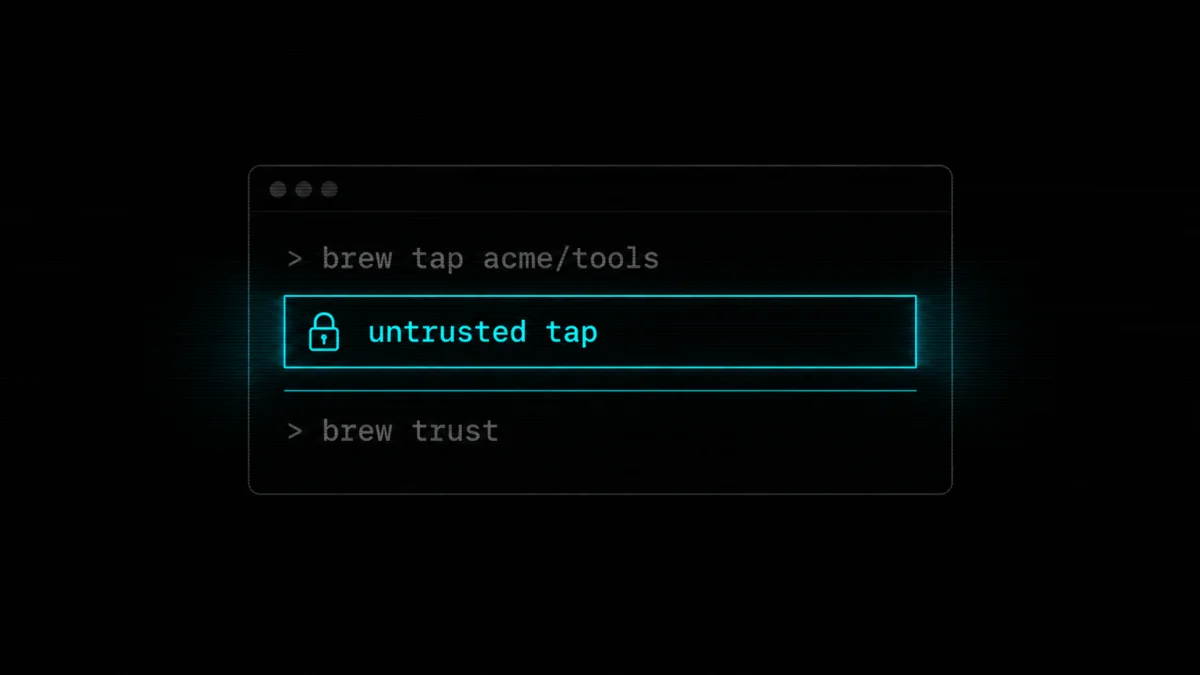
Non-official taps now need explicit trust before Homebrew evaluates anything from them. The Tap Trust docs spell out the reasoning: formulae and casks are executable package definitions, not metadata. Trusting a tap means accepting that its code can run with your privileges every time Homebrew loads it.
There are two levels, and the difference matters:
# Trust one formula. Homebrew loads that item, nothing else from the repo.
brew trust --formula user/repository/formula

# Trust the whole tap. Every current AND future formula, cask,
# and external command from that repo is now allowed to run.
brew trust user/repository
Homebrew's own docs recommend the first one. Whole-tap trust is a standing permission for code that has not been written yet, which is exactly the shape of a supply chain attack: repo changes hands, maintainer account gets compromised, new formula appears, your machine runs it.
There is a shortcut. Installing by fully qualified name trusts only that item:
brew install user/repository/formula
brew install --cask user/repository/cask
To manage what you have already allowed:
brew trust      # list what is trusted
brew untrust    # list untrusted taps, formulae, casks, commands
brew untrust user/repository
The CI breakage, corrected
The story going around is that brew doctor now errors on untrusted taps, and since a lot of GitHub Actions run brew doctor as their first step, builds started failing.
The mechanism is wrong. Homebrew's docs are specific: brew doctor warns about non-official taps where neither the tap nor any item in it is trusted. What actually fails is different, and worse: "Commands that need to load an untrusted tap or item will fail until the relevant trust is granted."
So your build does not die at the health check. It dies at the install, which is later, deeper in the log, and easier to misdiagnose. If you go hunting for a brew doctor failure you will not find one.
The fix is a trust step before your installs:
brew tap user/repository
brew trust --formula user/repository/formula
brew install formula
Or, if you drive CI from a Brewfile, brew bundle honours a trusted: option and brew bundle dump now records trusted entries, so a dump from a working machine carries the trust with it.
There is also an escape hatch, and I want to be honest about it rather than pretend it does not exist:
HOMEBREW_NO_REQUIRE_TAP_TRUST=1
That restores the old behaviour. Homebrew calls it a temporary opt-out and says it will be removed in a later release. Use it to unblock a deploy on a Friday, then go and do the real fix. Anything you set today to make a red build green becomes a thing nobody remembers in six months, and this one has an expiry date attached.
If you have been following the last year of package manager incidents, none of this should feel like overreach. The npm stealer that hunts AI tool keys and the 10,000 fake GitHub repos pushing malware are the same threat model from different angles: someone gets code you did not audit onto a machine you own. Homebrew closing the "we just run whatever the repo hands us" door is late, not aggressive.
Ask mode is not on for you (probably)
The other change people are demonstrating in videos: brew install now prints a summary of everything it is about to install and waits for a yes.
Read the release note carefully. Ask mode is the new default for developers. If you do not have HOMEBREW_DEVELOPER set, brew install and brew upgrade behave the way they always did, with no prompt.
This matters in both directions. If you were expecting the prompt as a safety net on a normal machine, you do not have it. And if you write scripts that assume brew installs silently, check whether the machine running them is in developer mode, because that prompt will sit there waiting forever.
Homebrew made this change off the back of their user survey, which is a better reason than most defaults get.
The two changes nobody is covering
Ubuntu 22.04 quietly dropped a tier. The CI migration to Ubuntu 24.04 raised Homebrew's Linux baseline to glibc 2.39. Systems with older glibc, and Ubuntu 22.04 with glibc 2.35 is the obvious one, are now Tier 2: no new bottles get built for them and brew doctor warns. Bottles are Homebrew's prebuilt binaries, so losing them means building from source, which turns a 20 second install into a long one. If you have Homebrew on an older Ubuntu box, this affects you more than tap trust does. The recommended paths are the ghcr.io/homebrew/brew Docker image or moving to 24.04.
Linux builds are sandboxed now. macOS has run build, test, and postinstall phases in a sandbox for a while. 6.0 brings a Bubblewrap sandbox to Linux to match, on by default for developers. It got one line in most coverage and it is a bigger structural change than the command-line stuff.
The rest, quickly
The internal JSON API is now the default. All of Homebrew's package metadata arrives as one download instead of many small network calls, so brew update is noticeably faster. It was opt-in via HOMEBREW_USE_INTERNAL_API since 5.0.0; that variable is deprecated now.
brew exec is new and works like npx: run a tool once without installing it permanently.
brew vulns checks your installed packages against known vulnerabilities. Worth knowing that it lives in its own tap rather than shipping in the core commands.
Three security advisories were fixed in this cycle, and one of them is nasty: root code execution through git hooks in the macOS .pkg postinstall (GHSA-6689-q779-c33m). The other two cover an HTTPS-to-HTTP redirect bypass in the POST download strategy and a user-controlled plist in /var/tmp that could hand Homebrew ownership to a local attacker.
On Intel Macs, the timeline is now dated rather than vague. September 2026: macOS Intel x86_64 moves to Tier 3, no CI, no new bottles. September 2027: unsupported entirely, related code deleted. Apple silicon is fine, and 6.0 adds M5 and M5 Pro/Max recognition.
And the Rust question, since it keeps coming up: Homebrew is not being rewritten in Rust. The brew-rs experiment concluded. Their benchmarks showed the Rust frontend only ahead on narrow, already-cached bottle fetches, not on representative full installs where you are pouring bottles, linking, writing metadata, and running health checks. The performance work went back to Ruby and to starting network and disk I/O sooner.
What to do this week
Upgrade. Three security fixes, and brew update will move you onto 6.0 whether you plan for it or not.
Then, in order:
- Run
brew untrustto see every third-party tap you have accumulated. Most people have taps they forgot they added. - Trust the specific formulae you actually use, not the whole tap.
brew trust --formula user/repo/formula. - Grep your CI configs and Brewfiles for third-party taps and add trust before the install step.
- If you run Homebrew on Ubuntu 22.04 or older, plan the move to 24.04 or the Docker image before your installs start compiling from source.
- If you have automation that assumes silent installs, check whether
HOMEBREW_DEVELOPERis set on that machine.
The interesting part of this release is not the version number. Homebrew moved from being a convenience to being a checkpoint: code coming onto the machine has to prove it was invited. Every package manager is going to end up here. Homebrew got there before the incident that would have forced it, which is rarer than it should be.
If you want the same treatment applied to a whole fleet rather than your laptop, that is the kind of work we do at dsrpt. And if you are hardening your own boxes, my self-hosted security checklist covers the layer underneath this one.
Source: Homebrew 6.0.0 release announcement and the Tap Trust documentation.
Last updated 29 Jul 2026 · filed under Tools, terminal application