- ImageMagick for VS Code: Native image editing inside the editor · part 1 of 4
- Typescript
- VS Code
- Extension
- Tools
- Svelte
ImageMagick for VS Code 0.3.0: Explorer drag-and-drop
The 0.3.0 release of my ImageMagick VS Code extension fixes drag-and-drop from the Explorer, plus what is coming next.

1 min read


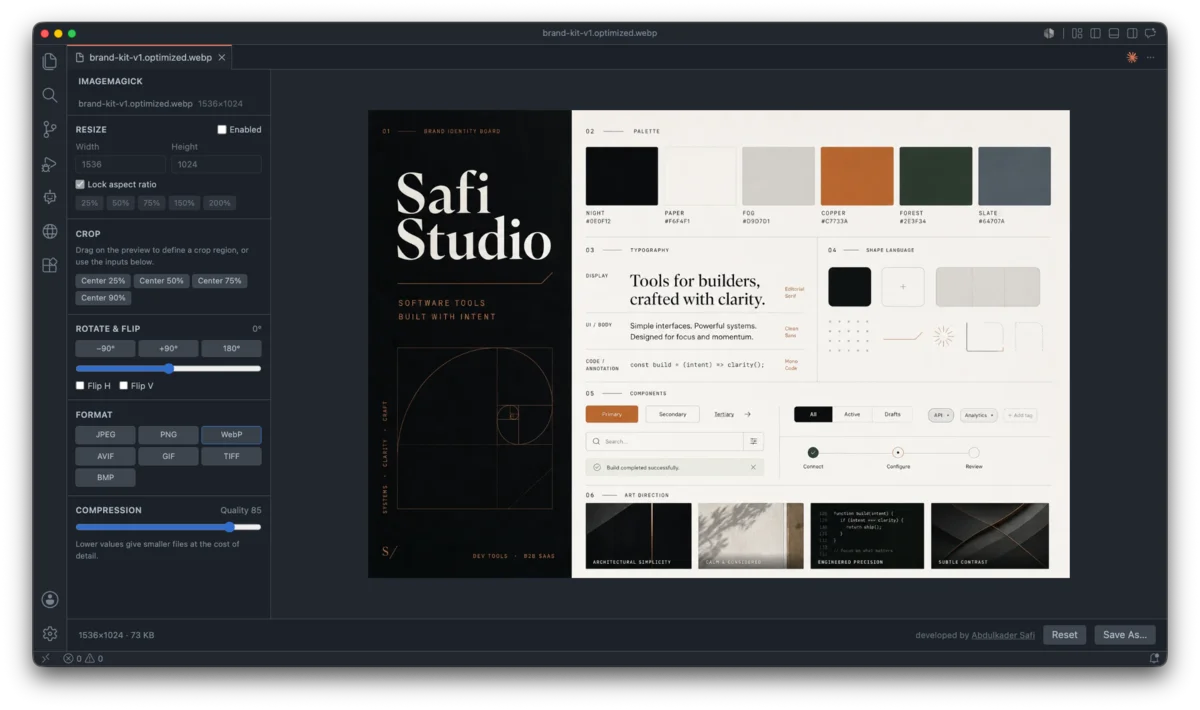
My ImageMagick extension lets you resize, crop, rotate, compress, and convert images inside VS Code, with a live preview and no uploads. The engine is ImageMagick compiled to WebAssembly, running in the webview.
What 0.3.0 fixes
Dragging an image from the VS Code Explorer onto the preview did nothing. Those drops hand the webview only a file reference, not the file itself, so the drop handler had nothing to read. Now the dropped file is loaded off disk through the extension host, the same path the right-click menu uses. Drags from Finder and File Explorer keep working as before.
Next steps
- Presets and one-click optimize from the Explorer
- Strip metadata (EXIF, GPS, color profiles) on export
- Before and after size with percent saved
- Compare slider in the preview
- Responsive size set from one source
- Color and sharpen adjustments
- Watermark and text overlay
- Auto-optimize on save
More soon.
Last updated 17 Aug 2026 · filed under Typescript, vs code, extension, tools, svelte