
[DEMO] PHONE APP · FICTIONAL CLINIC
Noor Clinic Companion (DEMO)
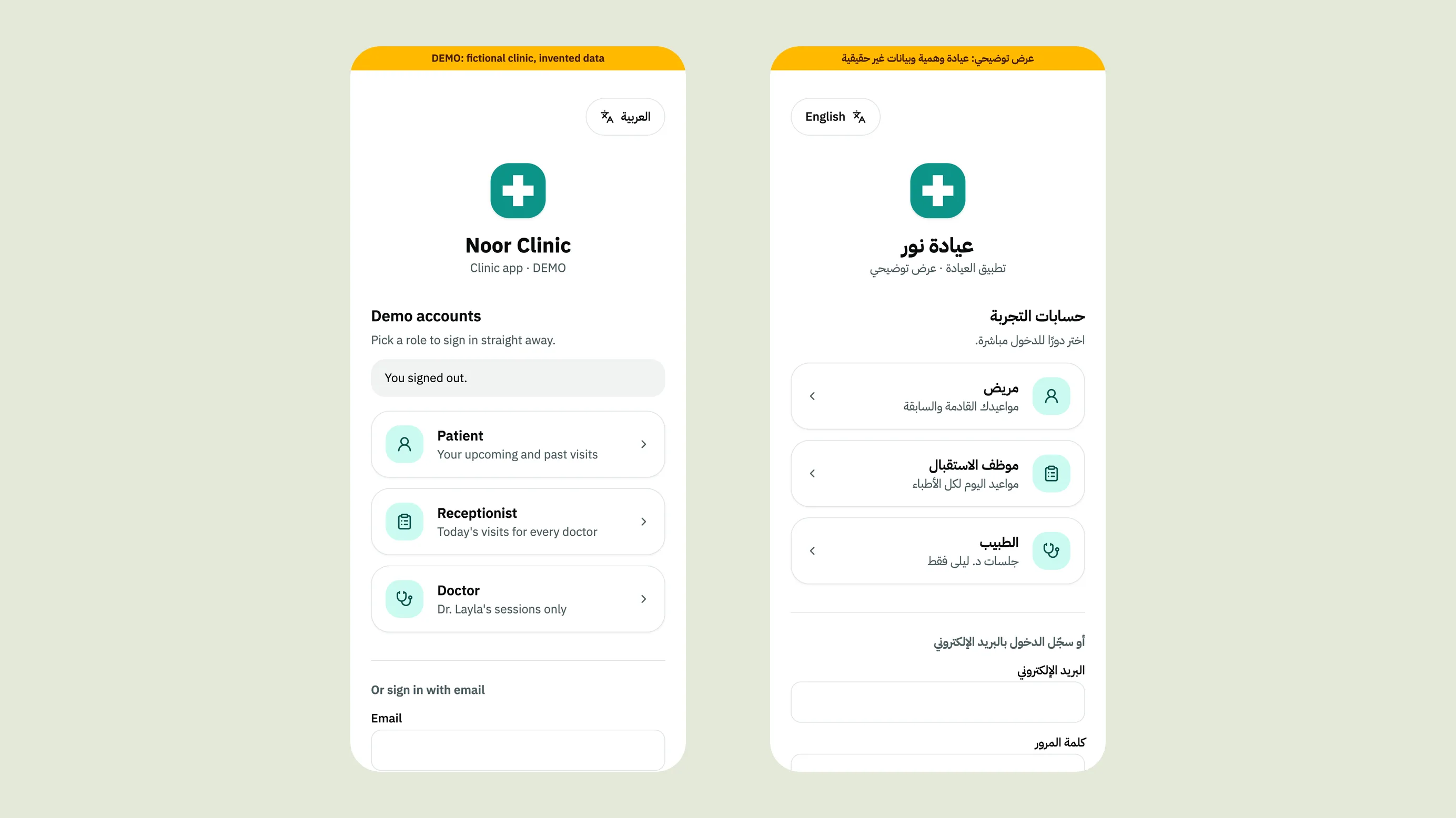
A phone-first app in Arabic and English for a fictional clinic in Kuwait. Patients see their visits; staff run today's list and close visits from the phone, and every change shows up in the Noor Clinic admin.
- Demo
- Fictional clinic in Kuwait
- Solo build
- Patients and staff
- Arabic and English
- Not in app stores

A second app usually means a second backend
A clinic with a good back office still has staff walking to a desk to check the day's list, and patients phoning to ask when their next visit is. The usual answer is a separate mobile app with its own backend, which then drifts out of sync with the admin.
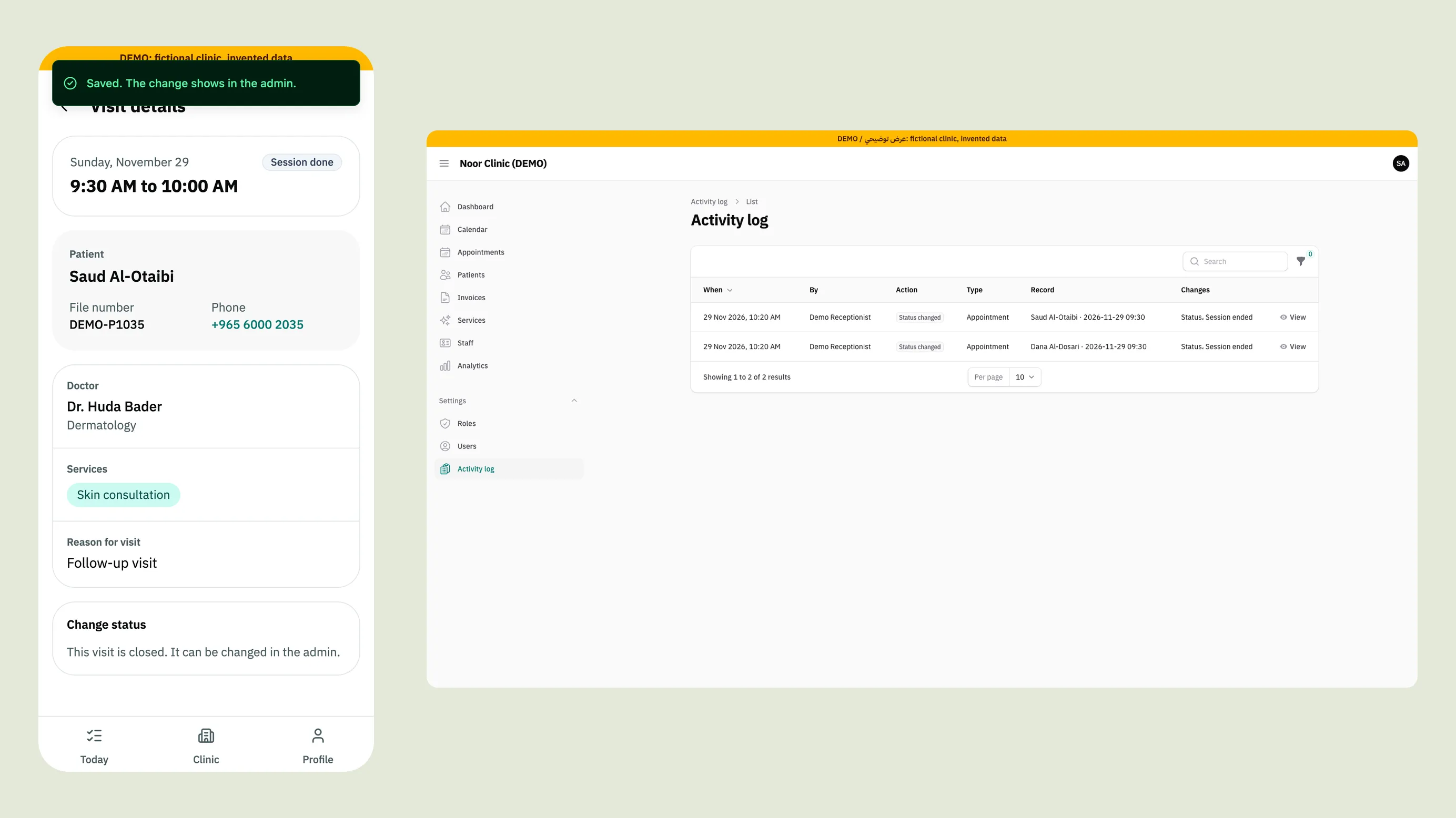
This demo puts a phone app on the same Laravel backend and the same permission rules as the admin. A visit marked done on a phone is the same record the front desk sees, and it lands in the same activity log.
25 seconds, one real session
A patient in Arabic, the switch to English, a receptionist marking a visit done, and the admin's activity log showing the change. The video has music.
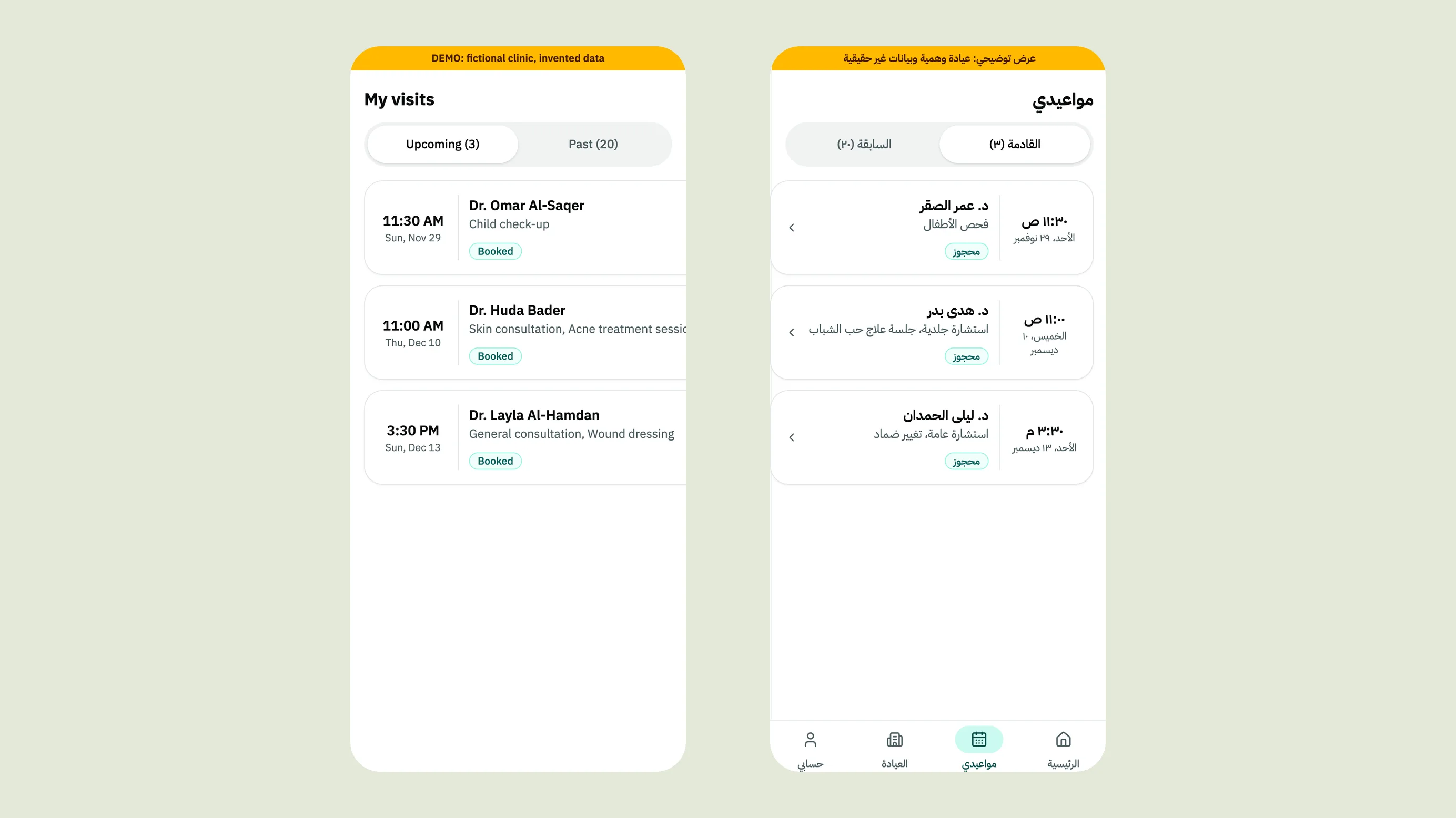
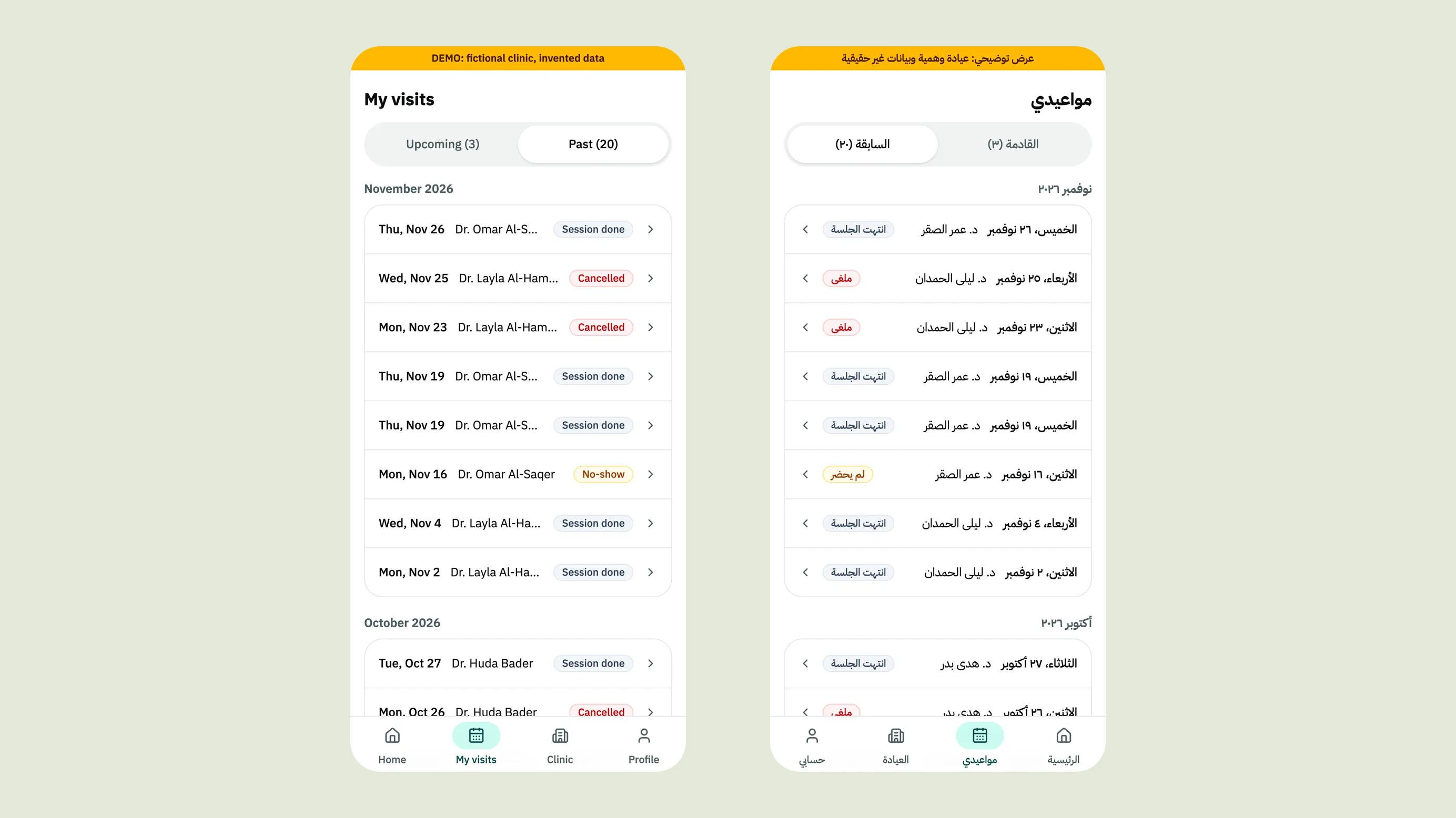
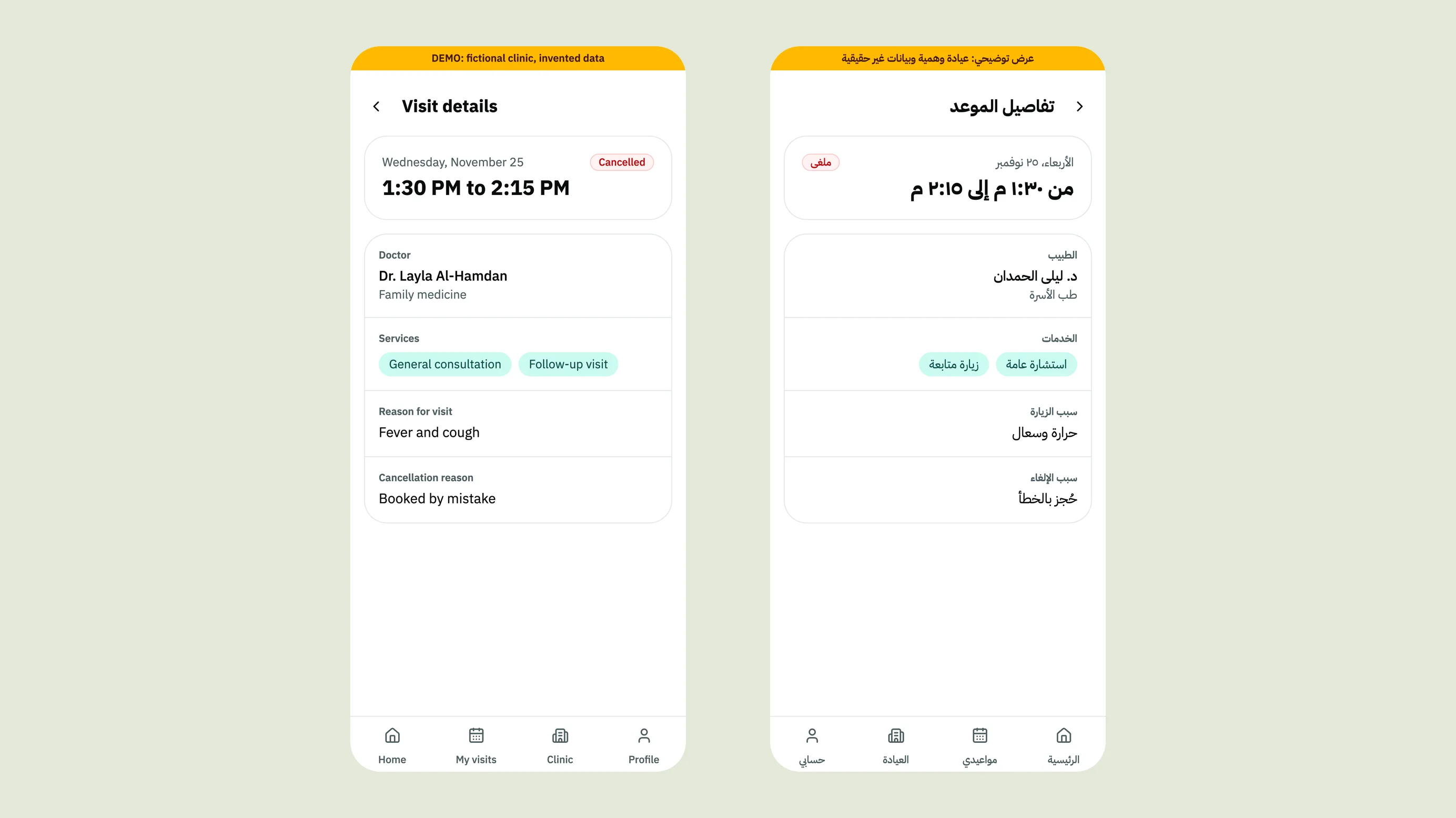
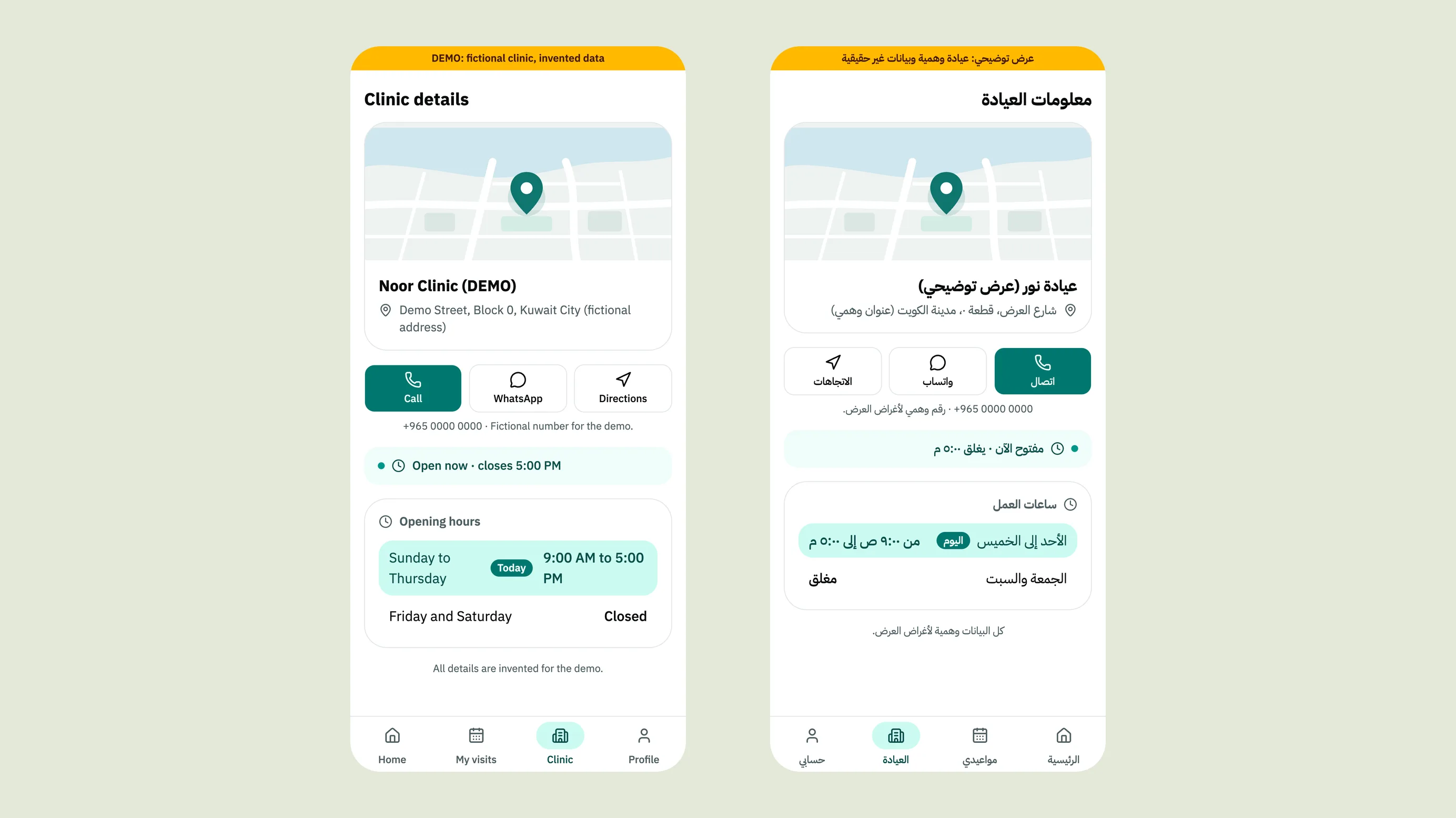
A phone app on the admin's own backend
Eight endpoints were added to the Laravel admin with Laravel Sanctum: signing in and out, the user's language, visits (list, open one, change status) and the clinic details.
- A patient login is an ordinary user linked to a patient record. It has no roles and can't open the admin panel.
- Patients only get their own visits. They never see invoices, clinical notes, the internal visit note or other patients, and asking for someone else's visit returns "not found".
- Staff requests go through the admin's own permission rules, so the phone can't do anything the admin wouldn't allow.
- Names, services and reasons come back in both languages, so switching language needs no reload.
Features
For patients
Seven screens. Booking stays with reception on purpose.
-
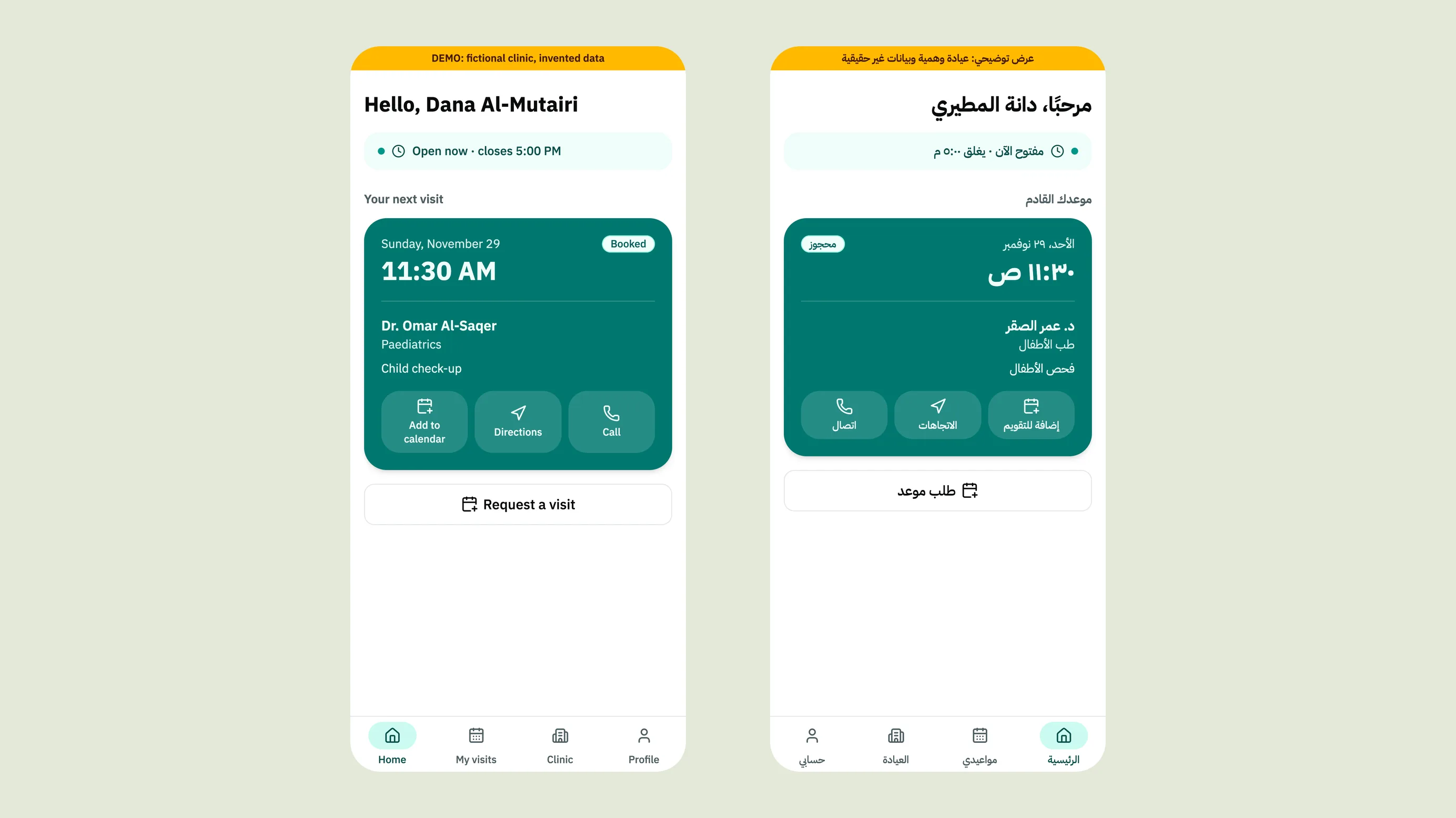
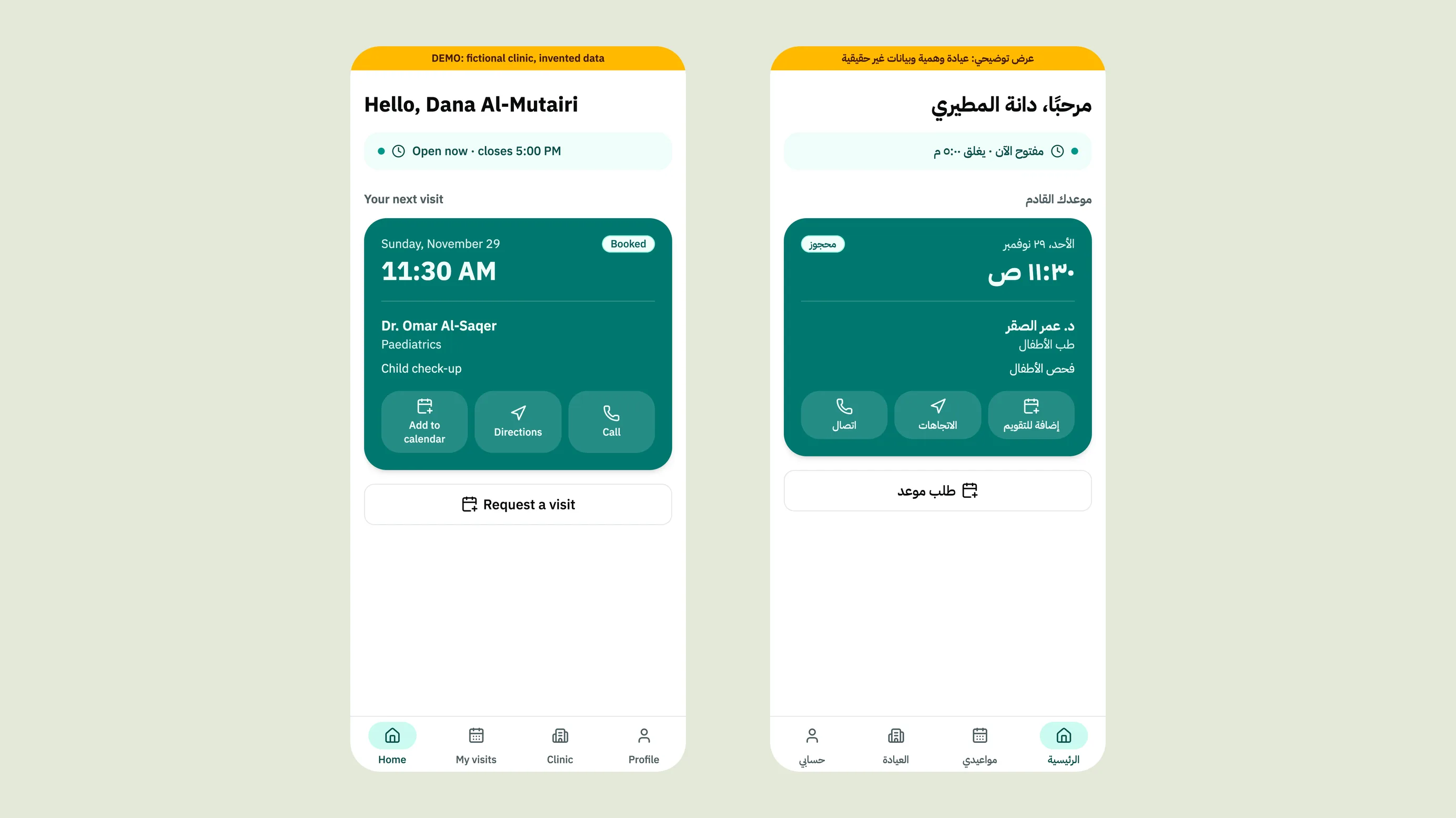
Next visit on the home screen
Date, time, doctor and services. One tap adds it to the calendar, opens directions, calls the clinic or opens the visit.
-
Open now, closes 5:00 PM
A strip worked out from the clinic hours in Kuwait time.
-
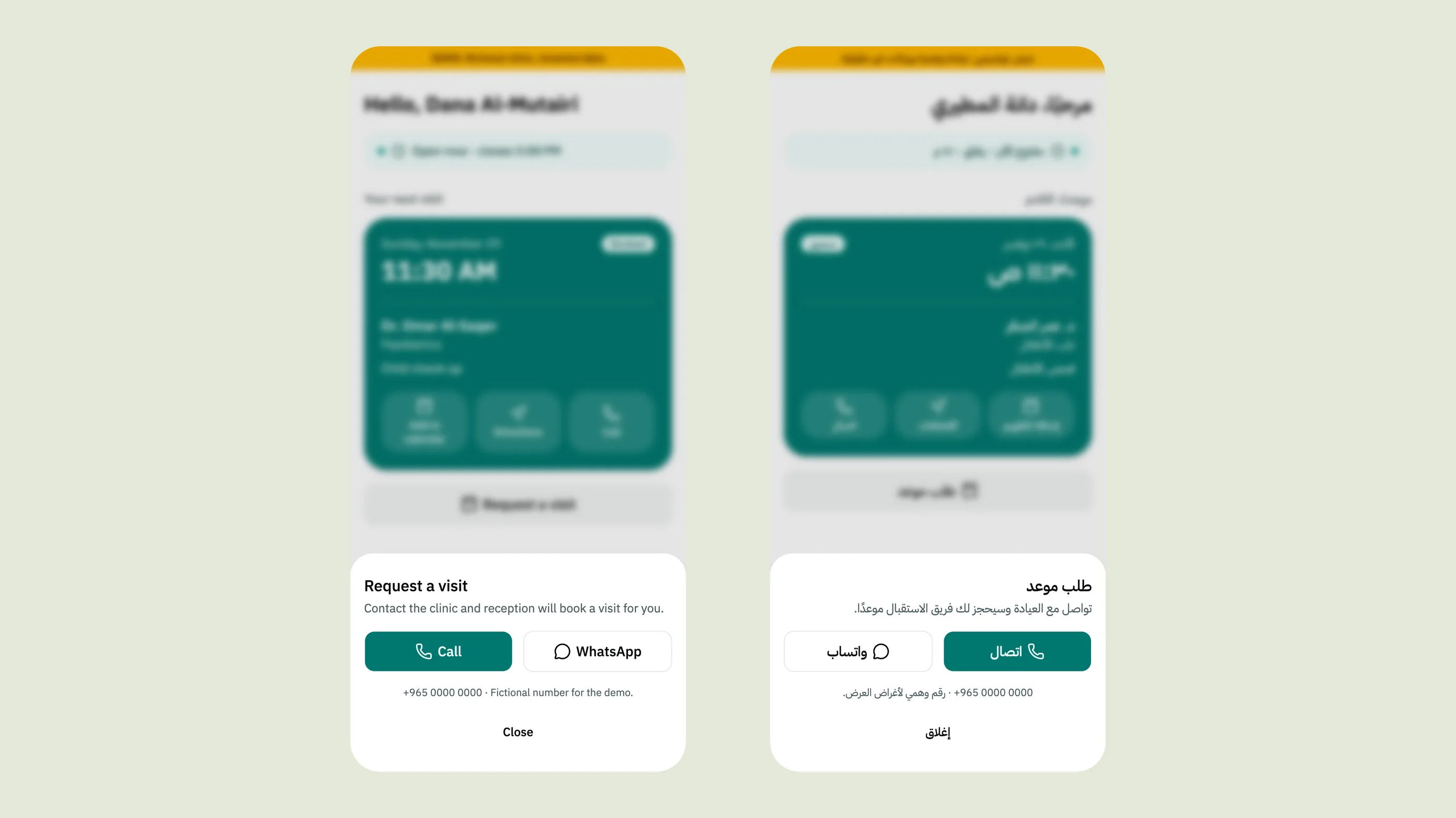
Request a visit
A sheet with Call and WhatsApp buttons. The app doesn't take bookings; reception does.
-
My visits
Upcoming visits as cards and past visits grouped by month. A cancelled visit shows its reason.
-
Clinic page
A map that opens directions, buttons to call or WhatsApp the clinic, and the opening hours with today highlighted.
-
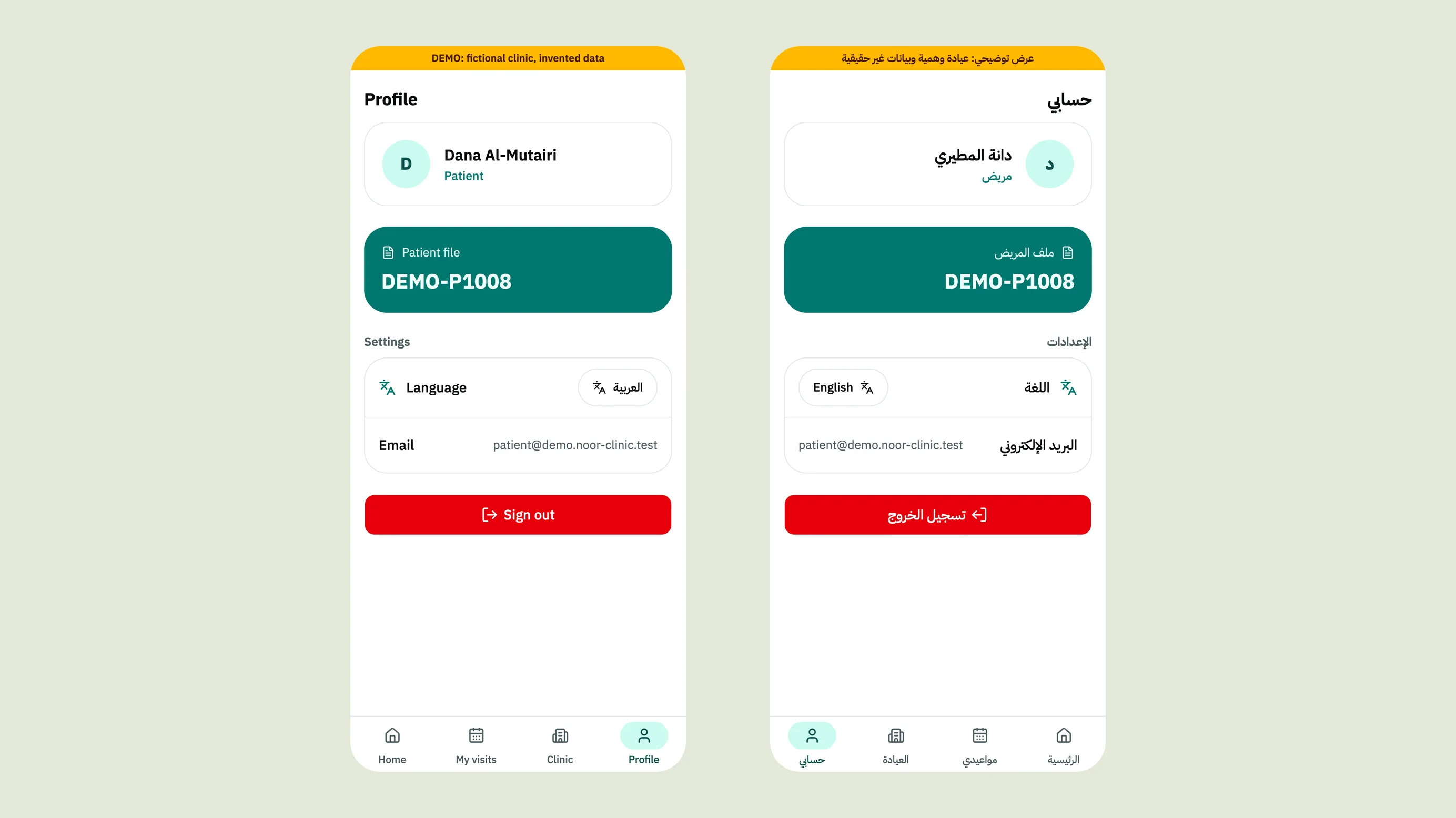
Profile
Name, patient file number, language setting and sign out.
Features
For staff, and across the app
Receptionists and doctors get two screens of their own.
-
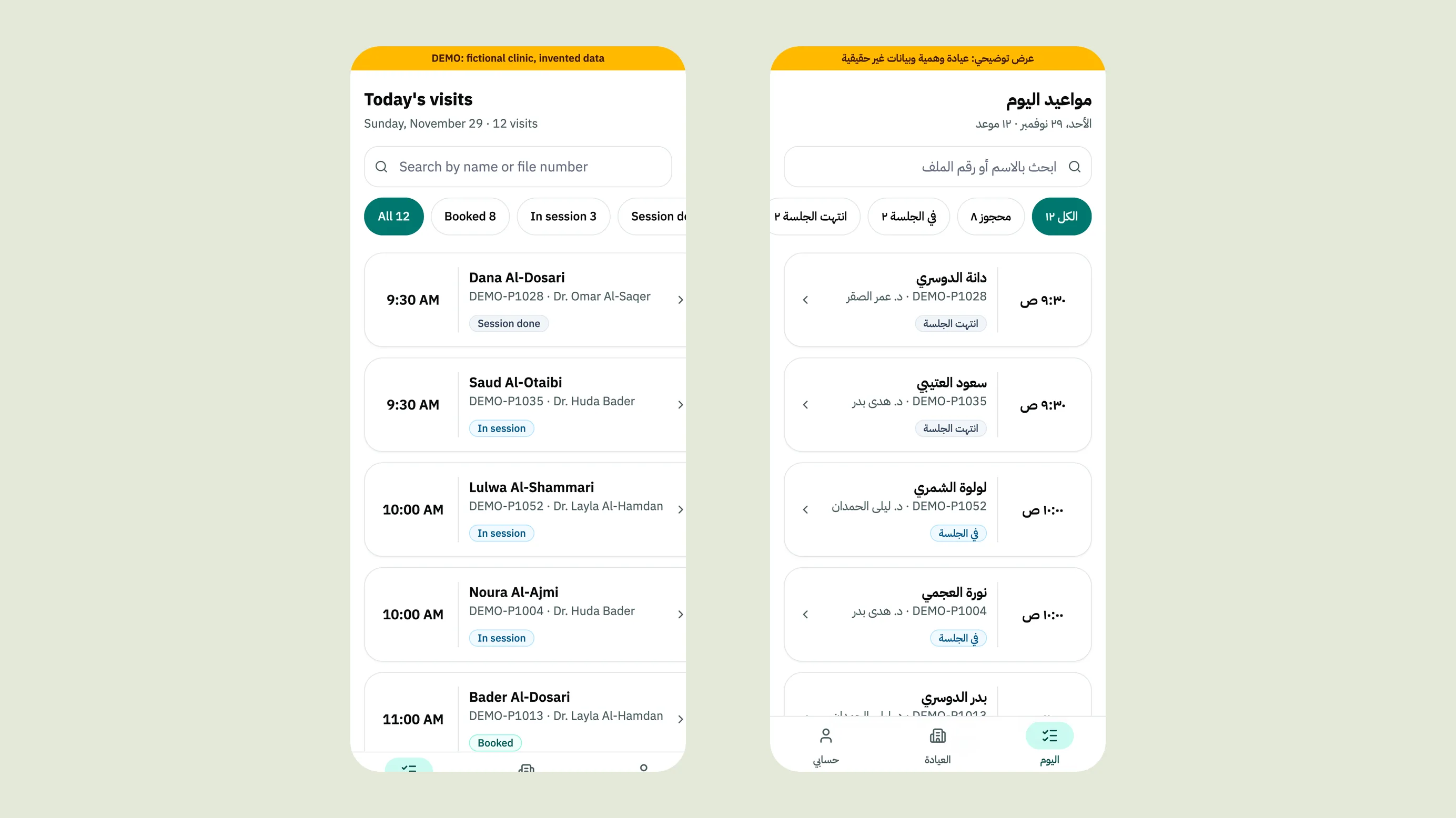
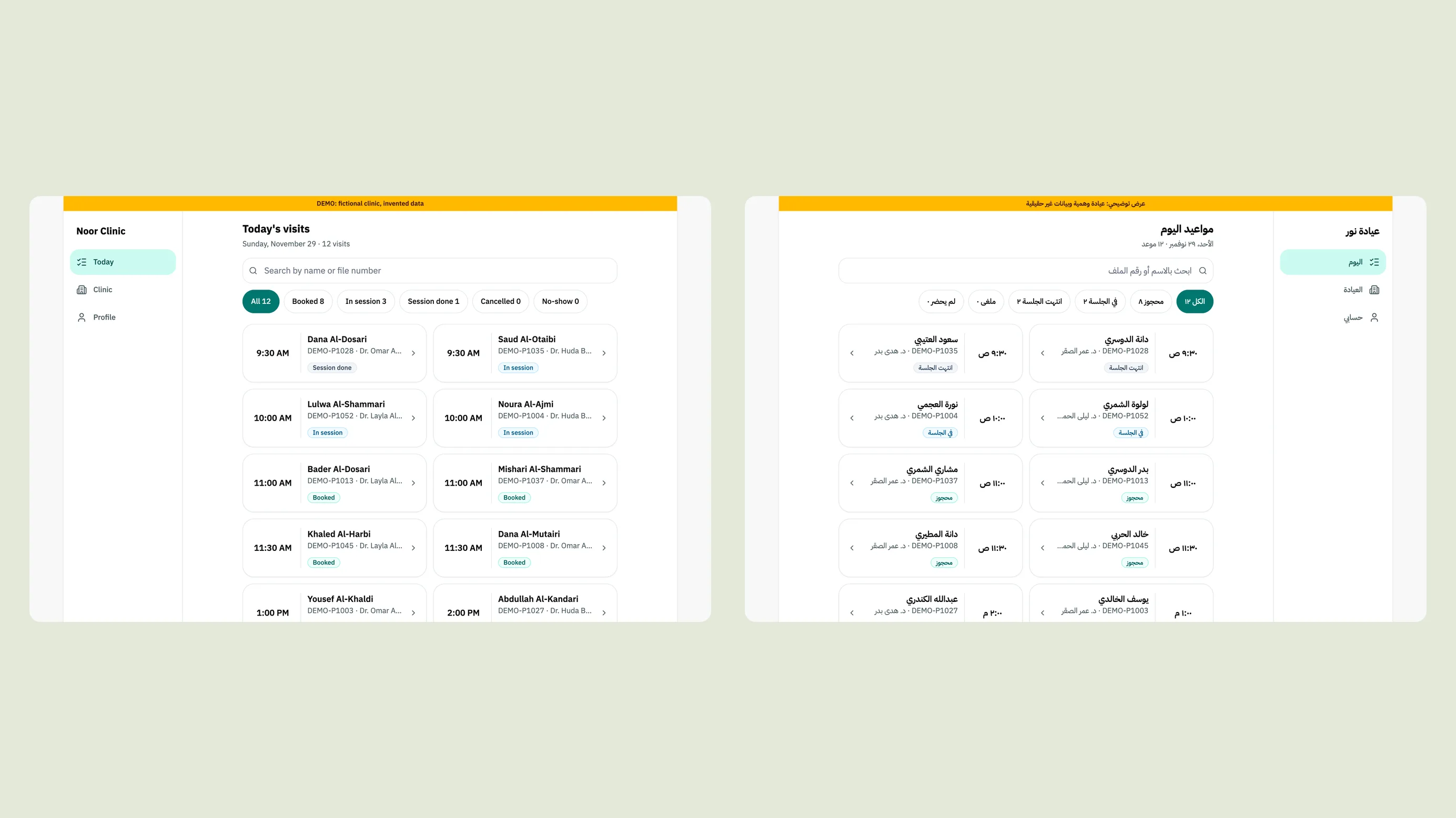
Today's visits
Search by name or file number and filter by status. On Fridays and Saturdays, when the clinic is closed, it shows the next working day with a note.
-
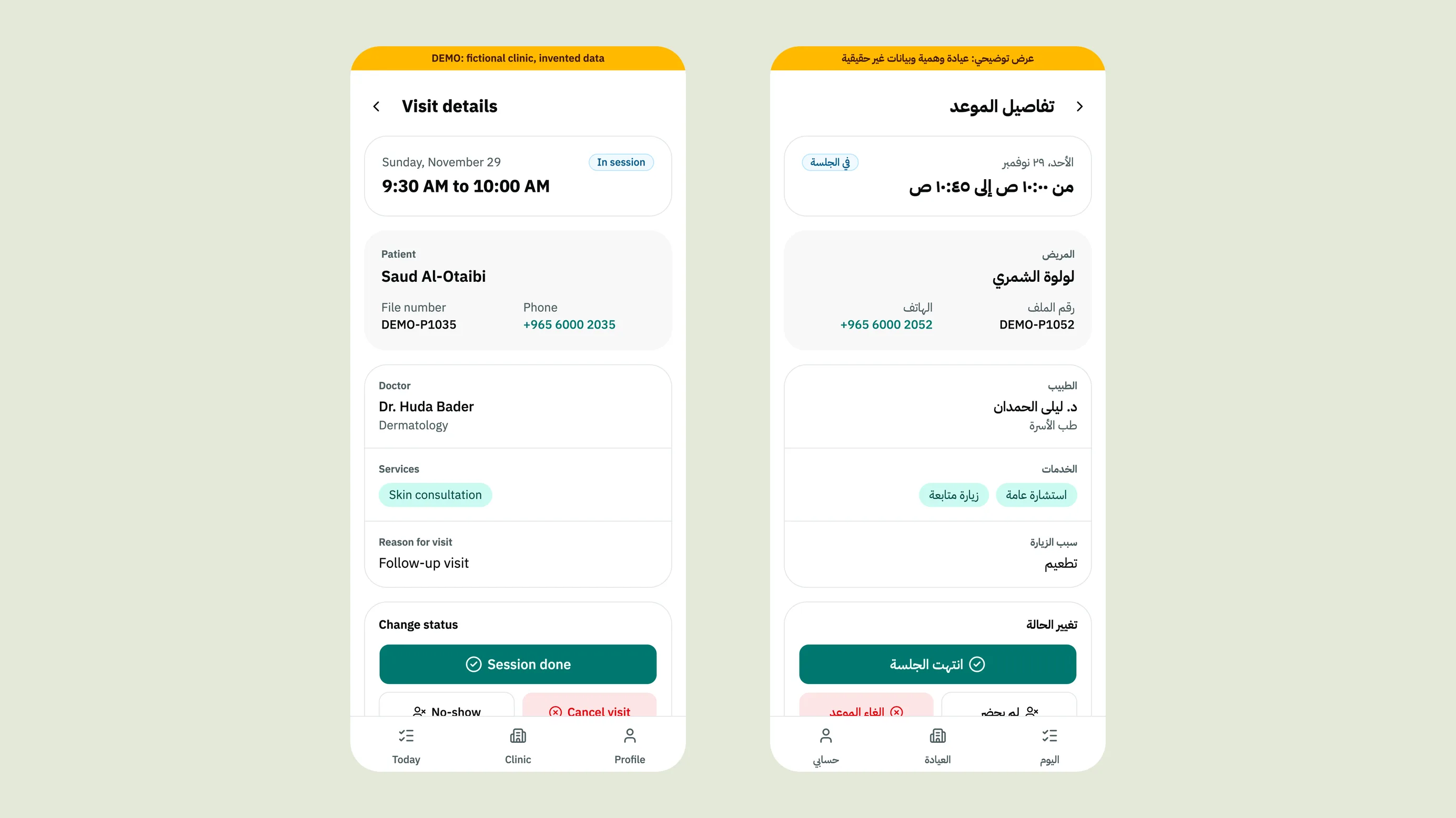
Close a visit from the phone
Mark it done, no-show, or cancelled with a reason. The change saves to the admin and its activity log at once.
-
Doctors see their own visits
The same rule as in the admin. Visit detail shows the patient's name, file number and phone.
-
Arabic by default
The whole layout runs right to left, with Arabic digits (١١:٣٠ ص) and Kuwait time. One button switches to English, saved on the phone and on the account.
-
Phone, tablet and desktop
From 768px wide the bottom tabs become a side rail and lists go to two columns.
-
Usable by everyone
44px tap targets, a visible keyboard focus outline and labels for screen readers. A DEMO banner sits on every screen, in the active language.
- API endpoints added to the admin
- 8
- Screens: 7 for patients, 2 for staff
- 9
- Tests for the API's access rules, inside the admin's 103
- 16
- To open a visit from the list
- 20 ms
How it was built
What broke along the way
All of these happened while building it. Two were caught by tests, and three were Arabic or right-to-left problems.
| PROBLEM | FIX |
|---|---|
| A test showed the first seeded patient had front-desk permissions: the test factory gave the Receptionist role to any account created without one | Patient accounts are excluded, and a test checks it |
| The login screen printed the shared demo password, and Chrome flagged it as leaked in the middle of demos | Demo accounts are role cards that sign in from code, so no password is typed into the form |
| The demo logins are shared, so one visitor switching to English opened the app in English for the next | The language chosen on the device wins at sign-in |
| The clinic is closed on Fridays and Saturdays, so the staff "today" screen was empty on those days | It shows the next working day's list, with a note saying so |
| Arabic opening hours written as "٩:٠٠ ص – ٥:٠٠ م" came out scrambled, because a dash between two right-to-left times reorders | They read as a sentence: "من ٩:٠٠ ص إلى ٥:٠٠ م" |
| Seeded cancellation reasons were stored in English only and showed in English on Arabic screens | The API sends them in both languages |
| Opening a visit waited for the server each time | Visits open from the list's data, in about 20 ms |
| The server's bun was older than the one that wrote the lockfile and refused to install | Upgraded bun. The app is static files, so there is no Node server to keep alive |
Stack
Built with
App
- SvelteKit
- Svelte 5
- TypeScript
A static single-page app (adapter-static), installable as a web app. It needs a connection.
Interface
- Tailwind CSS 4
- shadcn-svelte
- Lucide
- IBM Plex Sans Arabic
The same font as the admin.
Backend
- Laravel 13
- Laravel Sanctum
The existing Noor Clinic admin, with a small token API added.
Hosting
- Caddy
- Hostinger VPS
- rsync
Served by Caddy with no Node process, on the same server as the admin.
Want something like this built for your team? See the Mobile apps service, or start a project and I'll reply within one business day.
Work with me
Got a product in your head? Let's put it on a screen
Tell me what you're building, who it's for and when it has to be live. I'll reply with questions first, then a fixed quote.
Start a project