Who changed this page?
GitBasedDocs pages now show who changed them last, pulled from the GitHub commit list at sync time. The commit id and GitHub link shipped for editors too, then moved to admins only.

4 min read


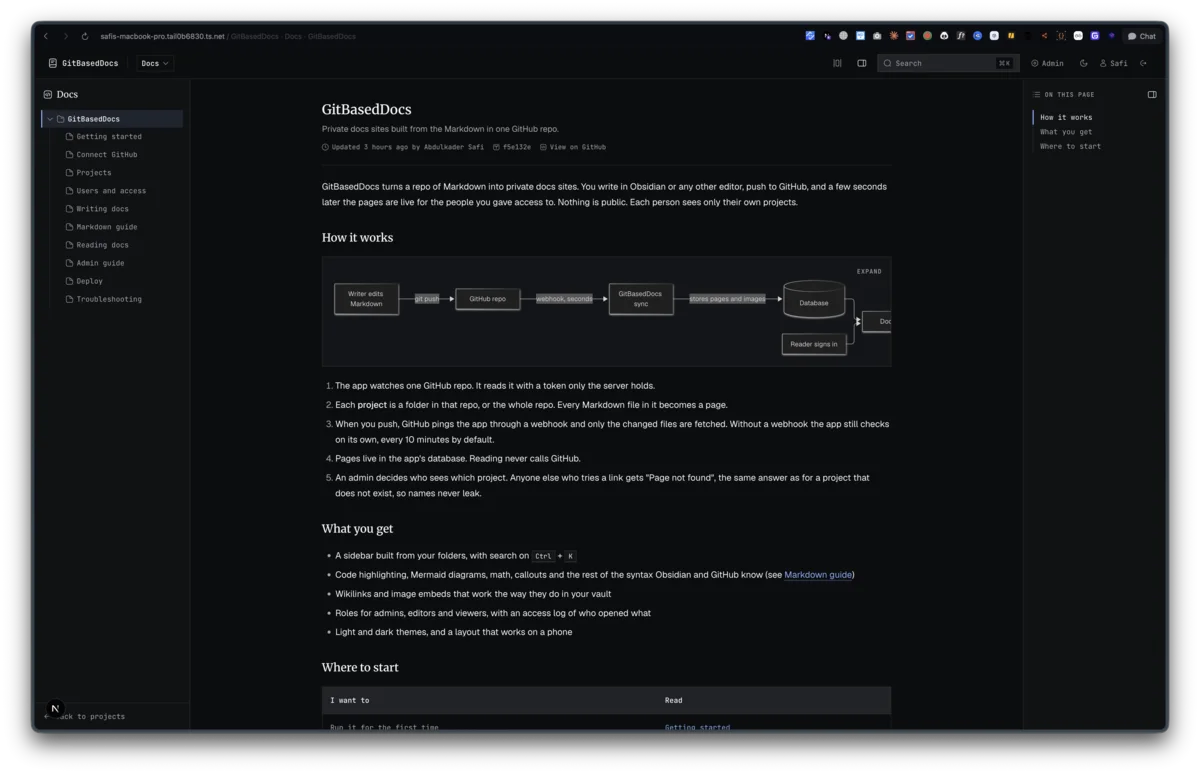
Every page in GitBasedDocs now has a line under its title like this one:
Updated 3 hours ago by Abdulkader Safi · f5e132e · View on GitHub
The first half shows for everyone. The commit id and the GitHub link show for admins only. Getting there took two commits on September 10, and the second one took something away from the first.
Where the date came from before
Until then, "Updated" was the time the sync stored the page's latest version. That is the app's clock, not the writer's. The first sync of a repo stamps every page with the same moment, even pages nobody has touched in months. Without a webhook, an edit can wait for the timed recheck and show up minutes late. Git already knows who touched the file and when, so the page should say that.
One extra request per changed page
A sync already walks the repo tree, and the tree has no commit information in it. Each entry is a path, a type, a blob sha and a size. To learn who changed a file, you ask GitHub's commit list for that path and take the newest one:
`/repos/${owner}/${repo}/commits?sha=${encodeURIComponent(ref)}&path=${encodeURIComponent(path)}&per_page=1`
lastCommit() in lib/github/commits.ts makes that call for each page the sync actually fetches. Delta sync only fetches pages whose blob sha changed, so a push that edits two files costs two extra requests, not one per page in the repo. The ref is the head sha the sync is working from, so the commit matches the content being stored.
The call is optional on purpose. Any failure, a rate limit included, returns null and the page syncs without a commit. A page with no author is a smaller problem than a sync that stops because GitHub said no to a nice-to-have.
commitFrom() reduces GitHub's response to the four things a page shows: the sha, the author name, the date and the first line of the message. The author name falls back to the GitHub login, then to "unknown". An empty list, an error object or an unparseable date all return null. That function has its own check, commits.check.ts, built from a real response for one of my vault's backup commits.
Four columns and a forced refetch
The result is stored on the page row. Migration 0009_page_last_commit.sql adds four columns to doc_pages, then does something less obvious:
-- Existing pages have no commit yet. Forget their blob shas so the next sync
-- fetches each once more and records who changed it last.
UPDATE `doc_pages` SET `blob_sha` = NULL;
UPDATE `repo_connections` SET `last_synced_sha` = NULL;
Delta sync skips any page whose blob sha has not changed, which would leave every existing page without a commit until someone edited it. Clearing the stored shas makes the next sync treat every page as changed and fetch each one once. After it ran, 11 of 11 pages had a commit.
On the page, the time comes from the commit, with the sync time as a fallback for a page that has none:
Updated {relativeTime(page.lastCommitAt ?? page.updatedAt)}
{page.lastCommitAuthor && <> by {page.lastCommitAuthor}</>}
Hovering the time shows the full date, and hovering the commit id shows the first line of the commit message.
Then I took half of it back
The first version (3346bd1) split it by role. Admins and editors got the commit id as a link to GitHub, plus a "View on GitHub" link to the file. Viewers got the short sha as plain text, since the repo is private and a link would only 404 for them.
Reviewing it, I wanted less. A viewer is usually a client, and the commit id is a pointer into a repo they cannot open. The repo is how the docs get published, not part of the docs, so I wanted repo details in front of admins only.
So 8436b3f changed the rule to admins only:
// Repo details (the commit and the link to the file) are for admins only.
// Everyone else sees who changed the page and when, nothing that points
// into the private repo.
const connection = isAdmin ? await getConnection() : null
Without the connection there is no owner or repo name to build a URL from, so both links disappear together and the plain-text sha went with them. Editors and viewers see "Updated 3 hours ago by Abdulkader Safi" and nothing that links into the repo. I checked it over HTTP signed in as each of the three roles.
Last updated 10 Sep 2026 · filed under Typescript, web application, nextjs