Writing
Things I wrote
And what the fix actually was. Mostly Laravel, TypeScript and the tooling around them.
Featured
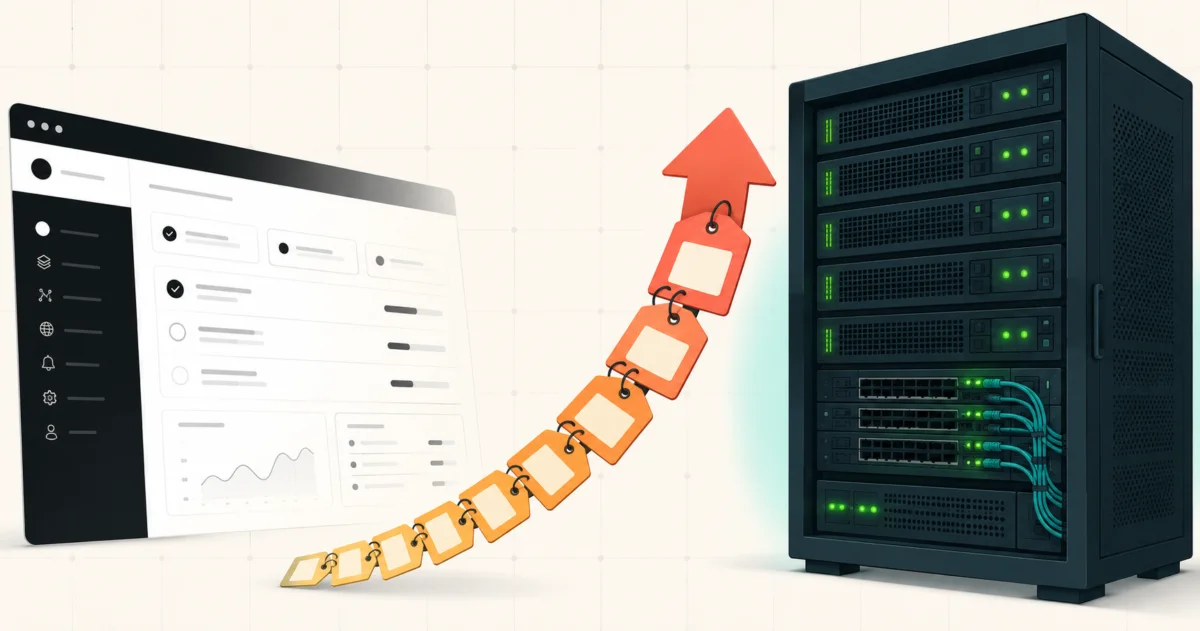
Moving from Vercel to Hetzner with Coolify: the guides are quoting dead prices
Almost every "move from Vercel to Hetzner with Coolify" guide was written in 2025. Hetzner raised cloud prices twice in 2026, and the exact server those guides name now costs 144% more. Here are the real numbers and the plan to pick instead.
6 Aug 2026 · Docker · 10 min read
Filter by topic 61
Top 5 SVG Icon Libraries for Any Project or Framework (2025)
Icons speak louder than words. Whether you’re building a website, mobile app, or SaaS dashboard, clean, scalable SVG icons are a must. They improve UX, guide users, and make interfaces feel alive. But not all icon libraries are equal. Here are the top 5 SVG icon libraries you can use in any project, with any frontend framework (React, Vue, Angular, Laravel, Next.js, you name it).
Backend as a Service (BaaS): What It Is, Why It Matters, and the Top Tools to Know
Building apps is hard. Not because of the UI. But because of everything behind it. Authentication. Databases. File storage. Serverless functions. Real-time updates. Security rules. That’s where Backend as a Service (BaaS) steps in. It’s like hiring a full backend team, without actually hiring one.
Building My First .NET Core MVC RSVP Platform for a Banking Association Event
Learn how I built a full RSVP system using .NET Core MVC, Razor Pages, and Alpine.js in just 9 days for a major banking event. Includes dashboard analytics, QR check-ins, and lessons from a developer based in the MENA region.
LibSQL: The Cloud-Native, Distributed Version of SQLite
LibSQL is a cloud-native fork of SQLite, developed by the team behind Turso. It’s built to retain SQLite’s simplicity and speed, while adding modern features for cloud, edge, and distributed applications.
Dia – The AI Browser That’s Changing How We Use the Web (2025 Guide)
Ever wish your browser could actually help you? Like, really help, summarize that 20-tab rabbit hole, refine your email, pull quotes from a YouTube video, or even stop you from buying that random gadget at 2 AM? Say hello to Dia, the AI-first browser built by The Browser Company. If you’ve heard of Arc, this is its smarter, AI-powered sibling.
How I Designed a Full UI in 2 Hours Using UX Pilot AI
The secret weapon behind my latest project, designing a good UI, takes time. Great UI? Even more. But what if I told you I designed a full project layout, clean, responsive, and modern, in just 2 hours? Thanks to UX Pilot, that’s exactly what happened.
The Easiest Way to Run LLM Models Locally: A Practical Guide Using Ollama and LM Studio
Running large language models (LLMs) on your local machine has become increasingly popular for privacy, cost-efficiency, and performance. While cloud-based solutions like Azure or Google Cloud offer powerful computation, they often come with costs and dependency on internet connectivity. Fortunately, tools like Ollama and LM Studio make it easier than ever to run LLMs locally, without requiring a developer's degree. In this guide, we’ll walk you through the easiest way to set up these tools and suggest the best models based on your device’s hardware.
Why 90% of Projects Don’t Need More Than SQLite
Let’s be real. Not every project needs a heavyweight database system like PostgreSQL or MySQL. In fact, **90% of the time**, you’re better off keeping it simple. And for me? I use **SQLite** in most of my personal projects. Here’s why.
The Ultimate Claude Code Workflow Guide: From Setup to Supercharged Automation
Claude Code isn’t just an AI assistant for writing code. Used right, it’s your research buddy, pair programmer, test writer, and dev-ops tool, all rolled into one. But to get the most out of it, you need the right workflow. In this guide, we’ll walk through the **optimal Claude Code pipeline**. From setting it up to automating repetitive tasks and scaling with multiple agents.
Trying Vibe Coding for the First Time with Claude Code: I Built an Invoice Generator in One Day
I kept hearing about **vibe coding** all over the place. AI writing your code. Projects done faster. It sounded cool. Productive. Trendy. So I thought, why not?
How to Write a Product Requirements Document (PRD) with AI Tools
In the world of product development, clear communication is the cornerstone of success. Whether you're launching a new app, redesigning a service, or iterating on an existing product, a **Product Requirements Document (PRD)** serves as the blueprint that aligns everyone from stakeholders to developers. This blog will explain what a PRD is, why it’s essential, how to create one from scratch, and how to leverage **LLMs (Large Language Models)** like myself to draft detailed PRDs efficiently.
Frontend Frameworks vs. Meta Frameworks: When to Use React/Vue and When to Choose Next.js/Nuxt.js
In the ever-evolving world of frontend development, choosing the right tool for your project can make all the difference. While React and Vue.js have become the go-to frontend frameworks for building dynamic user interfaces, there’s another category of tools that’s gaining traction: meta frameworks like Next.js (built on React) and Nuxt.js (built on Vue). These meta frameworks offer additional features like server-side rendering (SSR), static site generation, and built-in routing, making them ideal for certain project types. Let’s break down the differences and help you decide when to use a front-end framework versus a meta framework.
One email when the next one lands
No sequence, no course, no webinar. Leave from any email.